chorewarrior.com Customer Service: 651-370-7508 9
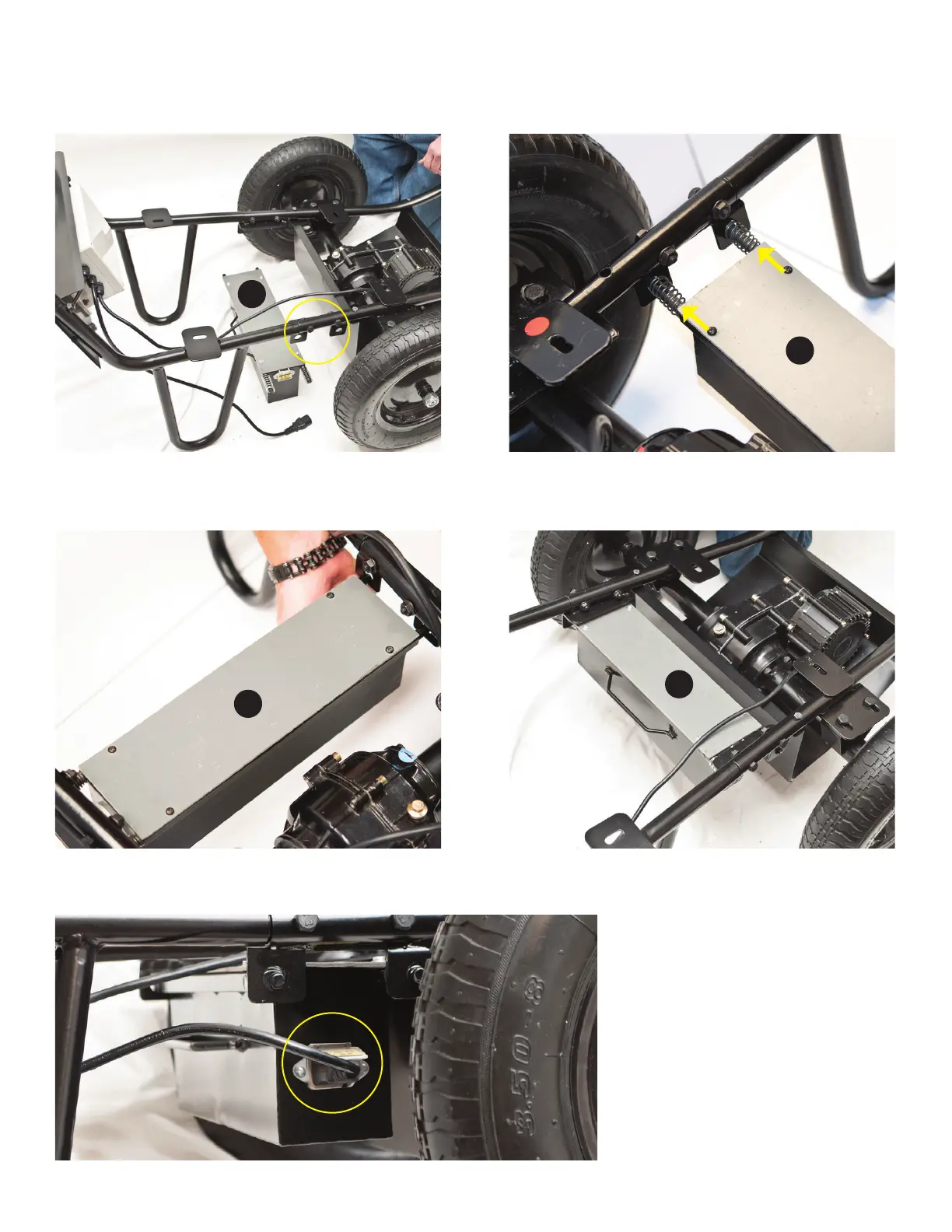
ATTACHING BATTERY BOX
1. Position battery box (E) so that the handle is facing away from the motor. Insert (springs side rst) into the right side battery mount holes on
the frame.
2. Push the battery box to the right to compress springs, then lift left side up and insert into left side mounts as shown. Release. The box
should now be suspended between the frame.
3. Insert power cord plug into outlet on the right side of the battery box. Push in to secure.
E
E
E
E



 To Next Page