chorewarrior.com Customer Service: 651-370-7508 13
CHARGING THE BATTERIES
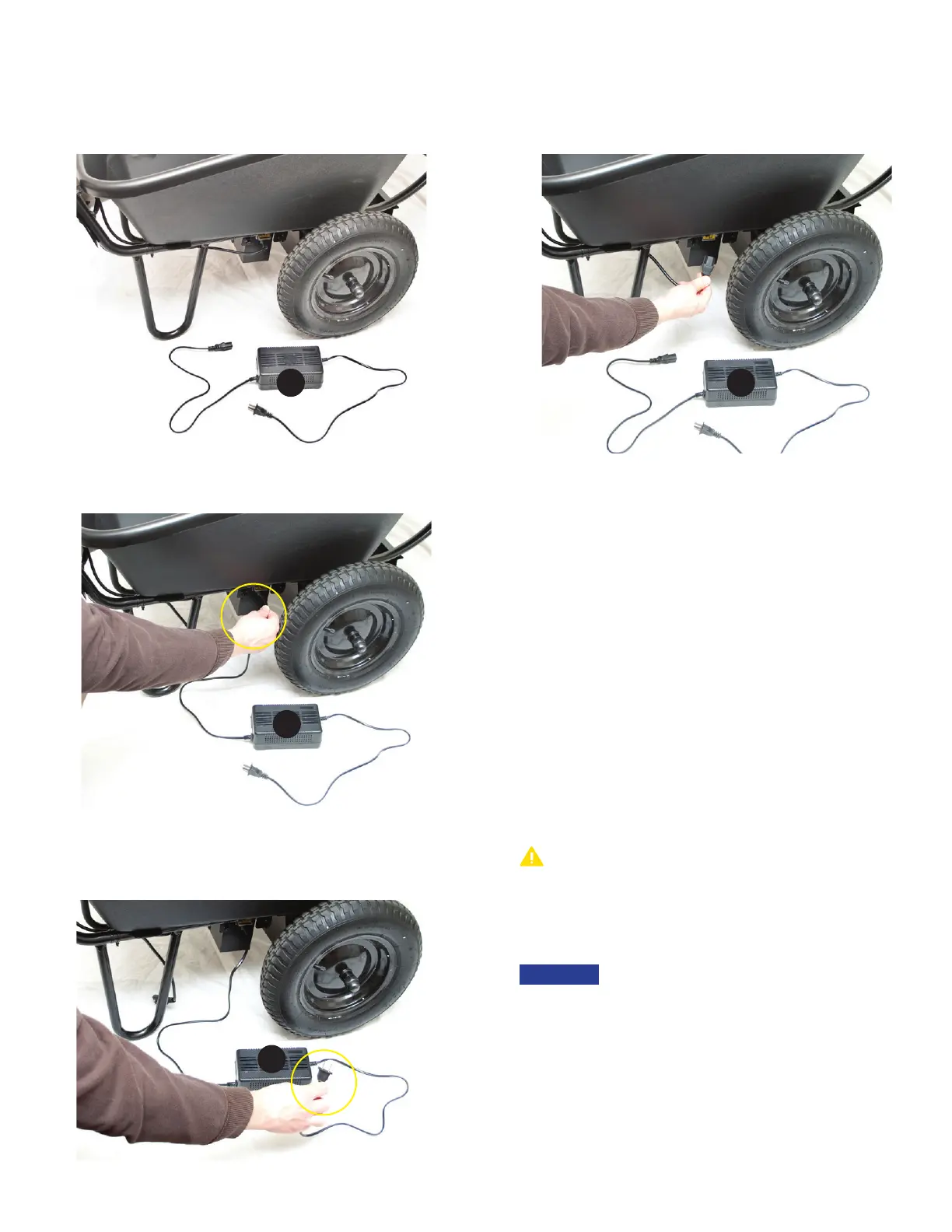
1. Lay out battery charger (I) as shown. Vents MUST face up.
3. Insert charger plug from the battery charger (I) into the outlet
on the battery box.
4. Insert the wall plug from the battery charger (I) into a wall
outlet. A GFCI outlet is recommended.
• Your Chore Warrior comes with partially charged batteries
(60 to 70%) and it should operate normally once assembled.
However, it is a good idea (although not necessary) to bring
your batteries up to a full charge before operating. See page
3 for battery information.
• Connect the battery charger as shown. When the indicator
light turns from red to green on the charger the Chore
Warrior is ready for operation. The amount of time needed
to fully charge the batteries will vary from ½ hour to up to 12
hours.
• Once battery is charged, unplug the charger and reinstall the
power plug by reversing all previous steps on this page.
• Once you have become comfortable maneuvering the Chore
Warrior with power OFF and the batteries are fully charged, it
is time to turn the power ON.
2. Remove power plug from battery box (E) located on the
right side of box.
I
I
I
I
Only charge your batteries in an open, dry, well-ventilated area.
ONLY use the charger supplied with your Chore Warrior. Use of
other charging systems could damage the unit and may cause
harm to you.
• If your indicator light does not change to green within
24 hours, call us at 651-370-7508 or visit us online at
chorewarrior.com. Do not charge longer than 24 hours. Leaving
the charger connected can over-charge the batteries and
shorten the battery life
• To purchase replacement batteries or charger contact customer
service at 651-370-7508.
NOTICE
CAUTION



 To Next Page