High Power DC Electronic Load 63200 Series Operation & Programming Manual
VOLTS
AMPS WATTS/OHMS
CP
CV
CR
CC
CURSOR
GO/NG
7
4
1
0
.
2
5
8
9
6
3
EDIT
16V/80V
MODEL
60A/600ADC ELECTRONIC LOAD
63203
4KW
4
5
6
1
3
2
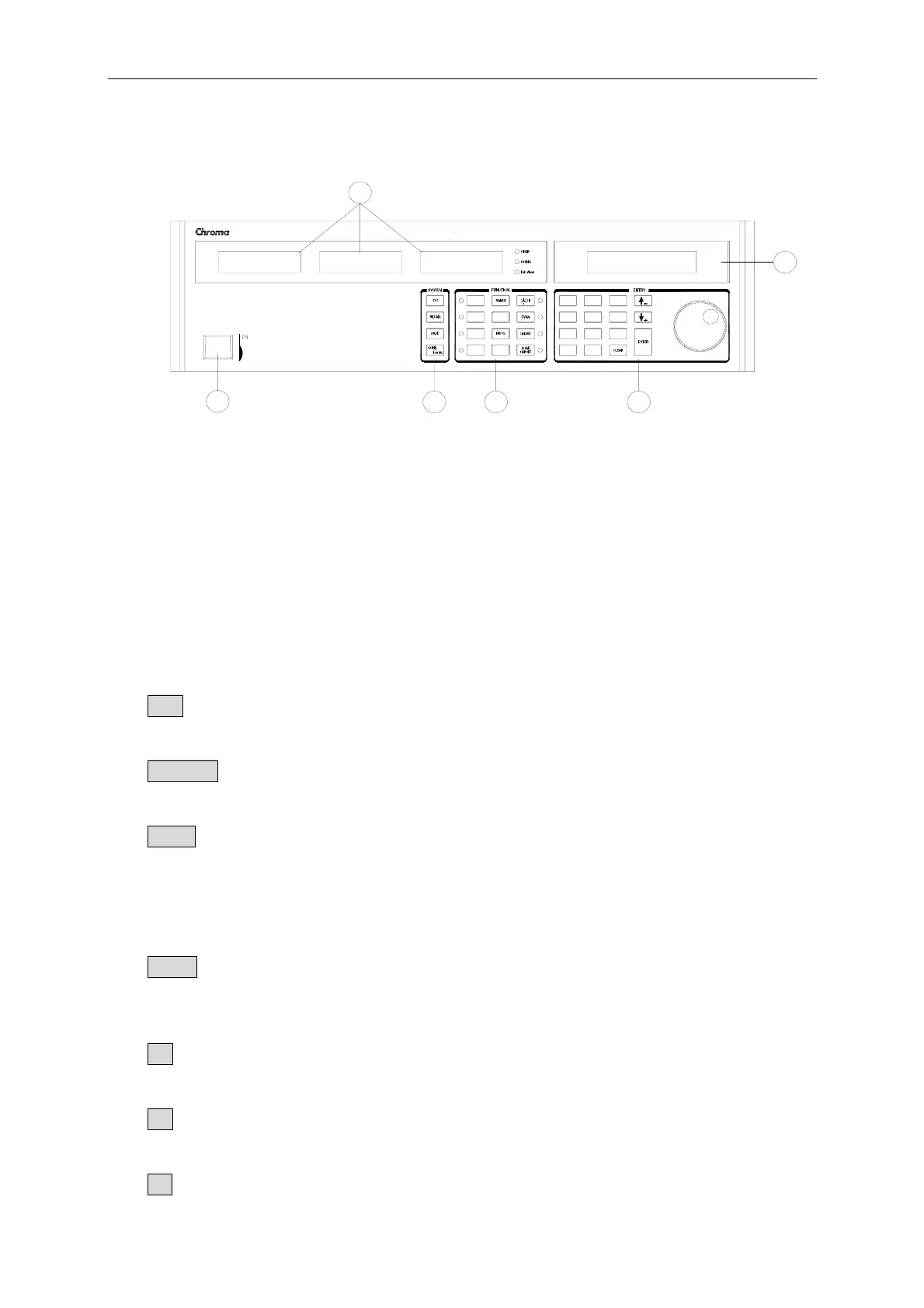
Figure 4-1 Front Panel of the Load
1. Line switch Turn the ac power on/off.
2. LCD display Display setting information normally.
3. 7-segment LEDs Show the V, I, P, R measured data.
4. System keys
SYS To set the remote control status, ext. wave enable and
Parallel function parameters.
RECALL To recall the saved settings from EEPROM, and all settings
from specified files (1 to 101).
SAVE To save all of the present mode settings in the specified files (1
to 100). The save program is from 1 to 10. Saving
DEFAULT is to save the status for the next time the Electronic
Load is turned on. All saved settings are stored in EEPROM,
and will not be lost when ac power is cycled.
CONF To select configuration data for editing.
5. Function keys
CC To select the constant current mode for editing and the CC led
aside this key will be on.
CR To select the constant resistance mode for editing and the CR
led aside this key will be on.
CV To select the constant voltage mode for editing and the CV led
4-2



 To Next Page