Unpairing The Remote
In events such as updating the Uconnect Theater software,
or taking a remote to another vehicle, the remote will need
to be unpaired from your Uconnect Theater system. To
unpair the remote:
1. Press the Settings icon found in the lower right portion
of the Uconnect Theater touchscreen.
2. Press the “Remote” button towards the bottom of the
Uconnect Theater touchscreen, within the settings
menu.
3. Select “Manage Remote Controls” from the Remote
section of ⬙Settings” and follow the on screen instruc-
tions to complete the unpairing process.
4. Once complete, the remote will be ready to pair again.
NOTE: There will be a touchscreen notification message
when unpairing is successful. Repeat the above steps to
unpair a second remote.
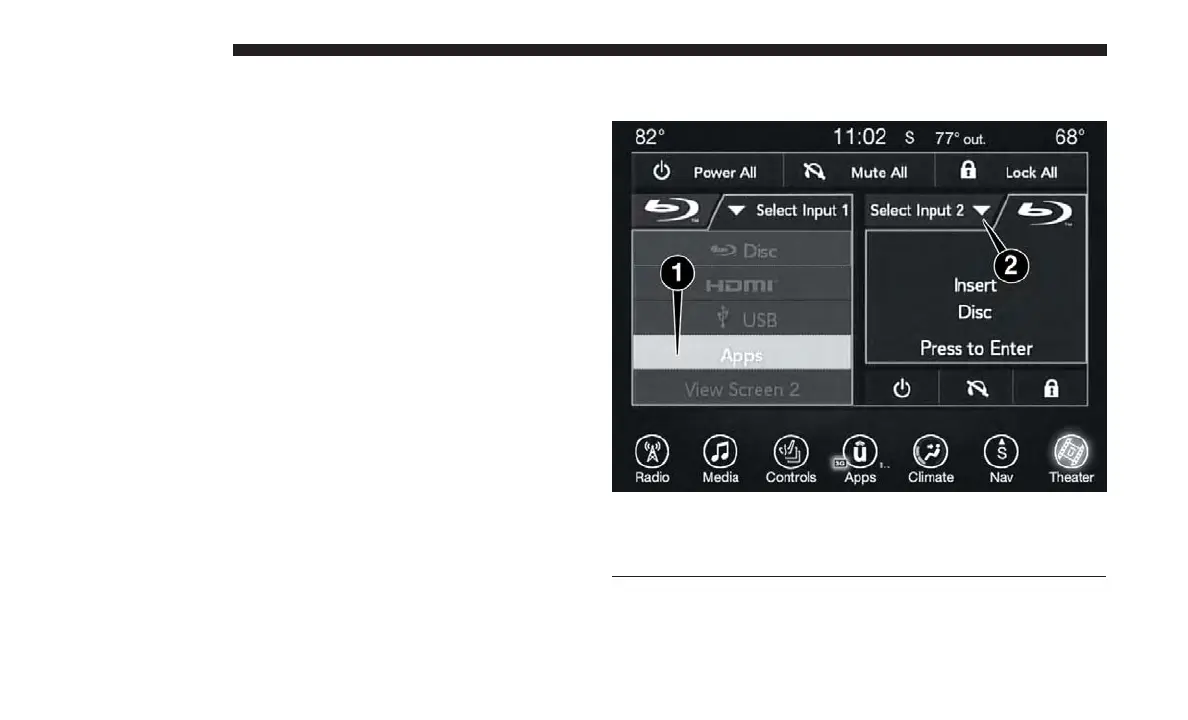
Media Sources
Users can select content for each screen from the front radio
touchscreen by choosing desired content from the “Select
Media Source Selection
1 – Selected Source Screen 1
2 – Screen 2 Source Selection Drop Down
638 MULTIMEDIA















 To Next Page