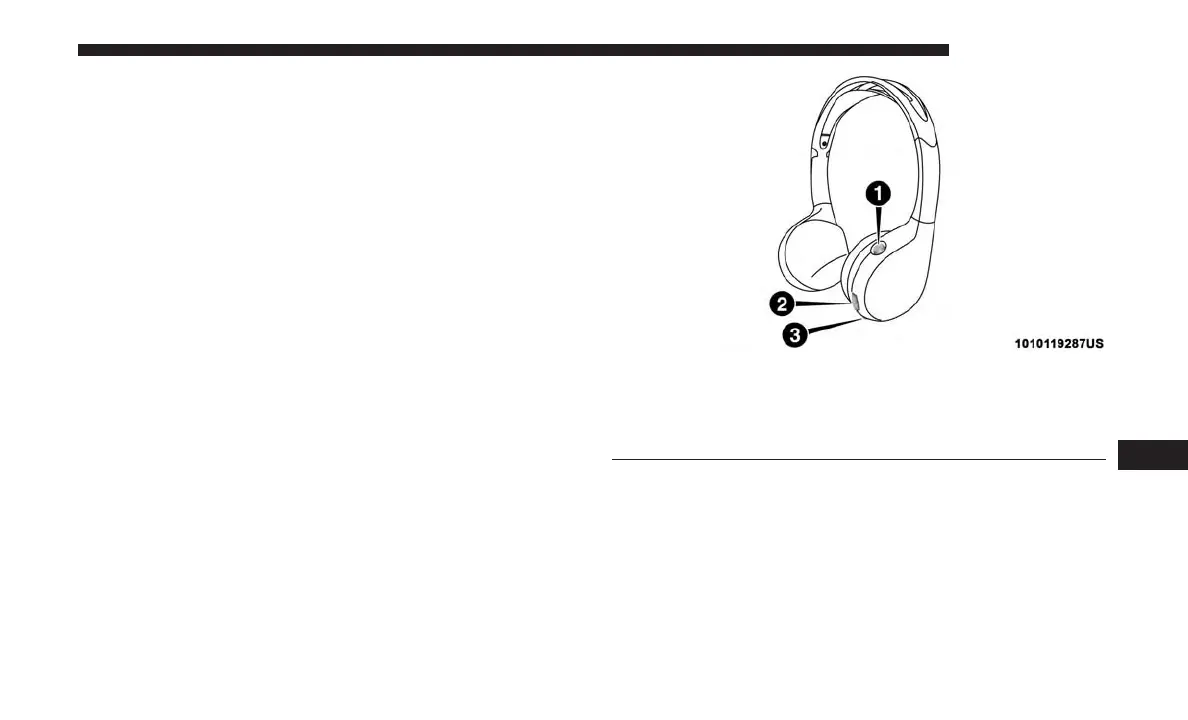
Headphones Operation
The headphones receive two separate channels of audio
using an infrared transmitter from the video screens.
If no audio is heard after increasing the volume control
there are a number of things that can be done to trouble-
shoot the issue:
• Verify that the screen is turned on.
• Check to see that the channel is not muted.
• Make sure that the headphones are on.
• Verify that the headphone channel selector button is on
the desired channel. This button switches between the
audio of screen 1 and screen 2.
• Install two new AAA type batteries in the headphones.
The headphone power indicator and controls are located
on the right ear cup.
NOTE: Uconnect Theater must be turned on before sound
can be heard from the headphones. To conserve battery life,
the headphones will automatically turn off approximately
three minutes after the Uconnect Theater system is turned
off.
Uconnect Theater Headphones
1 — Power ON/OFF Button
2 — Volume Control Wheel
3 — Channel Selector Button
10
MULTIMEDIA 649















 To Next Page