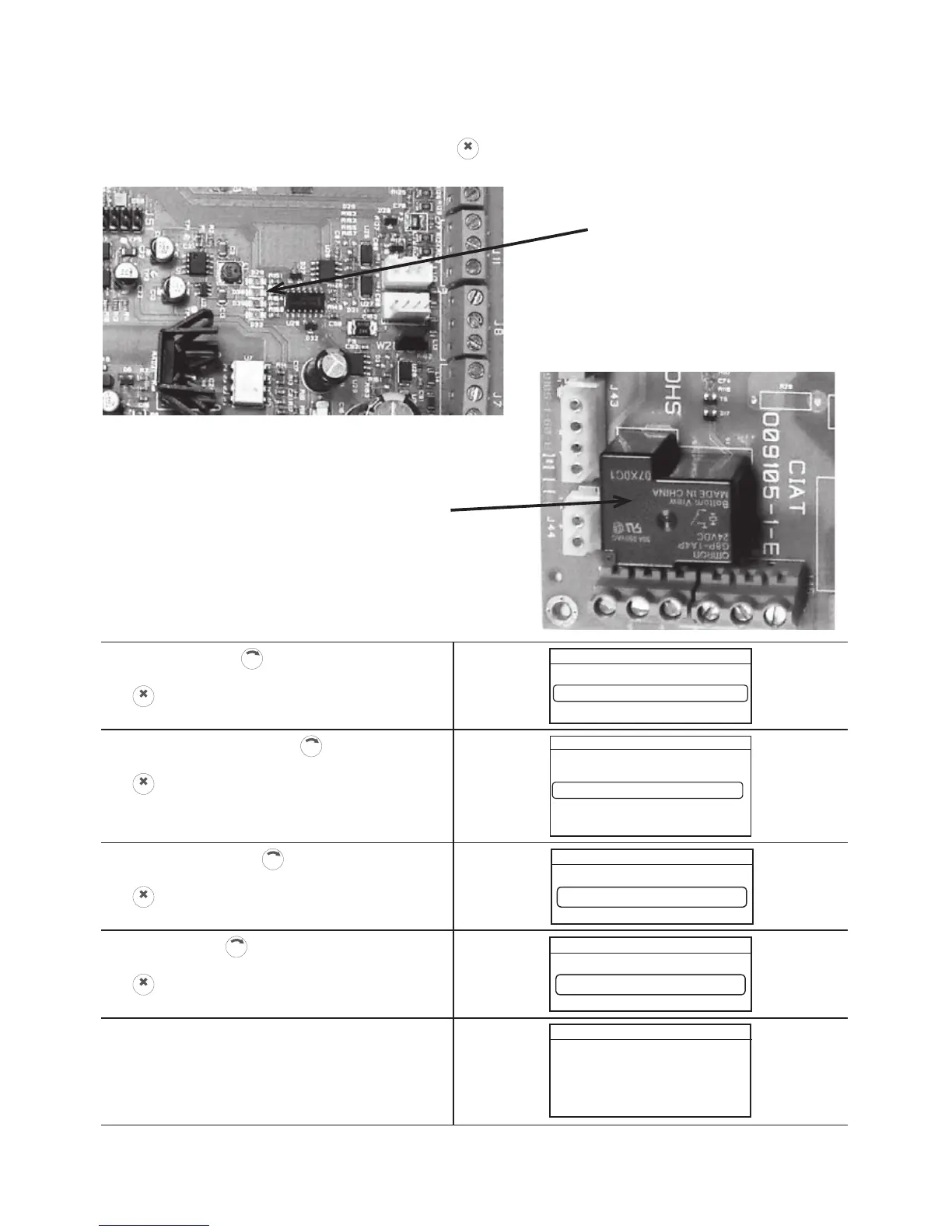
Start the machine stimulation procedure to pair the radio terminal and the heat pump.
WARNING: the time between powering off and powering up must be observed to ensure successful pairing.
Pairing the terminal with the heat pump
During the pairing sequence, the status of LED D30 indicates the status of the HomeConnect board:
- heat pump unpaired: alternate (3 seconds on, 3 seconds off)
- heat pump ready to be paired: alternate (0.5 seconds on, 0.5 seconds off + activation of power relay
(sound signal indicating successful pairing until the
CLIC
button is pressed to confirm)
- heat pump paired – board powered up: alternate (1 second on, 1 second off)
D30
POWER RELAY



 To Next Page