EN - 46
5.6 On/Off control inputs
5.6.1 Turning off or 'bypassing' your heat pump or the heating elements via remote control
To shut down the heat pump and/or heating elements via remote control, remove the jumper on connector J11 terminals 1 and 2
from the HomeConnect controller. Connect your contact between these two terminals.
Contact quality: compatible with a 10 mA current at 24 V.
1: contact closed: normal operation
2: contact open:
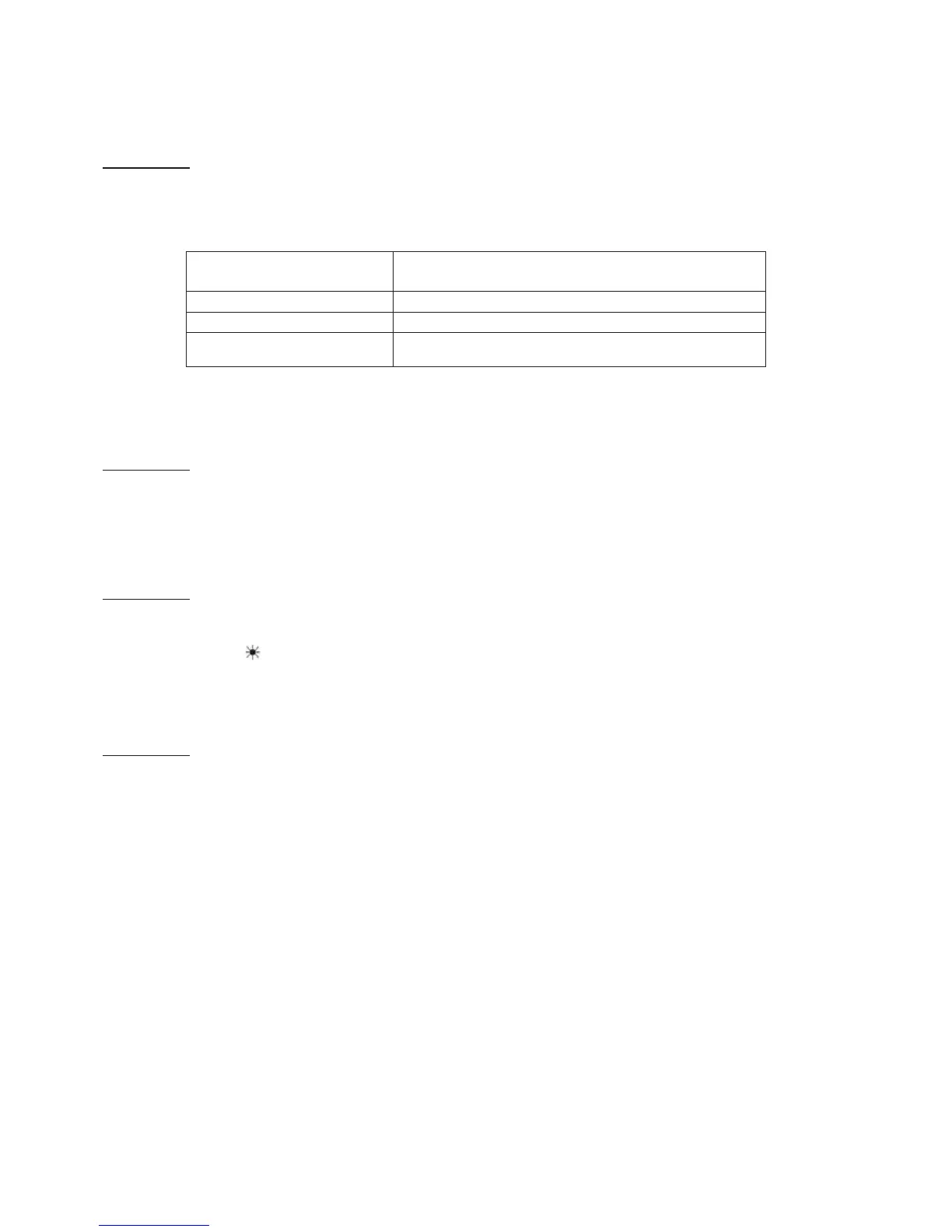
- In heating mode, the bypass depends on parameter P13 (see table below).
- In absence mode, the bypass is not operational.
5.6.2 Turning on the frost protection via remote control: P15 = ABSENCE
To place your system in frost-free mode by remote control, set parameter P15 to ABSENCE. Connect a contact to connector J11
terminals 2 and 3 on your unit's HomeConnect controller.
Contact quality: compatible with a 10 mA current at 24 V.
1: contact closed: unit operated by the terminal,
2: contact open: unit operates in Absence mode.
5.6.3 Turning on cooling/heating mode by remote control: P15 = COOLING/HEATING
To activate heating mode by remote control, set parameter P15 to COOLING/HEATING. Connect a contact to connector J11
terminals 2 and 3 on your unit's HomeConnect control board.
Contact quality: compatible with a 10 mA current at 24 V.
1: contact closed: forced operation in heating mode.
2: contact open: the heat pump is turned off.
Note: the Heating menu
is no longer visible in the control terminal's main menu.
5.6.4 Turning on the Domestic Hot Water cycle via remote control: P15 = DHW
To turn on the Domestic Hot Water cycle by remote control, set parameter P15 to DHW. Connect a contact to connector J11
terminals 2 and 3 on your unit's HomeConnect control board.
Contact quality: compatible with a 10 mA current at 24 V.
1: contact closed: DHW cycle restarted then unit operated by the terminal.
2: contact open: unit operated by the terminal.
Usage example: connection to an off-peak/peak times contact to produce domestic hot water during off-peak times.
Bypass control
(value of P13)
Type of bypass (via opening of contact)
Heat pump Heat pump turned off
HEATING ELEMENT Heating elements turned off
HP + HEATING ELEMENT
Heat pump and heating elements turned off (application example:
entire heating system turned off remotely)



 To Next Page