NA 12.54 D EN - 6
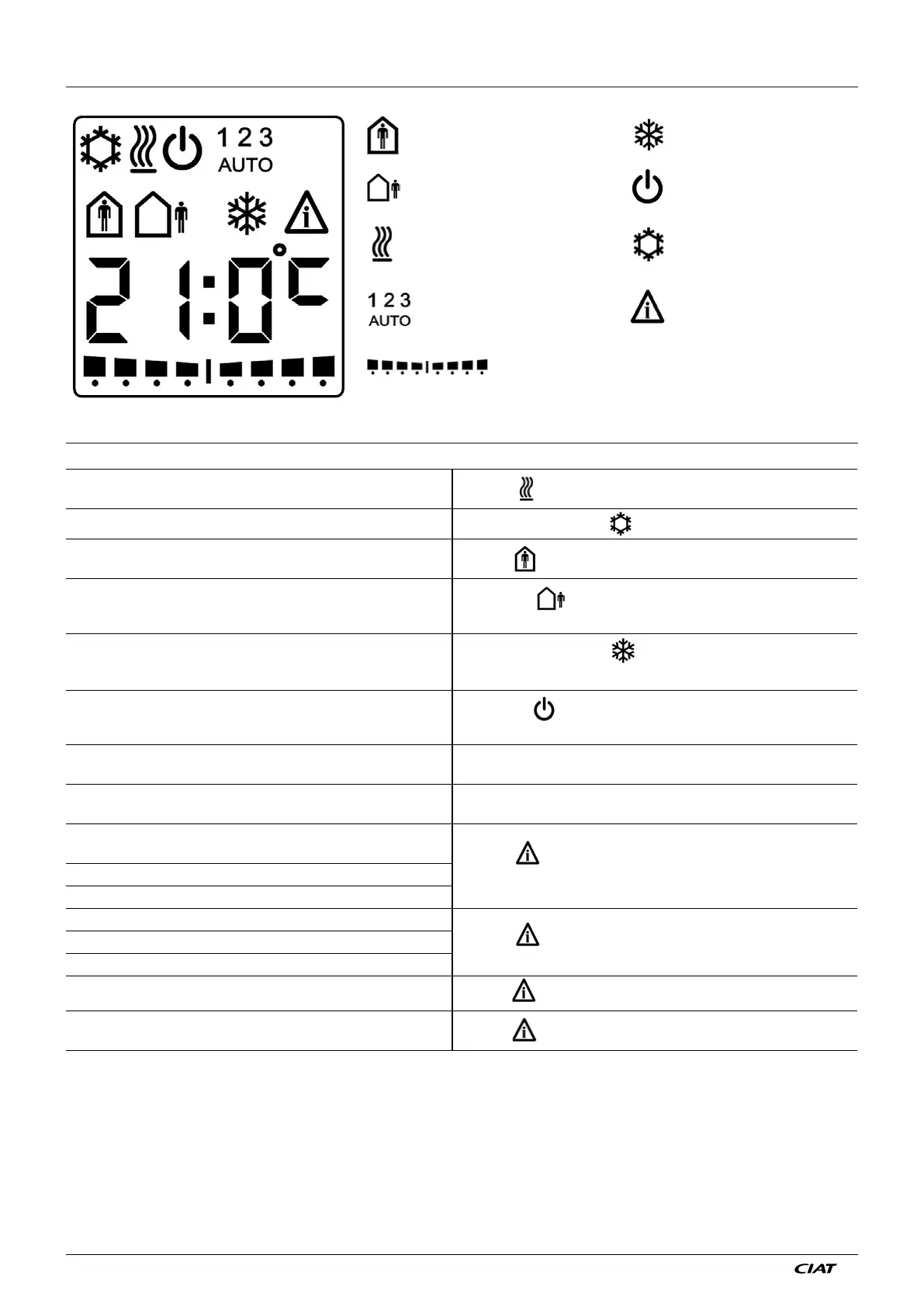
5 - DETAILS OF THE DISPLAY TERMINAL SCREENS
: Comfort mode
: Economy mode
: Frost protection mode
: Off mode
: Heating in progress : Cooling in progress
: Manual ventilation speeds
: Automatic position
: Alarm and fault
: Setpoint shift bar chart
6 - MEANING OF SYMBOLS
Heating
Heating
symbol fixed
Refrigeration Air conditioning symbol fixed
Comfort
Symbol
Economy set using the zone timer or sleep button on the
terminal (depending on configuration).
Eco symbol
No ventilation indication
Frost protection by window contact
Frost protection set using the zone timer or sleep button on
the terminal (depending on configuration).
Frost protection symbol
No ventilation indication
Off set using the zone timer or sleep button on the
terminal
(depending on configuration
).
Off symbol
No ventilation indication
Setpoint adjustment
Setpoint adjustment depends on the configuration (± 4°K by
default)
Ventilation
1, 2 or 3: LS, MS or HS manual selected
AUTO: ventilation controlled automatically by the controller
Indoor environment sensor fault if indoor environment sensor
assigned priority
Symbol
(see d07 = 0.0.1)
Return sensor fault if return sensor assigned priority
Simultaneous fault on indoor environment and return sensors
Condensate drain pump alarm
Symbol
(see d07 = 0.1.0)
Fan motor assembly unit alarm (if HEE)
General alarm
Master unit but communication lost with slave(s)
Symbol (see d07 = 1.0.0)
Master or Individual unit but communication lost with the
Zone timer
Symbol (see d08 = 2)


 To Next Page