EN
EN - 7 N 12.54 D
7 - INSTALLATION PARAMETERS
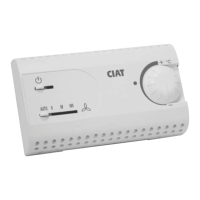
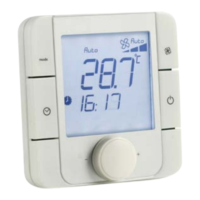
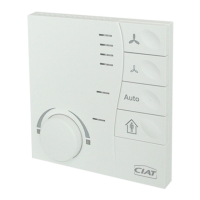
• The installation parameters can be modified using the room terminals with display.
• To enter Configuration mode:
- Press the and keys simultaneously for 5 seconds
→ Parameter P01 appears
- Select the desired parameter using the and keys
- To consult a parameter: key
- To confirm a parameter modification: key:
→ The modified value flashes for 2 seconds then the parameter No. appears again fixed: the new value is saved
- To exit configuration mode: key
→ When exiting the "parameter" menu, this is shown for approximately 2 seconds before the display returns to normal
(time to reset the controller)
• If there is no activity for 5 consecutive minutes, the terminal automatically exits the configuration mode
and returns to the normal display. (any configuration modifications not confirmed by will not be saved).
Parameter Name Explanation Setting range
Default
value
Param. written on
slave
P01 Zone number
This zone number allows a link to be created with the V300
Zone timer
1...6 1 X
P02 Heating comfort setpoint
Setpoint for heating control in comfort mode P04 + 0.5...P03-2.0
increments of 0.5
19.0 X
P03 Cooling comfort setpoint
Setpoint for cooling control in comfort mode P02 + 2.0...P05-0.5
increments of 0.5
26.0 X
P04
Economy heating
setpoint
Heating control setpoint in economy mode P53 + 0.5...P02-0.5
increments of 0.5
14.0 X
P05
Economy cooling
setpoint
Cooling control setpoint in economy mode P03 + 0.5...40
increments of 0.5
32.0 X
P06
Comfort setpoint setting
range
Adjusts the maximum +/- shift of the setpoint for room units 0.0...9.0 resolution
defined by P07
4.0 X
P07
No comfort setpoint
adjustment
Defines the display resolution for the comfort setpoint shift
on the room units
0.5 : 1.0 1.0 X
P08
Operating mode
activated by sleep button
on user terminal.
0 = Comfort → Off
1 = Comfort → Frost protection
2 = Comfort → Economy
3 = Comfort → Eco → Frost protection → Stopped →
Comfort
0...3 1 X
P09
Temperature displayed
on terminal
Actual temperature display on the indoor environment
device LCD:
1 = Setpoint
2 = Measurement
1 : 2 2 X
P10
Setpoint offset value
display
Display of actual temperature offset value:
1 = Not displayed (bar chart)
2 = Display offset + bar chart
3 = Display setpoint + bar chart
1 : 2 : 3 1 X
P11
Temperature sensor
selection (if recycled air
application)
Control sensor selection
0 = Return sensor priority
1 = Master room sensor priority
0 : 1 1 X


 To Next Page