EN
EN - 9 N 12.54 D
8 - DIAGNOSTICS
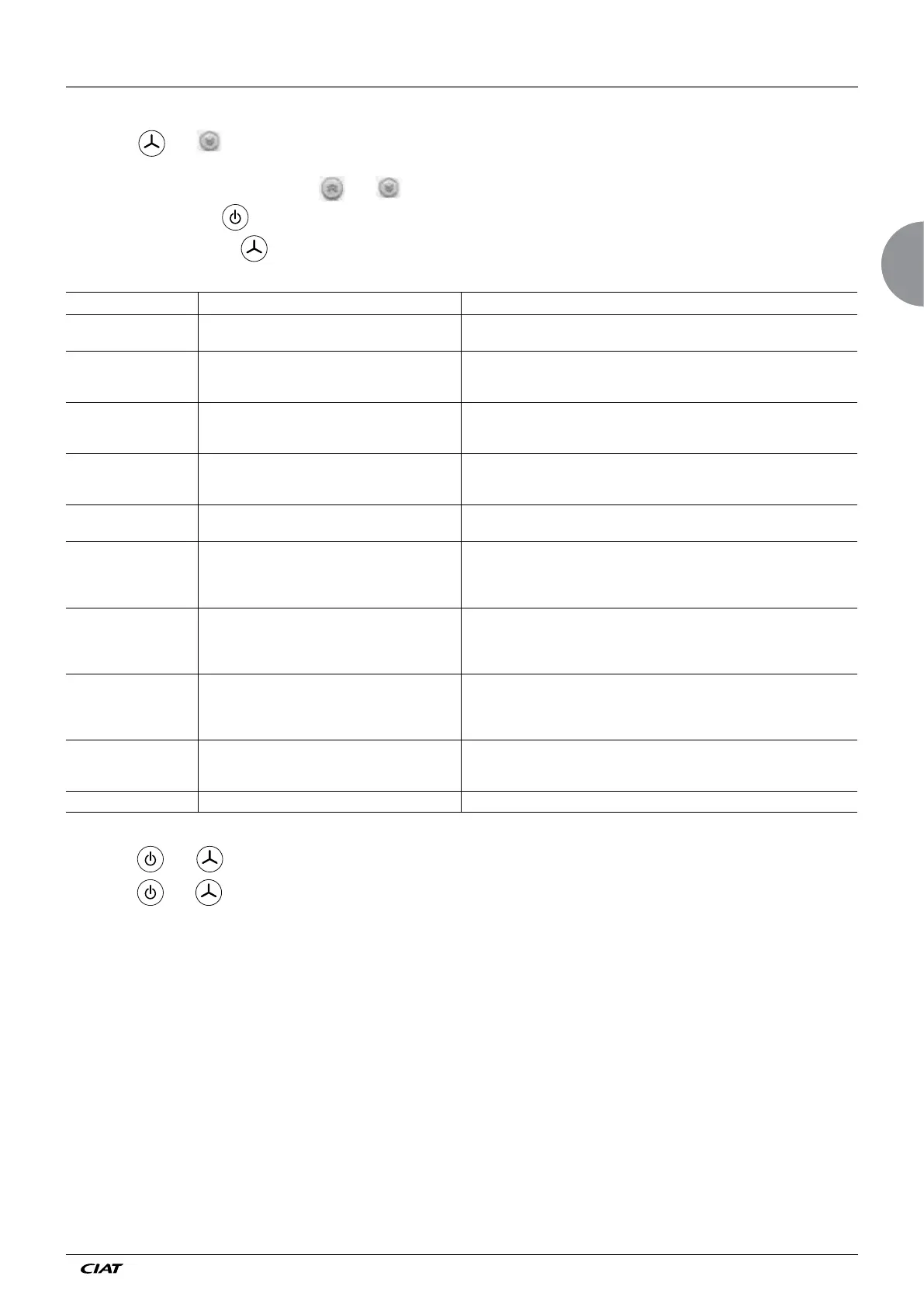
To enter "Diagnostic" mode:
- Press the and keys simultaneously for 5 seconds
→ diagnostic d01 appears
- Select the desired diagnostic using the and keys
- To consult a diagnostic: key
- To exit "Diagnostic" mode: key
Diagnostics Name Explanation
d0 Master/slave unit Number of slave controllers detected by the master (if the terminal is connected to a
slave, number of slaves connected after this slave).
d1 Control state 0 = Heating request in progress
1 = Cooling request in progress
2 = Deadband
d2 Changeover state 0 = Hot water
1 = Cold water
2 = No water (water neither hot nor cold)
d3 Heating/cooling authorisation state 011 = Heating and cooling authorised
001 = Heating authorisation
010 = Cooling authorisation
d4 Electrical authorisation state 0 = Electric heating bypassed
1 = Electric heating authorised
d5 Mode active 0 = Off
1 = Frost protection
2 = Economy
3 = Comfort
d6 Digital input state 000 = DI2 closed / DI1 closed
001 = DI2 closed /
DI1 open
010 =
DI2 open
/ DI1 closed
011 =
DI2 open
/ DI1
open
d7 Alarm 000 = No alarm
001 = Sensor fault (room or return)
010 = Alarm via input D1 or D2
100 = Loss of communication with one or more slaves
d8 Communication with zone timer 0 = No communication since the last reset
1 = Communication OK
2 = Communication interrupted
d9 Controller software version
Sequence to lock/unlock the keypad keys:
- Press the and keys simultaneously for 5 seconds: the keypad is locked
- Press the and keys simultaneously for 5 seconds: the keypad is unlocked


 To Next Page