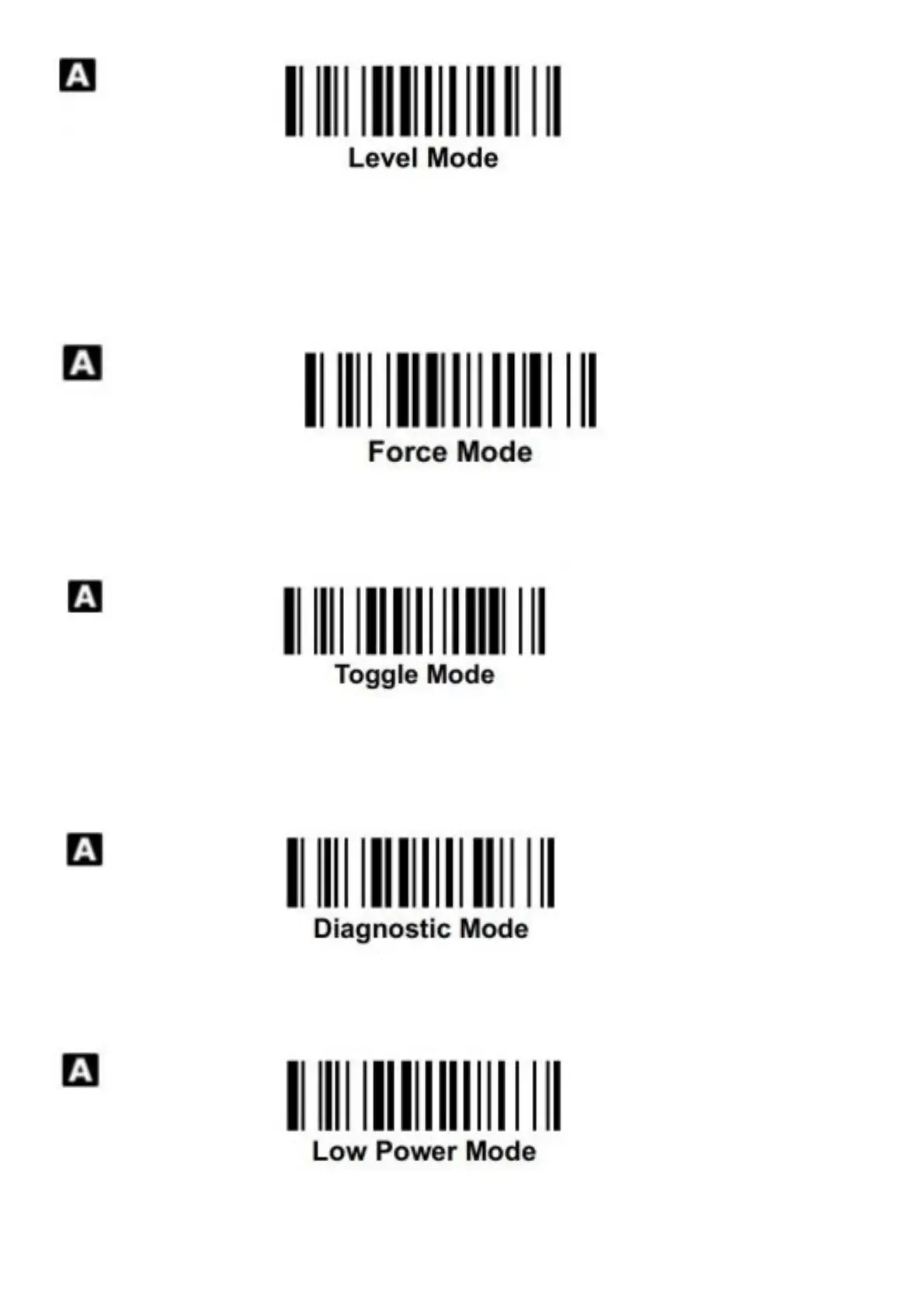
When level mode is selected, the scanner continues to keep the light source on till a bar code is decoded, or the
preset “light source on time” is up. When a bar code is decoded successfully, the scanner turns off the light source
immediately. After the scanner turns off the light source, you have to press the trigger switch to turn on the light
source again. If there is no scanning operation performed during the preset “light source on time”, the scanner will
turn off the light source after the preset “light source on time” is up.
When force mode is selected, the light source of the scanner is forced on for a continuing operation without having to
press the trigger switch. This mode is convenient for high speed scanning.
When toggle mode is selected, you must press the trigger switch to turn on the scanner’s light source to start
scanning. The scanner keeps the light source on until you press the trigger switch again. This mode is very similar to
alternative mode but without the preset light source on time concern.
When diagnostic mode is selected, the scanner’s light source is forced on without regard for other programmable
parameters, such as reread delay, redundancy, and so on.
When low power mode is selected, the scanner goes into idle state after having scanned the bar code. You must
press the trigger switch to wake up the scanner for further operation.





 To Next Page