17
Instruction Manual
RGU-10 B, RGU-10 B RCM
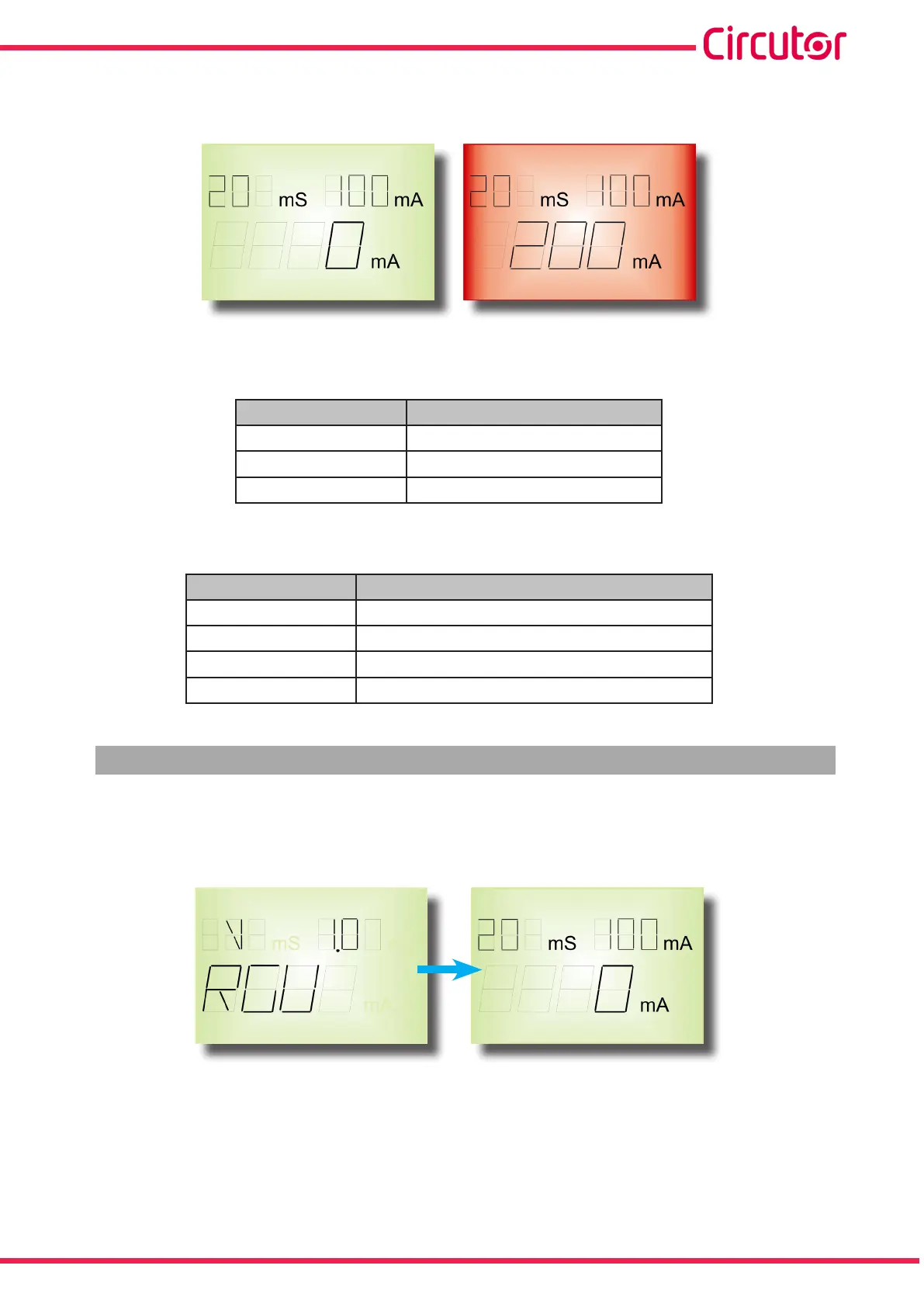
If the device trips through any event, the screen’s background changes to red and the reason for the
trip is displayed.
Figure 9: Display RGU-10B.
Display messages by device trip, Table 6.
Table 6: Display messages by device trip.
Message Cause of trip
TESt Test
EXT Remote signal ON/OFF
ALAR Trip of a leakage current
Other display messages, Table 7.
Table 7: Other display messages.
Message Description
SAVE Validate configuration values
EXIT Exits programming mode
ERRt Poor toroid connection
OVR Current leakage reading off scale
4.6.- OPERATION
When the device is powered at its rated voltage, the green LED ON the front is on, the backlit LCD is
green indicating the software and hardware version. After a short while, the version disappears and
the default display values appear on the display.
Figure 10:Initial screens.
The display shows the delay and sensitivity settings as well as the instant leakage current reading.
While the device is operating, the display shows the following symbols while the device is being pro-
grammed and set, Figure 11.










 To Next Page