Note: MR58 and OD2 devices do not have a reset button.
Indoor Access Points (MR1X/2X/3X)
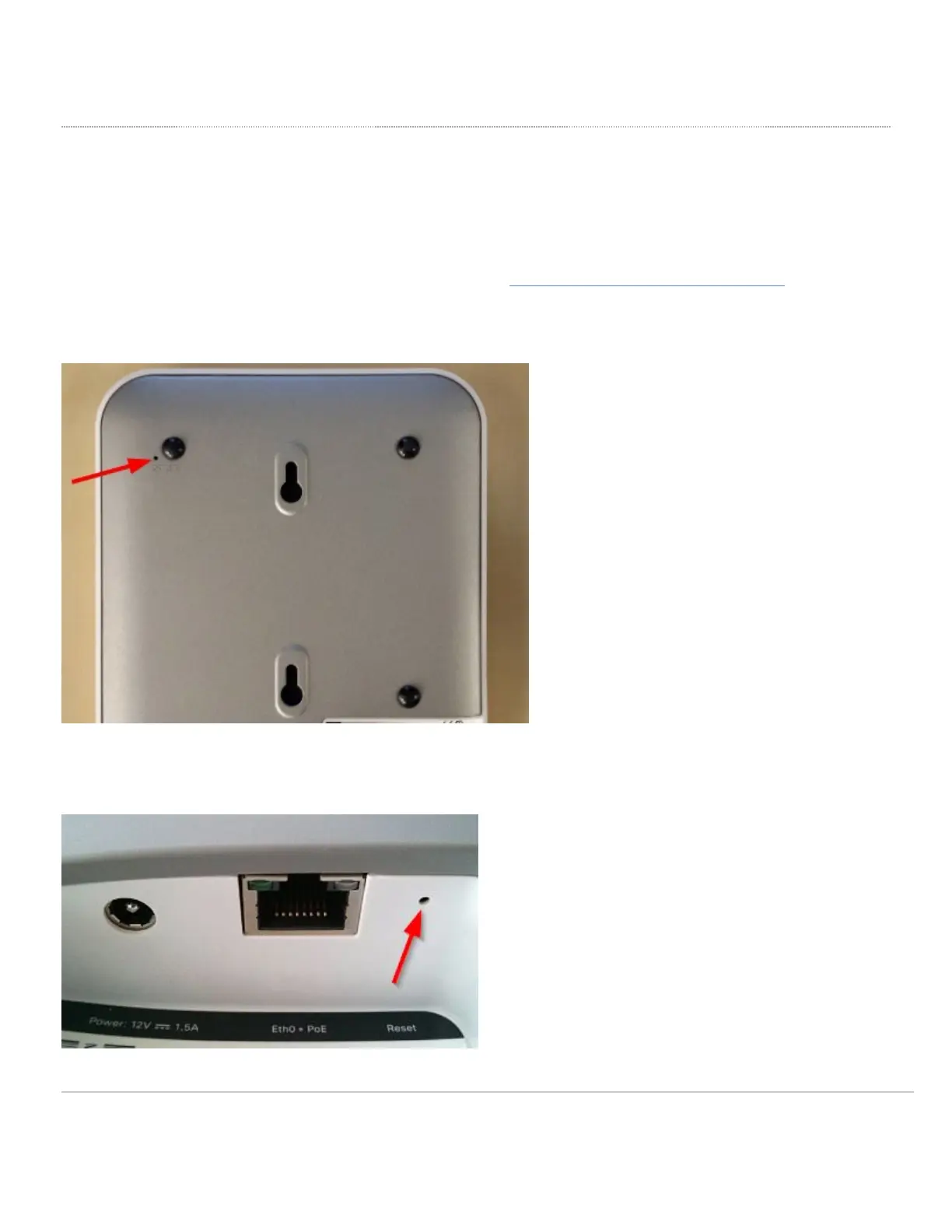
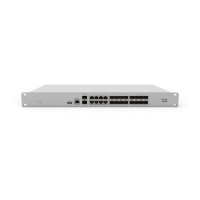
To reset an indoor access point to the factory defaults, press the button labeled 'Reset' for 10-15 seconds. The location of this button varies and is illustrated
below. This will clear the static IP address settings and local configuration of the device. Please be aware that after resetting the unit, the device will need to
download its latest configuration from Dashboard. Please be patient as this could take up to 5 - 10 minutes.
To setup a static IP address on a Cisco Meraki AP, visit the knowledge base article for Static IP Assignment on a Cisco Meraki Access Point.
On the MR12, MR16, and MR24, the reset button is in the upper left quadrant of the back plate of the AP.
On the MR11, MR14, MR18, MR26, MR32, MR33, and MR34, the reset button is located adjacent to the power and Ethernet ports on the AP. Exact location will
vary by model.
6


 To Next Page