MV Security Cameras
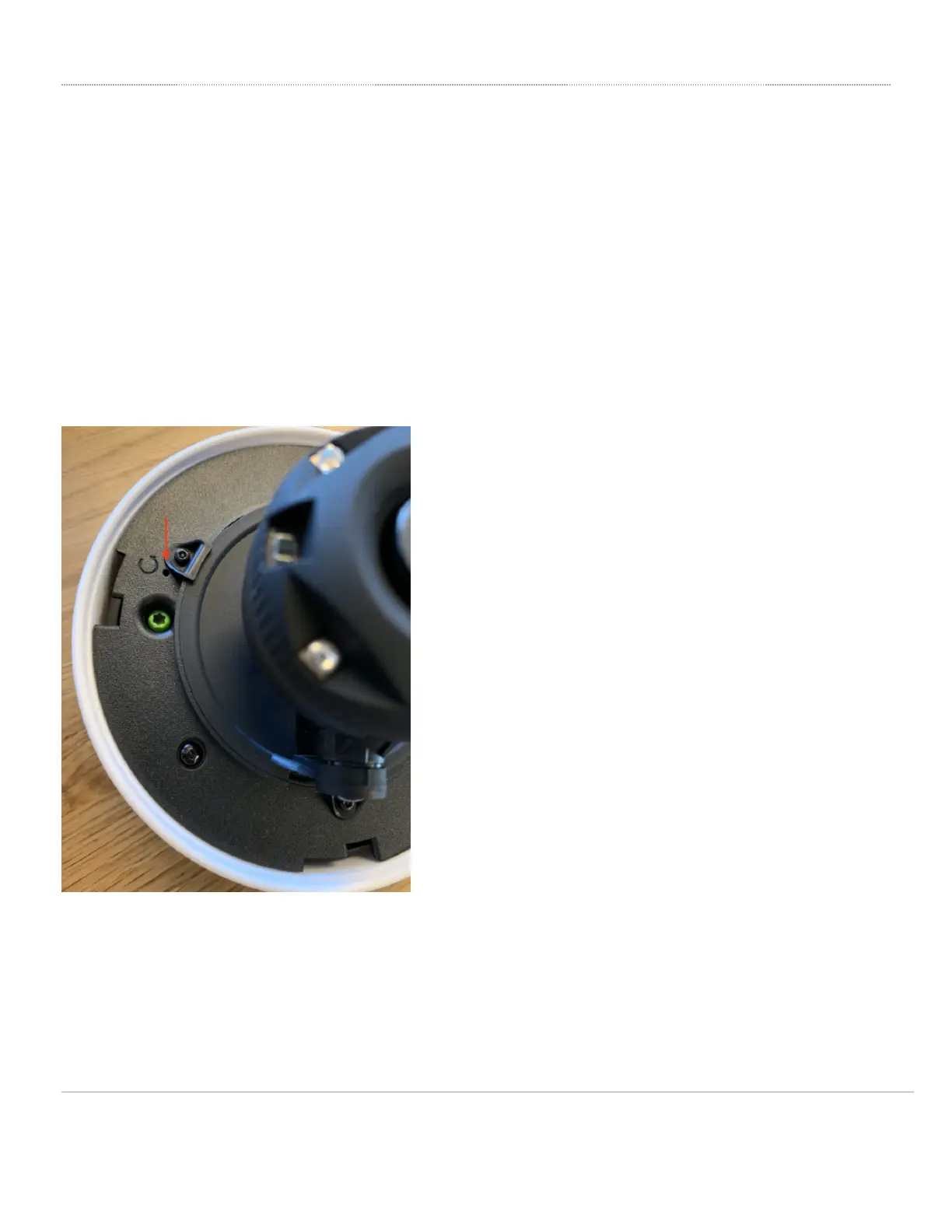
The reset button is located differently between all cameras. However, for all cameras, please be aware that after resetting the unit, the device will need to
download its latest configuration from Dashboard. Please be patient as this could take up to 5 - 10 minutes.
Stored video will not be deleted upon doing a factory reset. To delete video, the camera must be removed from the network.
• [No photo shown] For the MV21 and the MV71 to factory defaults, press the button located next to the Ethernet port
for 5 seconds.
• [Photos below]
◦ For the MV12 and MV22, turn the optical dome to unlock it from the base.
◦ For MV72, you will first need to loosen four Torx head security screws before removing the optical dome.
◦ For the MV32, the reset button is next to the Ethernet port as in the MV21 and MV71.
On the MV12
On the MV22
7


 To Next Page