Press 1 – Message Settings:
Press 1 – Message notification
Press 3 – Menu style
Press 4 – Private lists
Press 2 – Preferences:
Press 1 – PIN
Press 2 – Recorded name
Press 3 – Directory listing
Press 3 - Greetings:
Press 1 – Edit the standard greeting
Press 2 – Turn on/off alternate greeting
Press 3 – Edit other greetings
Press 4 – Play all greetings
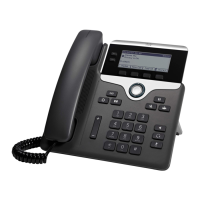
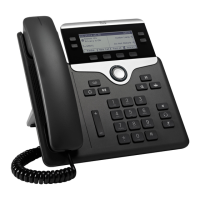
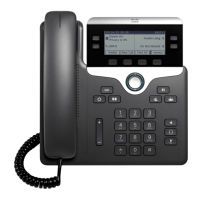
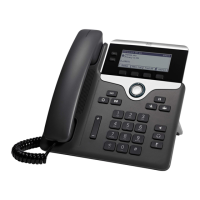
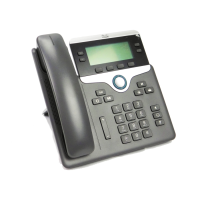
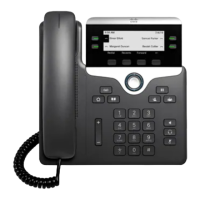
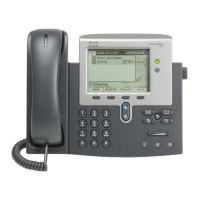
1 Handset light strip – Indicates an incoming
call (flashing red) or voicemail message
(solid red).
2 Phone screen – Displays status, feature
and call information.
3 Programmable Line and
Feature buttons
Solid green: Active call.
Flashing green: Held call.
Flashing amber: Incoming call.
Solid red: Shared line in use.
4 Softkey buttons – Engages
the associated feature in
the display.
5 Navigation pad and Select button –
Like a cursor, used to scroll
through menus and highlight
active calls and features.
While on-hook, pressing the up option displays your Recent call list and pressing
the down option displays your programmed Speed Dials.
6 Hold – Places a call on hold and retrieves a held call.
7 Conference – Initiates a conference call.
8 Transfer – Initiates a call transfer.
9 Speakerphone – Activates (solid green) and deactivates the speakerphone.
10 Headset – Activates (solid green) and deactivates the user-provided headset.
11 Mute – Deactivates (solid red) and reactivates the microphone.
12 Keypad – Allows you to dial phone numbers, enter letter and select menu items
that are numerically numbered.
13 Volume – Adjusts the phone’s ringer volume while on-hook and the handset,
speakerphone and headset volumes while off-hook.
14 Contacts – Personal and Corporate Directory look-up access.
15 Applications – Recents (view by All calls or Missed), Preferences (program
Ringtone, Contrast, Headset sidetone, and Backlight), Accessories (configure
analog headset), and Extension Mobility (only if configured).
16 Messages – Auto-dial access to voicemail.
17 Handset – Phone Handset.




 To Next Page