1-9
Cisco Video Surveillance 8020/8030 IP Camera Reference Guide
Chapter 1 Getting Started
Hardware Installation
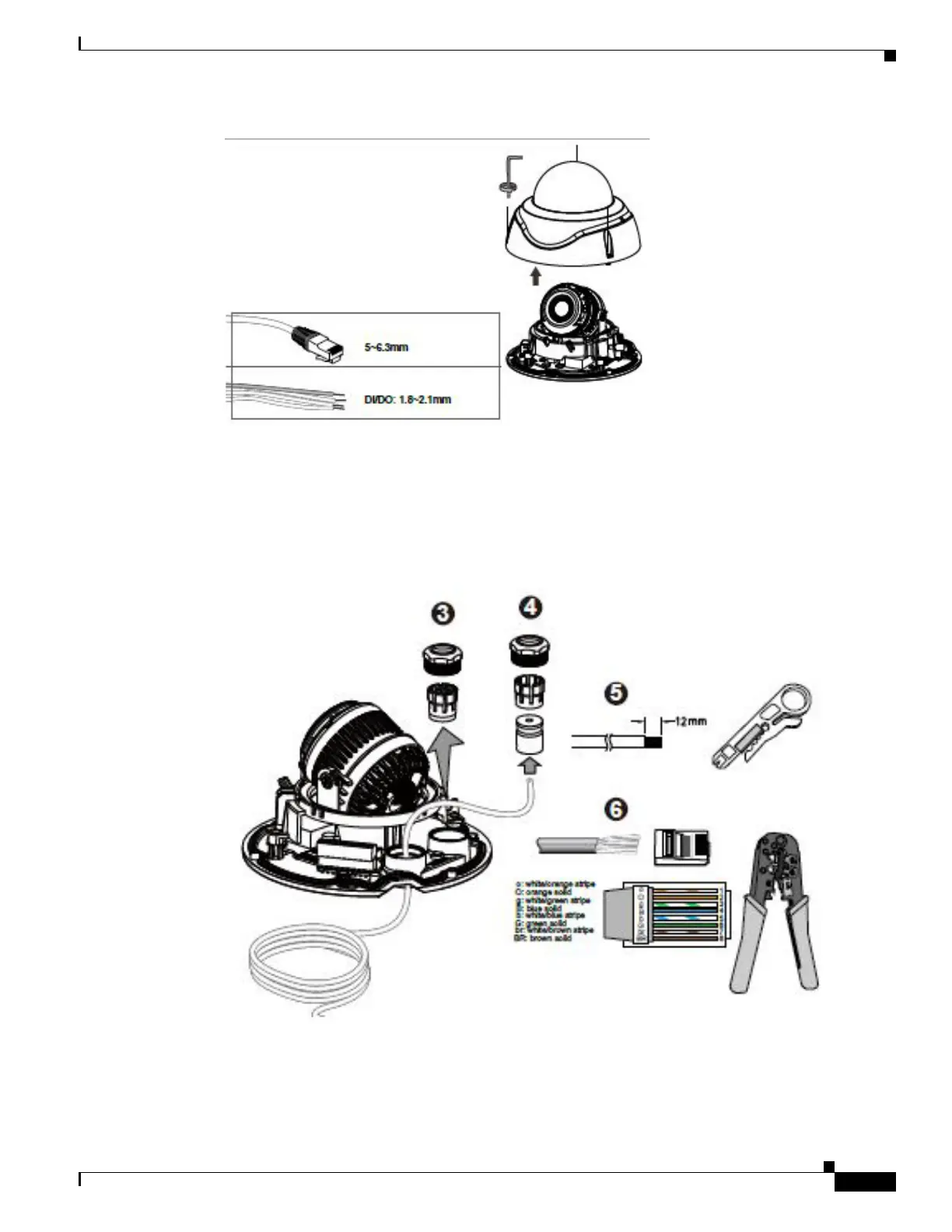
Step 3 Loosen and remove the waterproof connectors.
Step 4 Insert an Ethernet cable through the cable gland, and the rubber seal.
Step 5 Remove part of cable sheath.
Step 6 You w ill need an RJ45 crim ping tool to attach the Ethernet wires to a connector. When done, connect the
cable to the camera’s Ethernet RJ45 socket.
Step 7 If applicable, connect DI/DO wires, 12V DC power, or audio wires to the terminal block.



 To Next Page