1-4
Cisco Video Surveillance 8020/8030 IP Camera Reference Guide
Chapter 1 Getting Started
Hardware Installation
Hardware Installation
The following sections describe how to install your camera:
• Cisco Video Surveillance 8020 IP Camera Hardware Installation, page 1-4
• Cisco Video Surveillance 8030 IP Camera Hardware Installation, page 1-8
Cisco Video Surveillance 8020 IP Camera Hardware Installation
To perform the hardware installation of the Cisco Video Surveillance 8020 IP Camera, follow these
steps:
Step 1 Make a note of the MAC address of the camera.
The MAC address is printed on the label that is attached to the camera.
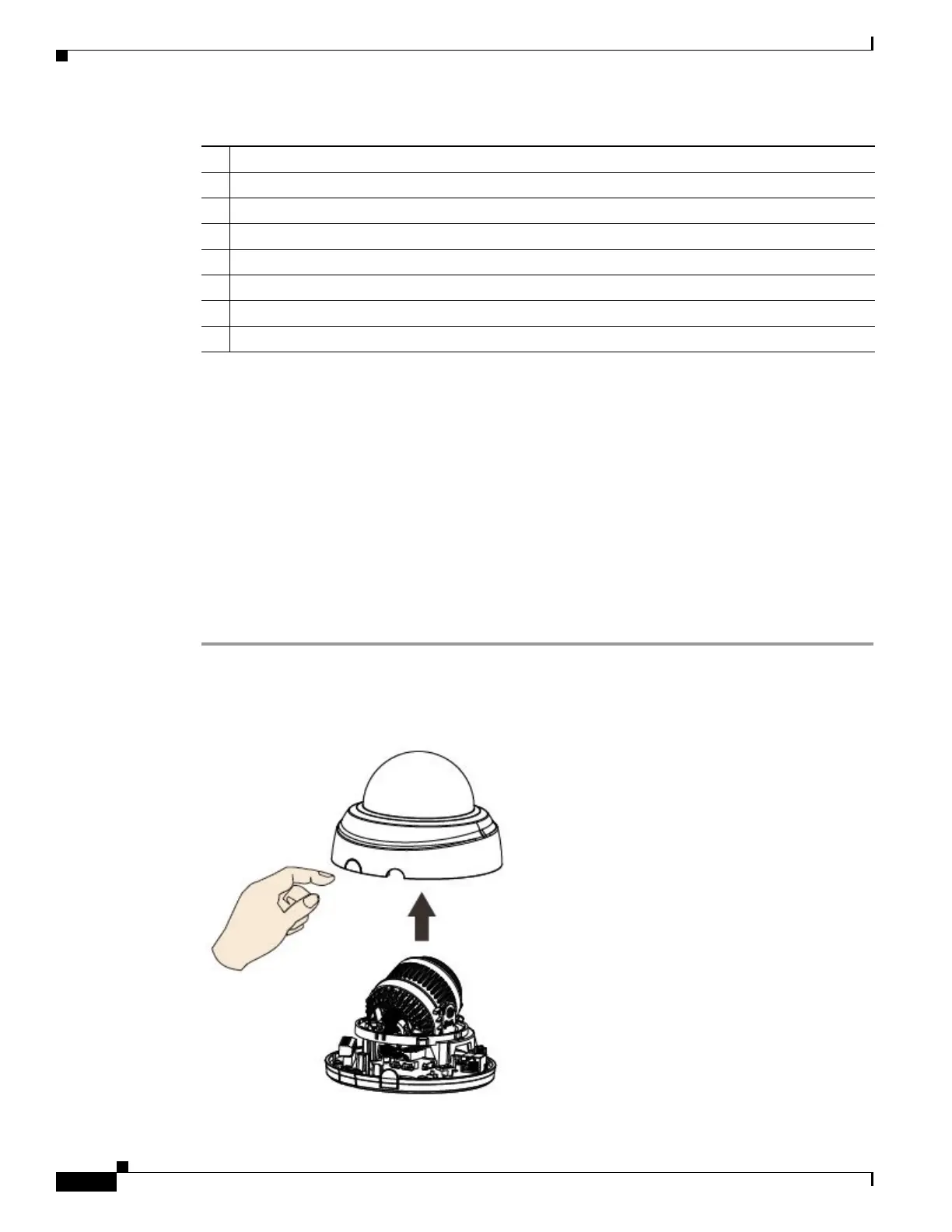
Step 2 Remove the dome cover by pressing the release button.
1 IR LEDs
2 Motorized or fixed lens
3 SD/SDHC/SDXC card slot
4 Terminal block
5 Reset button
6 DI/DO wire inlet
7 Ethernet cable inlet
8 RJ45 Ethernet port



 To Next Page