1-16
Cisco Video Surveillance 8020/8030 IP Camera Reference Guide
Chapter 1 Getting Started
Network Deployment
General Connection (PoE)
Using a PoE-Enabled Switch
The camera is PoE-compliant, allowing transmission of power and data via a single Ethernet cable.
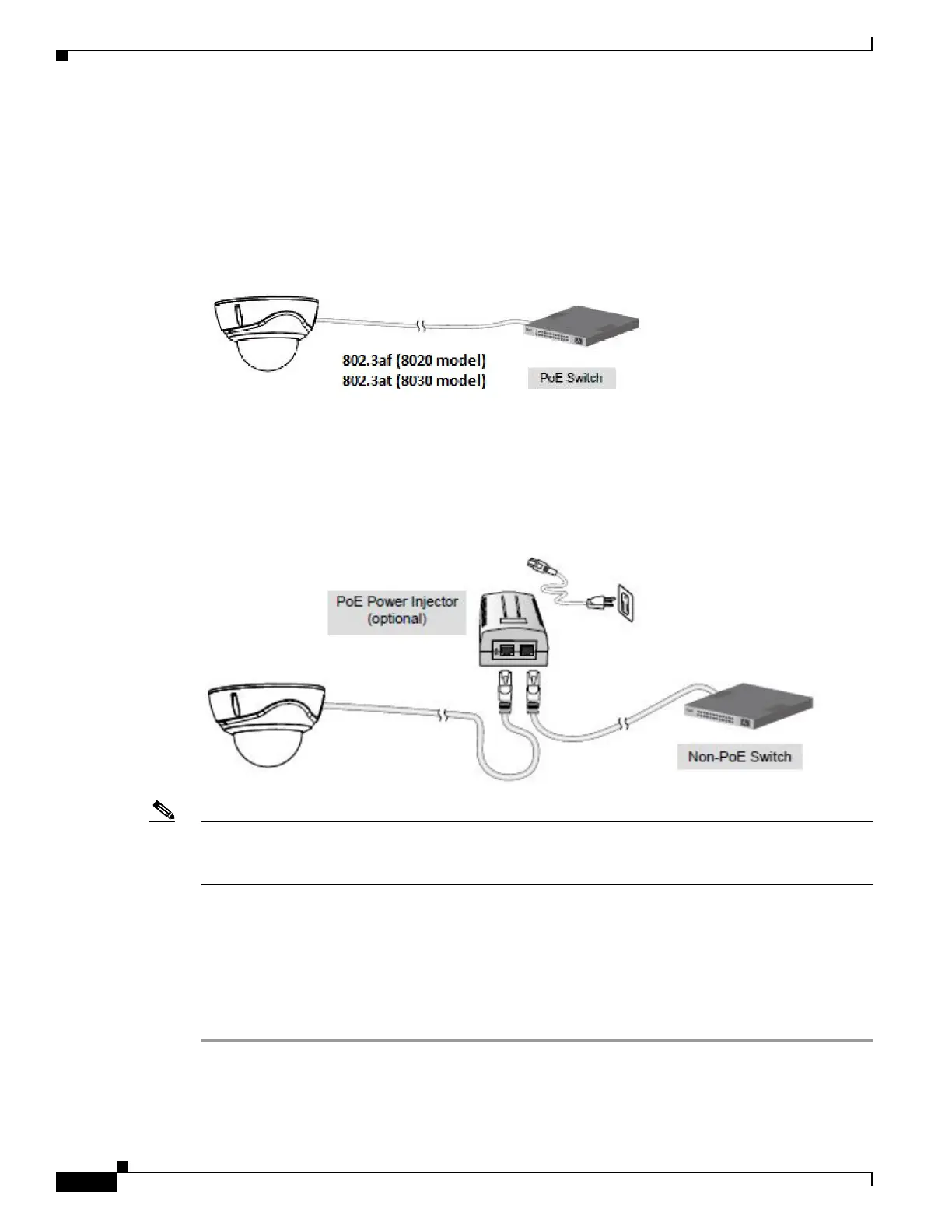
Figure 1-4 illustrates how to connect the camera to a PoE-enabled switch via an Ethernet cable.
Figure 1-4 Connecting the Camera to a PoE-Enabled Switch
Using a Non-PoE Switch
Use a PoE power injector (optional) to connect between the camera and a non-PoE switch, as shown in
Figure 1-5.
Figure 1-5 Connecting the Camera to a Non-PoE Switch
Note • The camera is only to be connected to PoE networks without routing to outside plants.
• For a PoE connection, use only UL listed I.T.E. with PoE output.
Network Connection
Internet Connection via a Router
To set up the camera over the Internet, make sure you have a router and follow these steps:
Step 1 Connect your camera behind a router, the Internet environment is illustrated in Figure 1-6.



 To Next Page