1-8
Cisco Video Surveillance 8020/8030 IP Camera Reference Guide
Chapter 1 Getting Started
Hardware Installation
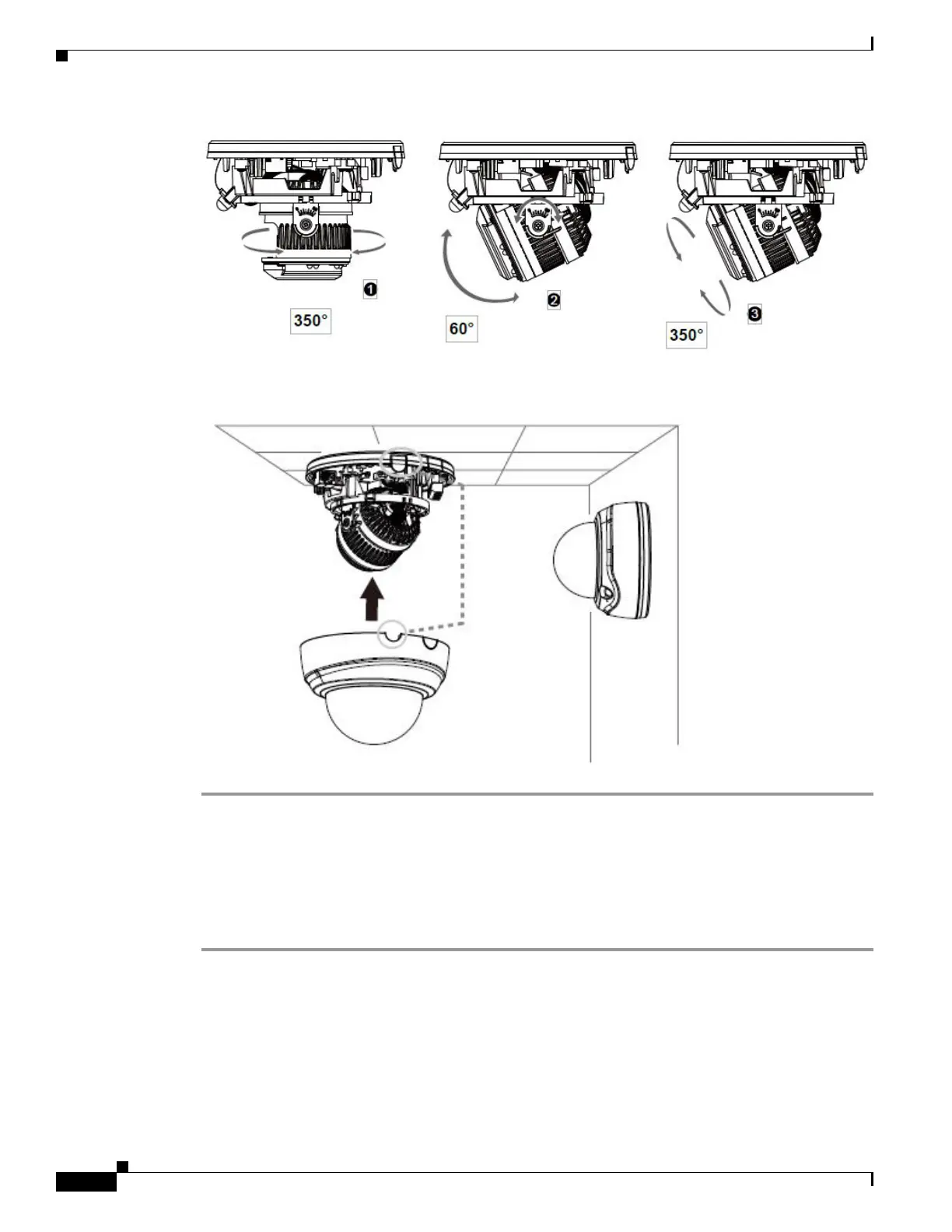
Step 7 Adjust the shooting direction by turning and orienting the lens module. Use a Phillips screwdriver to
loosen the retention screws on the sides.
Cisco Video Surveillance 8030 IP Camera Hardware Installation
To perform the hardware installation of the Cisco Video Surveillance 8030 IP Camera, follow these
steps:
Step 1 Make a note of the MAC address of the camera.
The MAC address is printed on the label that is attached to the camera.
Step 2 Use the included T8 wrench to remove the dome cover. If local recording is preferred, install an SD card.



 To Next Page