3-2
Cisco Video Surveillance 8020/8030 IP Camera Reference Guide
Chapter 3 IP Camera Main Page
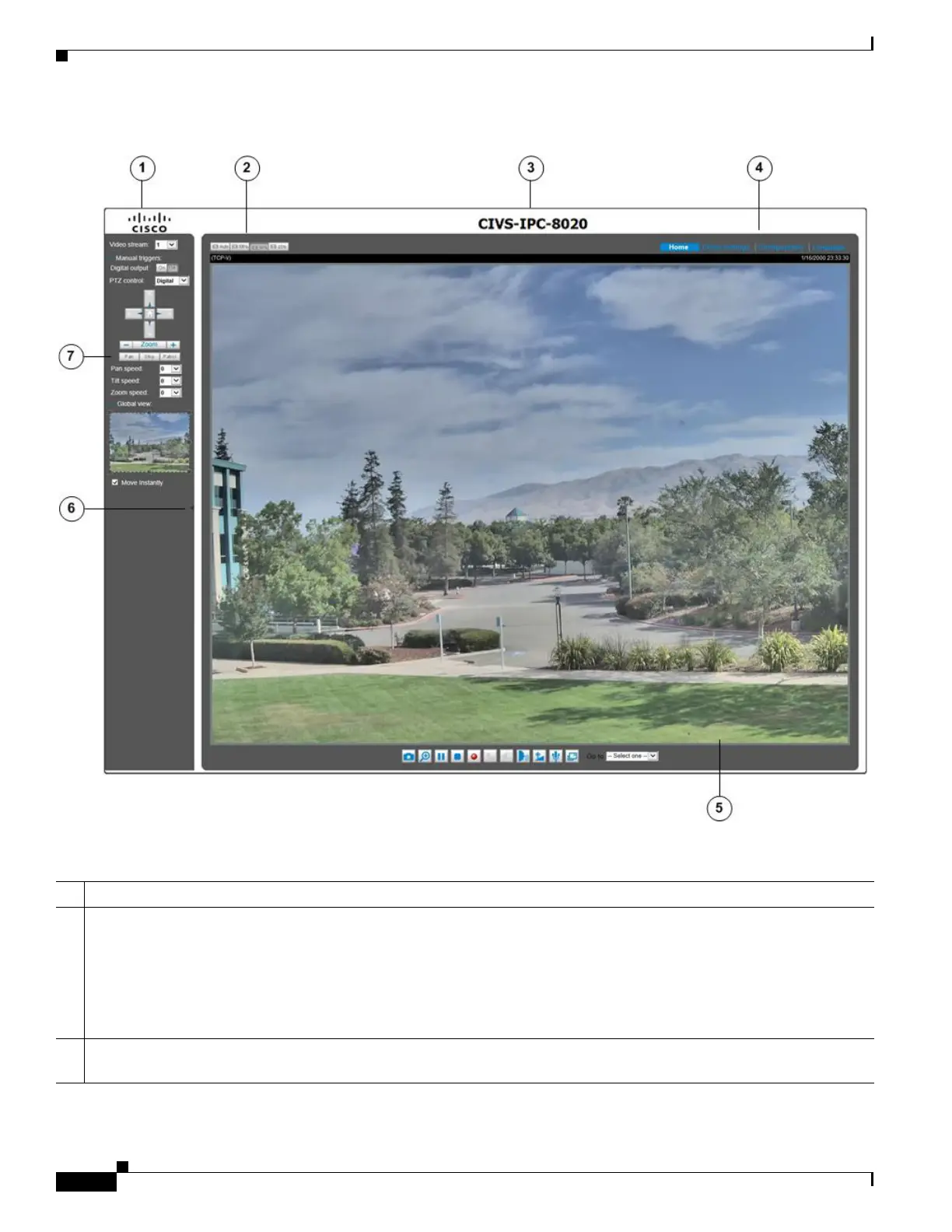
Figure 3-1 Camera Main Page
1 Cisco Logo. Click this logo to visit the Cisco website
2 Resize buttons:
• Click the Auto button, the video cell will resize automatically to fit the monitor
• Click 100% is to display the original homepage size
• Click 50% is to resize the homepage to 50% of its original size
• Click 25% is to resize the homepage to 25% of its original size.
3 Host Name. The host name can be customized to fit your needs. The name can be changed especially there are many
cameras in your surveillance deployment. For more information, see the “System > General settings” section on page 5-3.



 To Next Page