3-4
Cisco Video Surveillance 8020/8030 IP Camera Reference Guide
Chapter 3 IP Camera Main Page
• The following are the defaults for audio settings:
- For cameras with built-in microphone: Not Muted.
- For cameras without built-in microphone: Muted.
• To receive audio input from an external microphone, you may need to enable the audio input from
Media > Audio. See the “Media > Audio” section on page 5-19 for more information.
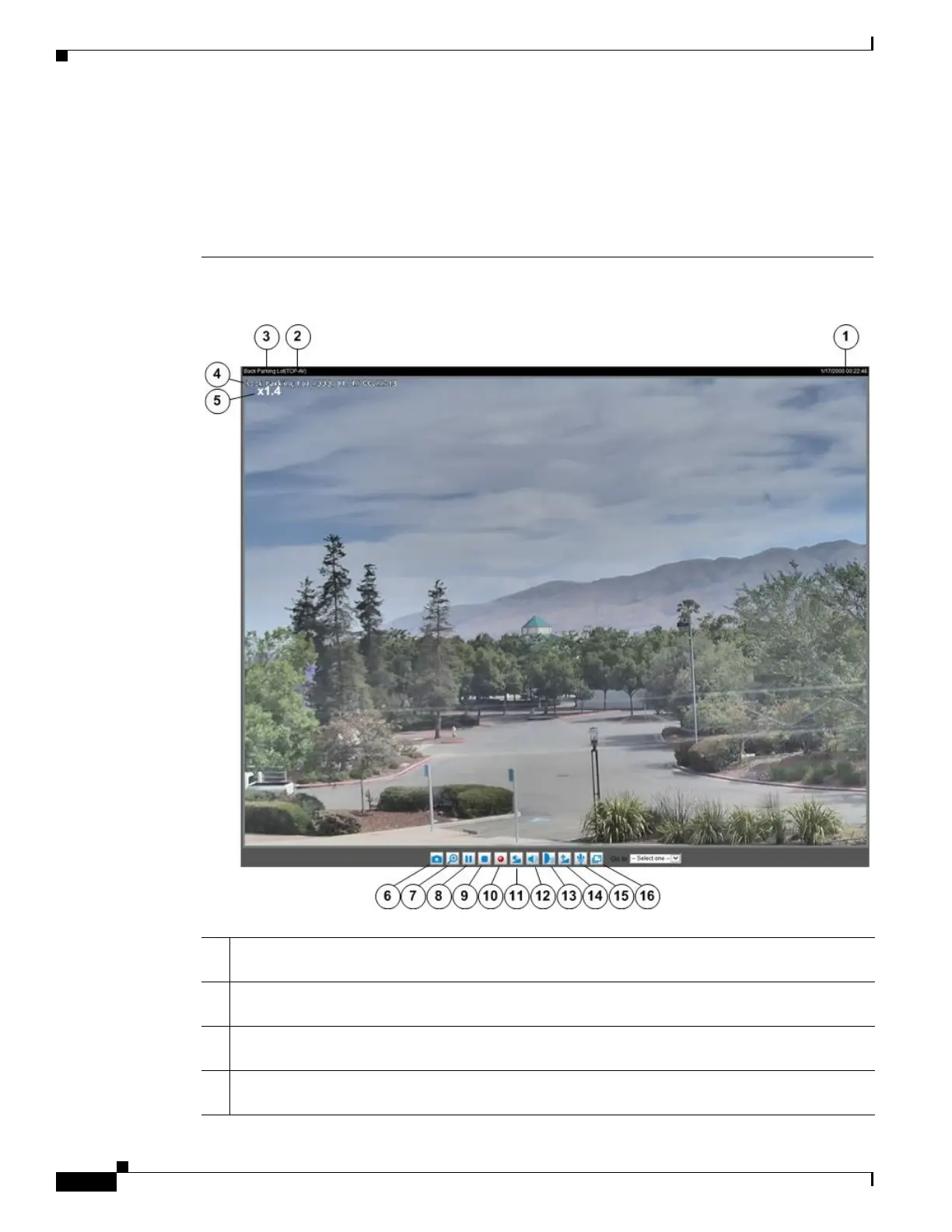
Figure 3-2 Live Video Window for H.264 or H.265
1 Time. Display the current date and time. For more information, see the “Image settings” section
on page 5-9.
2 H.264 or H.265 protocol and media options. The transmission protocol and media options for
H.264 or H.265 video streaming.
3 Video title. The video title can be configured. For more information, see the “Media > Image”
section on page 5-8.
4 Title and Time. Video title and time can be stamped on the streaming video. For more information,
see the “Image settings” section on page 5-9.



 To Next Page