EasyManua.ls Logo

Cisco AIR-OEAP602I-E-K9 - User Manual

Cisco AIR-OEAP602I-E-K9
26 pages
Print Icon
To Next Page IconTo Next Page
Loading...
REVIEW DRAFT—CISCO CONFIDENTIAL
Americas Headquarters:
Cisco Systems, Inc., 170 West Tasman Drive, San Jose, CA 95134-1706 USA
Cisco Aironet 600 Series OfficeExtend Access
Point User Guide
The Cisco Aironet 600 Series OfficeExtend Access Point User Guide includes the following
information:
Unpacking the Cisco Aironet 600 Series OfficeExtend Access Point
Cisco Aironet 600 Series OfficeExtend Access Point Overview
Installation Guidelines
Cisco Aironet 600 Series OfficeExtend Access Point Radio Frequency Coverage
Understanding Cisco Aironet 600 Series OfficeExtend Access Point LEDs
Configuring a Personal SSID on a Cisco Aironet 600 Series OfficeExtend Access Point
Configuring a Primary IP Address on a Cisco Aironet 600 Series OfficeExtend Access Point
Viewing the Event Log
Accessing Online Help
Troubleshooting
Cisco Aironet 600 Series OfficeExtend Access Point Local Customer Interface
Declarations of Conformity and Regulatory Information
Unpacking the Cisco Aironet 600 Series OfficeExtend Access
Point
Each Cisco Aironet 600 Series OfficeExtend Access Point package contains the following items:
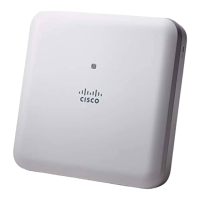
Cisco Aironet 600 Series OfficeExtend Access Point
Ethernet Cable
Cisco Aironet AP600 Series Power Module (universal power supply)
Quick reference guide
Cisco product registration and Cisco documentation feedback cards

Questions and Answers

  • S
    Shane SawyerAug 2, 2025
    How to fix Cisco Wireless Access Point that is quickly blinking white?
    • K
      Kaitlin WilliamsonAug 2, 2025
      If your Cisco Wireless Access Point is quickly blinking white, it means that a client is unable to associate. Reboot the SOHO router, followed by a reboot of the access point.
  • J
    Jason NorrisAug 6, 2025
    Why is the Cisco AIR-OEAP602I-E-K9 signal low?
    • S
      Sarah OrtizAug 6, 2025
      If the Cisco Wireless Access Point signal is low, the access point may not be optimally positioned relative to your device(s). If the access point is too close and above your device, the signal may be skewed. Try positioning the access point lower than or with the LED side facing your devices.
  • D
    Dawn ReedAug 12, 2025
    What to do if Cisco AIR-OEAP602I-E-K9 Wireless Access Point Status LED is stuck in amber?
    • T
      Tracy CarrAug 12, 2025
      If the Cisco Wireless Access Point's status LED is stuck in amber, it means that the access point hasn't joined the controller, didn't get an IP address, or the firewall/NAT is blocking control traffic. To resolve this, restart your modem and then your router (the order can be important). Also, ensure your firewall is correctly configured.
  • J
    Jordan JohnsonAug 17, 2025
    Why are clients unable to associate when Cisco AIR-OEAP602I-E-K9 Wireless Access Point Status LED is light green?
    • C
      Cindy PageAug 17, 2025
      If the Cisco Wireless Access Point's status LED is light green but clients can't associate, the access point has joined the controller, but the firewall/NAT is blocking control traffic. Restart your modem, followed by your router (sometimes the order matters). Also, configure the firewall correctly.
  • E
    Emily MaldonadoAug 21, 2025
    What to do if my Cisco AIR-OEAP602I-E-K9 Wireless Access Point suddenly stopped working?
    • K
      Kathleen ColemanAug 21, 2025
      If your Cisco Wireless Access Point suddenly stopped working, it might be due to your ISP changing the public IP address frequently. Try restarting your home router, followed by your 600 Series OfficeExtend Access Point.
  • A
    Amber CordovaAug 27, 2025
    Why does my Cisco AIR-OEAP602I-E-K9 Wireless Access Point’s LED return to amber?
    • V
      Victoria GallagherAug 27, 2025
      If your Cisco Wireless Access Point’s LED returns to amber, it indicates that the access point keeps dropping off from the controller. In this case, check your internet connection.

Summary

Access Point Overview

Installation Guidelines

Configuring a Personal SSID

Configuring a Primary IP Address

Viewing the Event Log

Troubleshooting

Local Customer Interface

System Configuration Tab

Configures system-level settings for the access point.

SSID Configuration Tab

Configures Wireless Local Area Network (WLAN) settings.

DHCP Configuration Tab

Configures Dynamic Host Configuration Protocol (DHCP) settings.

Cisco AIR-OEAP602I-E-K9 Specifications

General IconGeneral
BrandCisco
ModelAIR-OEAP602I-E-K9
CategoryWireless Access Point
LanguageEnglish

Related product manuals