Statement 1074—Comply with Local and National Electrical Codes
Installation of the equipment must comply with local and national electrical codes.
Warning
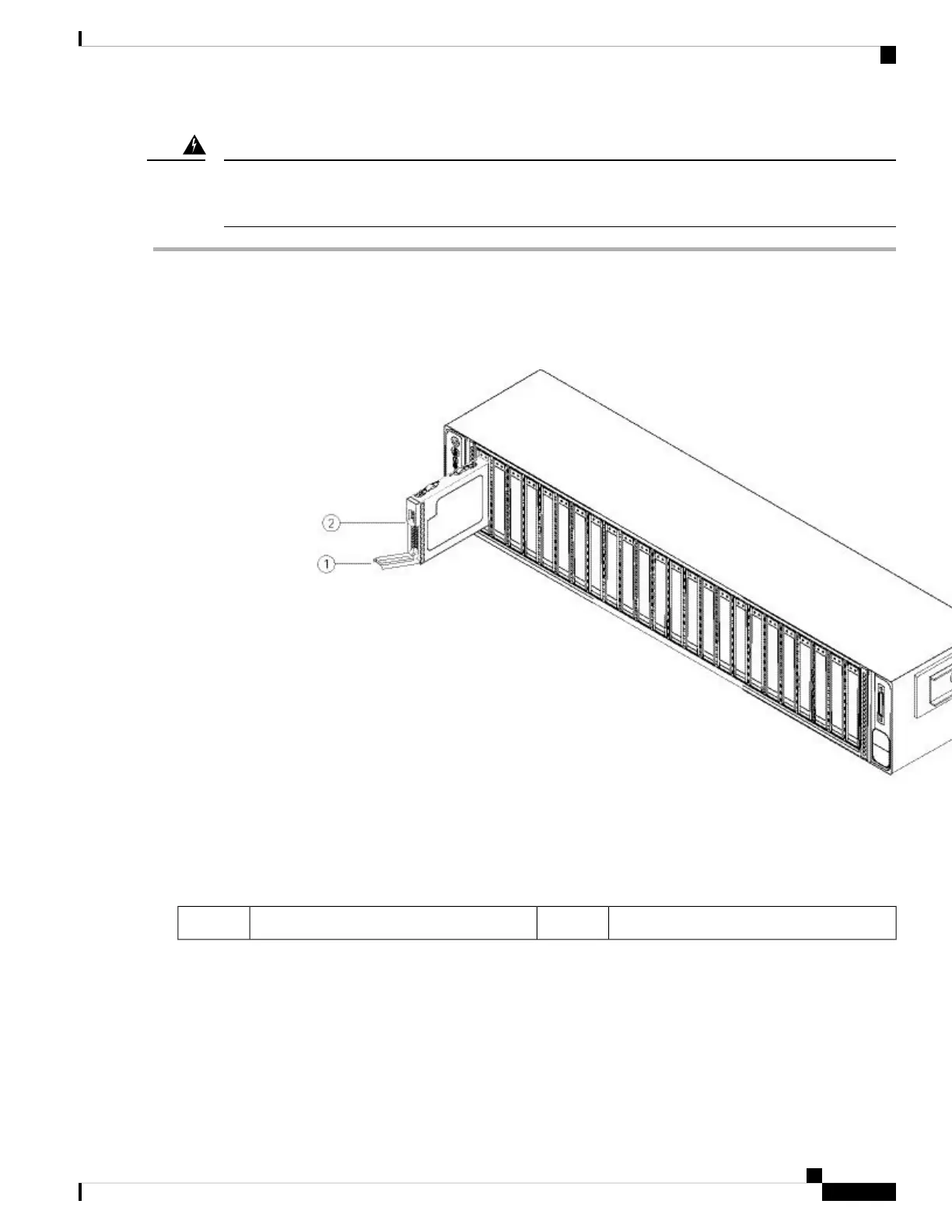
Step 1 Remove the drive that you are replacing:
a) Press the release button on the face of the drive tray.
b) Grasp and open the ejector lever and then pull the drive tray out of the slot.
Figure 32: Remove the Drive
Release button2Ejector handle1
Step 2 Remove the four drive-tray screws that secure the drive to the tray and then lift the drive out of the tray.
Cisco AMP PC3000 Hardware Installation Guide
35
Maintenance and Upgrade
Remove and Replace a Drive



 To Next Page