Solid orange 10/100 Mbps (1 Gbps on SFP+)
Solid green 1 Gbps (10 Gbps on SFP+)
In addition, there is a RESTORE button available on the front panel.
Insert a paperclip if a restore is required.
• A brief, momentary press: To delete a downloaded configuration and reboot.
• Press and hold for more than 10 sec: To force the unit into a full factory restore.
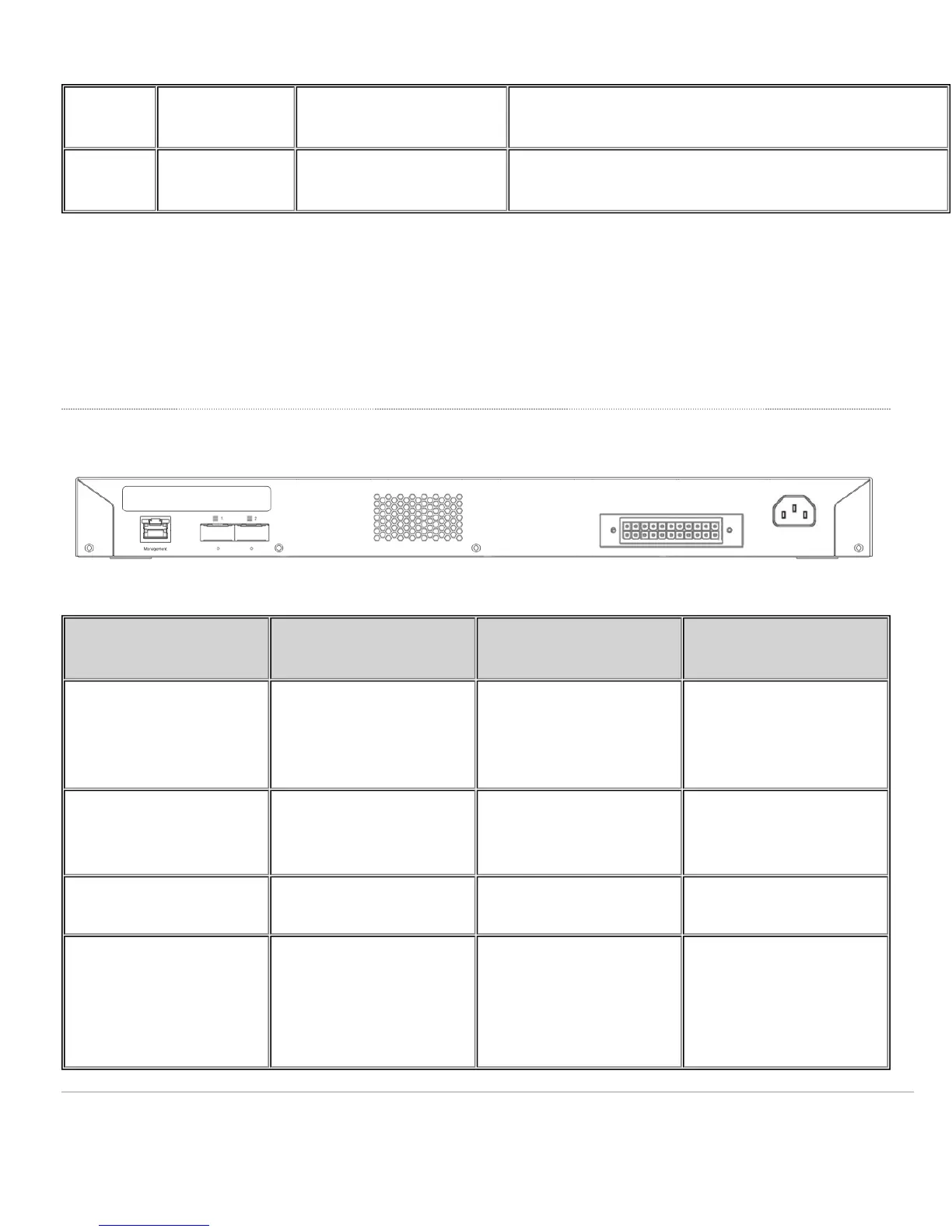
MS225 Series back panel
Item Function LED Status Meaning
1 Management Interface Green
Connected, used for easy
access to the local status
page
2 Stack Ports Green
QSFP stacking cable is
connected
Off
No link is detected on this
port
3
22-Pin Redundant Power
Supply Connector
N/A
RPS2300 can be
connected to provide
redundant power in case
of a failover
3





 To Next Page