47
Installing and Upgrading Internal Modules in Cisco 2800 Series Routers
OL-5792-04
Replacing the Power Supply
Installing a DC-Input Power Supply
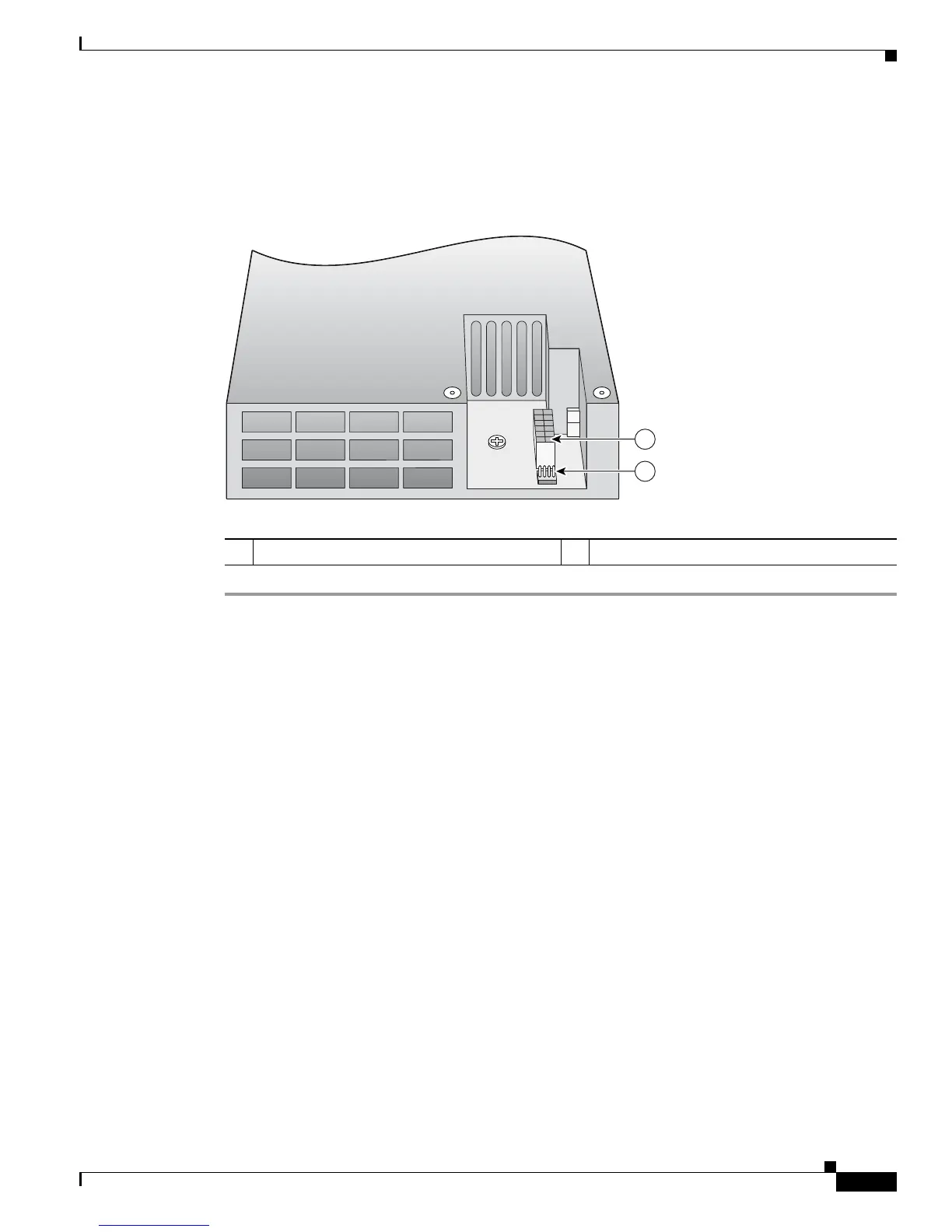
The DC-input power supply has two power connectors, as shown in Figure 47.
Figure 47 DC-Input Power Supply
Step 1 Insert the AC-input power supply into the chassis from the front.
Step 2 Install the two power supply retaining screws. Torque to 8 to10 in-lbf (0.9 to 1.1 N-m). See Figure 43.
Step 3 Connect the primary power supply cable to the power supply. Make sure that the locking feature on the
power supply end snaps into position. See Figure 46.
Step 4 Connect the secondary power supply cable to the power supply. Make sure that the locking feature on
the power supply end snaps into position. See Figure 48.
1 Primary power connector 2 Secondary power connector
127781
1
2



 To Next Page