48
Installing and Upgrading Internal Modules in Cisco 2800 Series Routers
OL-5792-04
Replacing the Power Supply
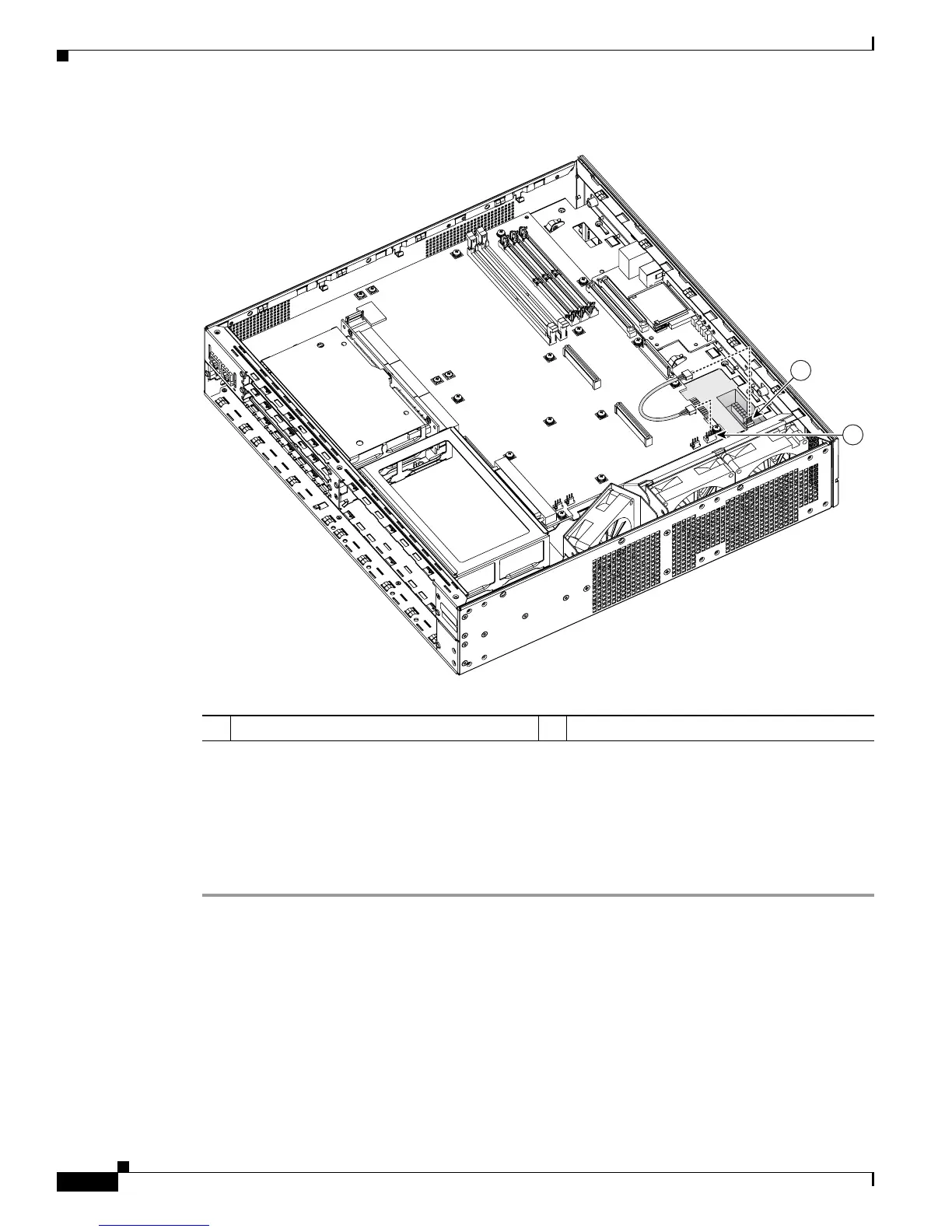
Figure 48 Connecting a Secondary Power Cable in Cisco 2821 and Cisco 2851 Routers
Step 5
Install the bezel onto the front of the chassis as follows:
a. Engage the plastic tabs of the bezel into the slots in the chassis.
b. Slide the bezel until it is centered and tight against the chassis.
Step 6 If you are finished installing modules, install the cover on the router. See the “Installing the Chassis
Cover” section on page 51.
1 Secondary power conector, motherboard 2 Secondary power connector, power supply
135332
1
2



 To Next Page