53
Installing and Upgrading Internal Modules in Cisco 2800 Series Routers
OL-5792-04
Installing the Chassis Cover
Installing the Cover on Cisco 2821 and Cisco 2851 Routers
To install the chassis cover on a Cisco 2821 or a Cisco 2851 router, follow these steps. A number 2
Phillips screw driver is required.
Step 1 Place the chassis on a flat surface.
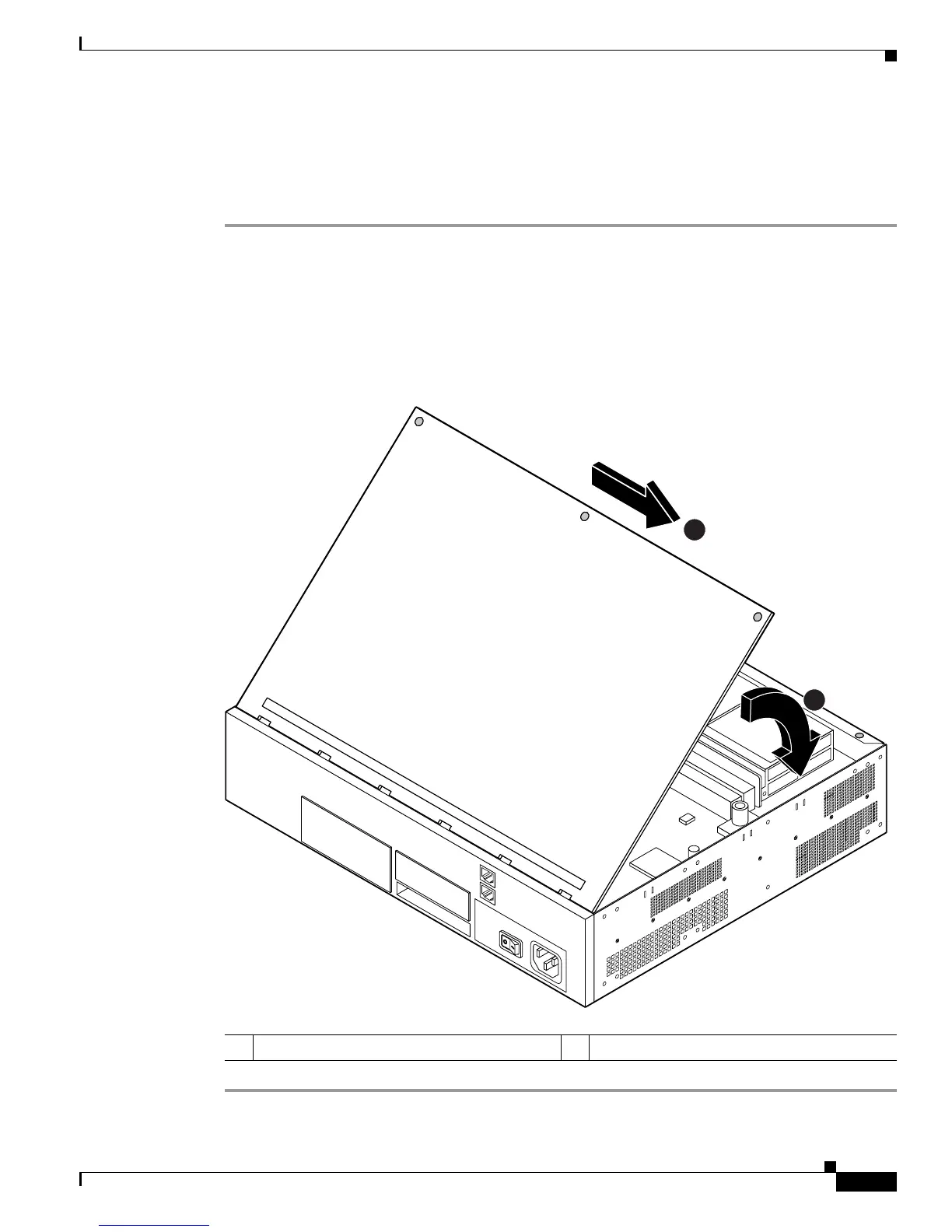
Step 2 Hold the cover at a 45-degree angle, and insert the tabs into the slots along the front (bezel) edge of the
chassis. See Figure 52.
Step 3 Center the cover over the chassis and lower it onto the chassis.
Step 4 Install the three cover screws.
Figure 52 Installing Cover on Cisco 2821 and Cisco 2851 Routers
1 Insert tabs and center the cover 2 Close the cover
103964
1
2



 To Next Page