EasyManua.ls Logo

Cisco Nexus 9364D-GX2A - User Manual

Cisco Nexus 9364D-GX2A
58 pages
Print Icon
To Next Page IconTo Next Page
Loading...
Cisco Nexus 9364D-GX2A ACI-Mode Switch Hardware Installation
Guide
First Published: 2022-06-24
Last Modified: 2023-06-23
Americas Headquarters
Cisco Systems, Inc.
170 West Tasman Drive
San Jose, CA 95134-1706
USA
http://www.cisco.com
Tel: 408 526-4000
800 553-NETS (6387)
Fax: 408 527-0883

Table of Contents

Question and Answer IconNeed help?

Do you have a question about the Cisco Nexus 9364D-GX2A and is the answer not in the manual?

Overview

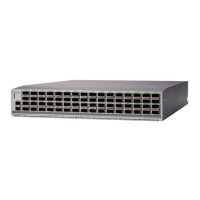
The Cisco Nexus 9364D-GX2A (N9K-C9364D-GX2A) is a 2-rack unit (RU), fixed-port switch designed for spine-leaf-APIC deployment in data centers.

Function Description:

This switch serves as a key component in an Application Centric Infrastructure (ACI) fabric, facilitating high-speed data transfer and network management within data centers. Its primary role is as a leaf switch, connecting to APICs and spine switches to form a robust and scalable network topology. The switch supports both port-side intake and port-side exhaust airflow, allowing for flexible deployment in various data center cooling architectures.

Important Technical Specifications:

Ports:

  • 64 x 400-Gigabit QSFP-DD ports
  • 2 x 10-Gigabit SFP+ ports
  • 1 x RJ-45 copper management port
  • 1 x SFP optical management port
  • 1 x Console port
  • 1 x USB port

High Power Optics and MACsec:

  • 16 ports of MACsec with no 20-W optics
  • 8 ports of MACsec with 8 ports of 20-W optics
  • No MACsec ports with 16 ports of 20-W optics
  • 20-W optics can be used in any of the 32 odd-numbered QSFP-DD ports.

User-Replaceable Components:

  • Fan Modules: Four fan modules with port-side intake (burgundy coloring, NXA-FAN-160CFM-PI). All fan modules must have the same airflow direction. If one fan fails, others increase to 100% capacity; if two fail, the switch warns and powers down in 2 minutes.
  • Power Supply Modules: Two power supply modules (one for operations, one for 1+1 redundancy). Both must be of the same type (AC or DC) and have the same airflow direction as the fan modules.
    • 3200-W port-side intake AC/HVDC power supply (burgundy coloring, NXA-PAC-3200W-PI)
    • 3200-W port-side intake DC/HVDC power supply (burgundy coloring, NXA-PDC-3200W-PI)

Environmental Specifications:

  • Operating Temperature: 32 to 104°F (0 to 40°C)
  • Nonoperating Temperature: -40 to 158°F (–40 to 70°C)
  • Relative Humidity (Nonoperating): 5 to 95%
  • Relative Humidity (Operating): 5 to 90%
  • Altitude (Operating): 0 to 13,123 feet (0 to 4,000 meters)

Physical Dimensions:

  • Width: 17.41 inches (44.23 cm)
  • Depth: 29.82 inches (75.76 cm)
  • Height: 3.45 inches (8.76 cm) (2 RU)

Weight:

  • Chassis: 58 lb (26.3 kg)
  • Fan Module: 1.35 lb (0.6 kg)
  • 3200-W AC/HVDC Power Supply: 3.6 lb (1.63 kg)

Power Specifications (3200-W AC/HVDC Power Supply):

  • Power: 3200 W
  • AC Range: 100-120 VAC; 16A Max. 50/60Hz
  • HVAC Range: 200-240 VAC; 16A Max. 50/60Hz
  • HVDC Range: 240 VDC; 14.5 Max.
  • Input Voltage: 264 to 300 VAC
  • Frequency: 47 to 63 Hz
  • Efficiency: 90% or greater (20 to 100% load)
  • Redundancy Modes: Combined, n+1, and n+n
  • Hot Swappable: Yes

Power Specifications (3200-W DC/HVDC Power Supply):

  • Power: 3200 W
  • DC Range: 100-120 VDC; 16A Max. 50/60Hz
  • HVDC Range: 240 VDC; 14.5 Max.
  • Input Voltage: -40 to -72 VDC
  • Frequency: 47 to 63 Hz
  • Efficiency: 90% or greater (20 to 100% load)
  • Redundancy Modes: Combined, n+1, and n+n
  • Hot Swappable: Yes

Power Input Requirements:

  • Typical Power Consumption (AC or DC): 1378 W
  • Maximum Power Consumption (AC or DC): 3000 W
  • Heat Dissipation Requirement: 10,236.426 BTUs per hour

Regulatory Standards Compliance:

  • Safety: CAN/CSA-C22.2 No. 60950-1, EN 60950-1, IEC 60950-1, IEC 623681, AS/NZS 60950-1, GB4943
  • EMC Emissions: 47CFR Part 15 (CFR 47) Class A, AS/NZS CISPR22 Class A, CISPR22 Class A, EN55022 Class A, ICES003 Class A, VCCI Class A, EN61000-3-2, EN61000-3-3, KN22 Class A, CNS13438 Class A
  • EMC Immunity: EN55024, CISPR24, EN300386, KN 61000-4 series
  • RoHS: RoH-6 compliant with exceptions for leaded-ball grid-array (BGA) balls and lead press-fit connectors.

Usage Features:

  • Default Role: The switch's default role is a leaf switch. Its default fabric links are used for initial switch discovery. The role can be changed to spine via APIC after discovery and a reboot.
  • Airflow Direction: Supports port-side intake (burgundy colored fans/PSUs) or port-side exhaust (blue colored fans/PSUs). All fan and power supply modules in a switch must have the same airflow direction. The air intake must be located in a cold aisle to prevent overheating.
  • Rack Installation: Designed for standard 19-inch (48.3-cm) four-post EIA cabinets or racks. The rack-mount kit (NXK-ACC-KIT2-2RU) allows installation in varying depths.
  • ACI Fabric Connectivity: Connects to APICs and spine switches. For optimal forwarding, every leaf switch should connect to every spine switch in the same fabric. Breakout ports are not used for APIC connectivity.
  • Migration Support: Supports migration from first-generation Cisco Nexus 9000 series switches to second-generation switches, including scenarios with different software releases and vPC configurations.
  • Console Interface: An optional console interface can be set up for initial configuration using the provided interface cable.
  • Management Connection: An optional out-of-band management connection can be established via the RJ-45 or SFP management port for monitoring and troubleshooting.
  • Equal Cost Multi-Pathing (ECMP): The ACI fabric automatically implements ECMP and enables all links, eliminating the need for manual link configuration.

Maintenance Features:

  • User-Replaceable Components: Fan modules and power supply modules are field-replaceable. A single fan or power supply can be replaced during operations if other modules are functioning.
  • ESD Protection: Always wear an ESD-preventative wrist strap when handling the chassis or components to prevent damage.
  • Transceiver and Optical Cable Care:
    • Avoid frequent removal and insertion of transceivers to prolong their life.
    • Keep all optical connections covered when not in use.
    • Clean connectors regularly, especially if exposed to dust or touched, to maintain signal accuracy and prevent damage.
    • Do not touch the ends of connectors to avoid contamination.
    • Routinely inspect for dust and damage, cleaning and inspecting fiber ends under a microscope if damage is suspected.
  • Grounding: The switch chassis is automatically grounded when properly installed in a grounded rack with metal-to-metal connections. Alternatively, a customer-supplied grounding cable (recommended 6-AWG wire for U.S.) can be attached to the chassis grounding pad and facility ground.
  • Power Supply Replacement: A power supply can be replaced during operations if another functioning power supply is present. If only one power supply is installed, the new one should be installed in the open slot and powered up before removing the original.
  • Fan Module Replacement: A fan module can be replaced during operations, ensuring the replacement has the same airflow direction as other modules. If conditions are not met, the faulty module should remain in the chassis to preserve airflow until a suitable replacement is available.
  • Boot-up Time: The equipment is designed to boot up in less than 30 minutes, depending on neighboring devices.
  • LED Indicators: Various LEDs (BCN, STS, ENV, and port LEDs) provide visual status indications for identification, operational status, temperature alarms, fan operation, power supply status, and port connectivity.

Cisco Nexus 9364D-GX2A Specifications

General IconGeneral
BrandCisco
ModelNexus 9364D-GX2A
CategorySwitch
LanguageEnglish

Related product manuals