44
Chapter 4: Console Configuration
Configuring the Switch through the Console or Telnet Interface
Linksys One Ready Communications Solution
Chapter
4
To change IP address configuration settings:
a. Select Edit to make changes.
b. When your changes are complete, press the Esc key to return to the Action menu.
c. Select Save to save your changes.
IP Address Table (Layer 3 Only)
The IP Address Table screen lets you make changes to the IP address table.
To change the IP address table:
a. Select Edit to make changes.
b. When your changes are complete, press the Esc key to return to the Action menu.
c. Select Save to save your changes.
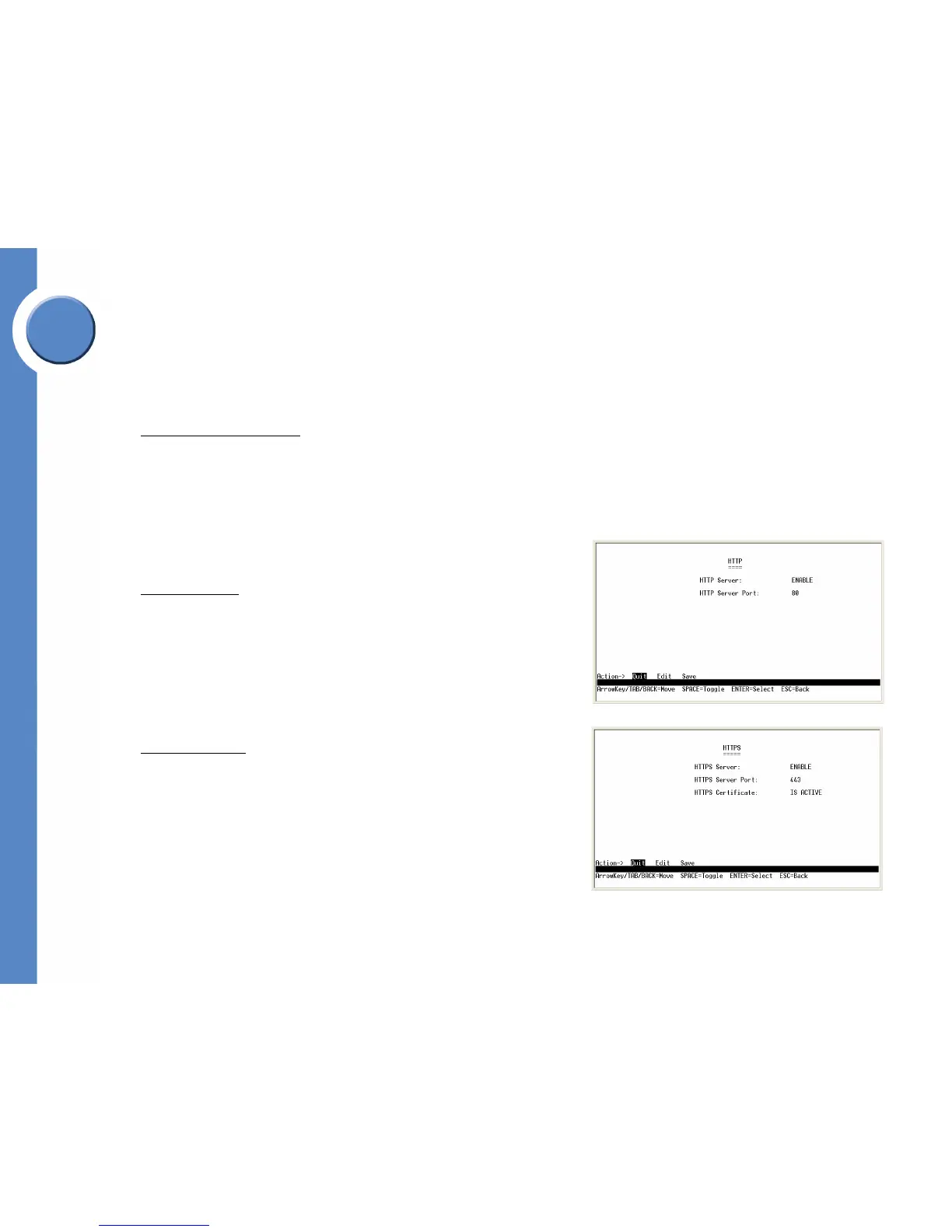
HTTP Configuration
The HTTP screen displays the status and port number of the HTTP Server.
To change HTTP settings:
a. Select Edit to make changes.
b. When your changes are complete, press the Esc key to return to the Action menu.
c. Select Save to save your changes.
HTTPS Configuration
Use the HTTPS Configuration screen to configure HTTPS settings. You can enable or
disable the HTTPS server and configure the port on which the session is enabled.
To change HTTPS settings:
a. Select Edit to make changes.
b. When your changes are complete, press the Esc key to return to the Action menu.





 To Next Page