■ IN THESE CASES
When Shown the Insufficient Charge Warning Display
If the watch is put in the undercharged state during
any display mode, it switches to the time display
when in other display modes, then the second hand
moves to the ▲ CHARGE position, indicating
insufficiently charged.
In such a case, expose the watch to sufficent light
for the warning state to be cancelled. (The second
hand returns to 1 second movement)
It takes about 30 minutes to complete charging;
from starting to expose the watch to light until this
warning state is canceled. The charging time varies
depending on the light (light source) that radiates
over the watch.
25
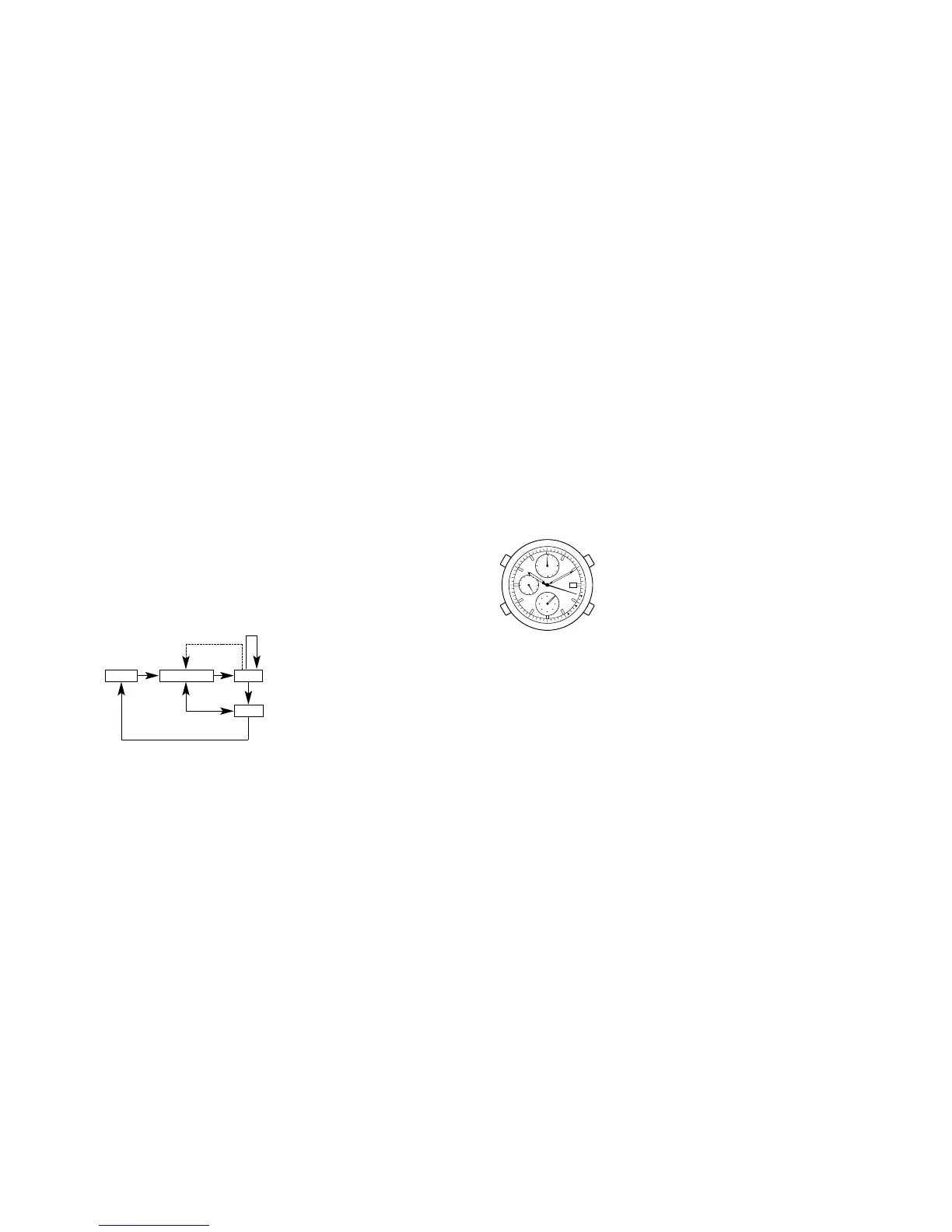
Chronograph Split Measurement
Pressing button C during chronograph measurement causes the
chronograph split time to appear on display with a beep for confirmation.
Press button C again, the next chronograph split time is displayed, along
with a confirmation sound.
The split time display is automatically cancelled after about 10 seconds, and
the chronograph returns to the measurement state.
During either chronograph split time display or measurement, pressing
button A causes the chronograph stop to appear on display.
In the chronograph stop state, pressing button C causes the chronograph
reset.
24
Reset
* During split time measurement or
while split time display, each time
you press button C the next split
time is displayed.
AC
A
A
C
C
Split
Stop
Measurement
Automatically cancelled after
about 10 seconds





 To Next Page