63 2023-09-22 SM-A63469-A/2
Communication Status Monitor
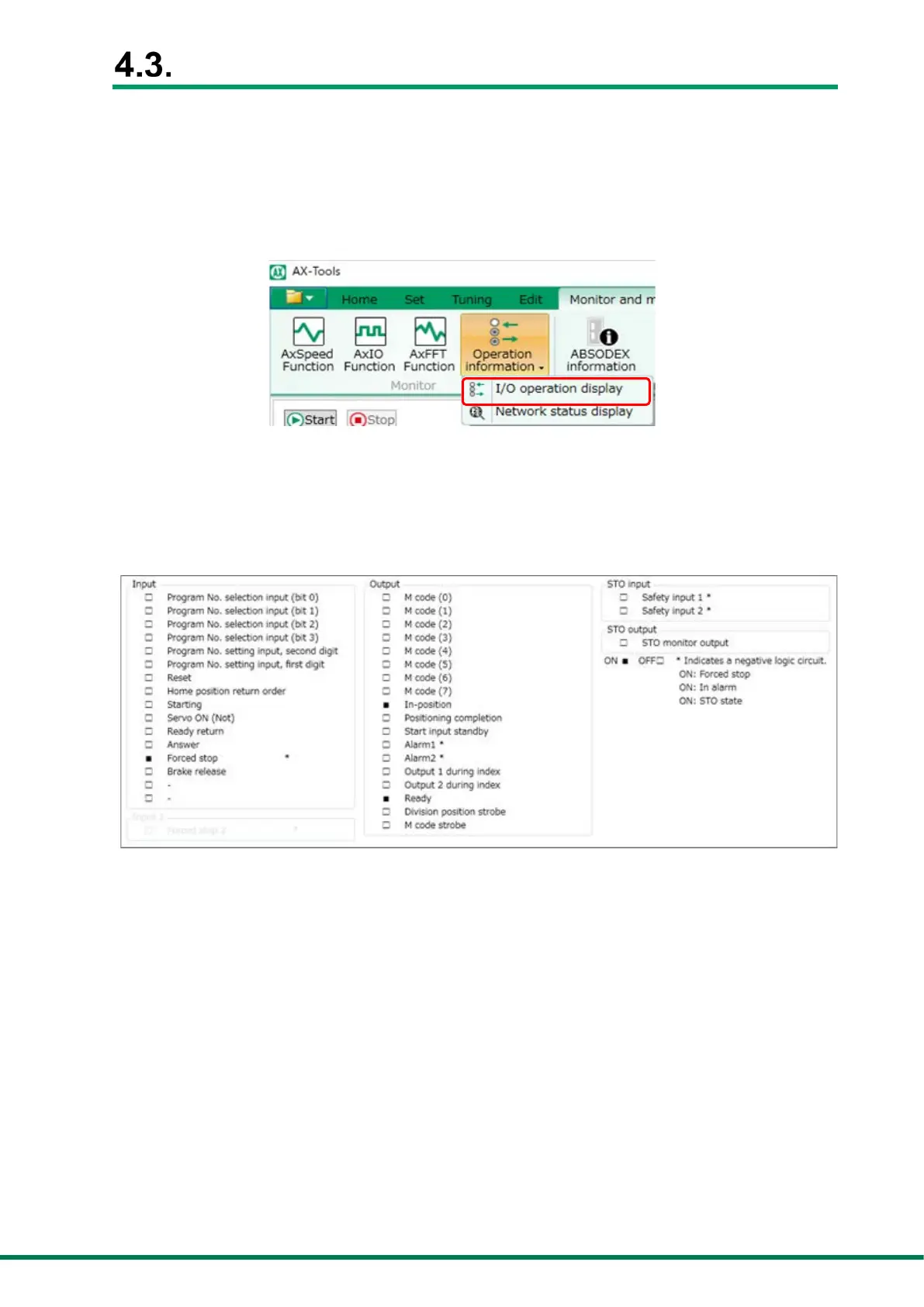
Use AX-Tools Ver. 3 or later to monitor the I/O status after establishing the
communications.
I/O display
From the menu of AX-Tools, select “Monitor & Maintenance” – “Operation Information” –
“I/O Operation Display” to display “I/O Display.”
<AX-Tools Monitor Menu>
Check I/O
Monitor the I/O status after establishing the communications.
I/O display is ON during the open state since “*” is a negative logic symbol.
<Example of I/O Display Screen>


 To Next Page