EasyManua.ls Logo

CKD EVD-3000 Series - User Manual

Default Icon
72 pages
Print Icon
To Next Page IconTo Next Page
Loading...
INSTRUCTION MANUAL
Read this Instruction Manual before using the product.
Read the safety notes carefully.
Keep this Instruction Manual in a safe and convenient place for future reference.
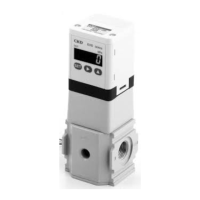
Digital Electro-pneumatic
Regulator
EVD-1000/3000 Series IO-Link Type
SM-A20758-A/3

Table of Contents

Other manuals for CKD EVD-3000 Series

Questions and Answers

  • D
    Daniel SmithAug 17, 2025
    Why is the displayed pressure abnormal on my CKD EVD-3000?
    • F
      Frank KellyAug 17, 2025
      Abnormal pressure display on your CKD Controller can stem from several causes. First, the primary side pressure might be insufficient; ensure it's at least the minimum working pressure. Second, check for leaks in the secondary side piping. Finally, a faulty pressure sensor could be the culprit, requiring you to replace the product, ensuring no excessive pressure is applied from other pipes.
  • M
    Melissa WaltonAug 19, 2025
    Why is my CKD EVD-3000 Controller making a loud noise?
    • L
      lryanAug 20, 2025
      A loud noise from your CKD Controller can be due to several reasons. It could be caused by significant leakage exceeding the maximum flow rate, or air entering from the secondary side piping beyond relief performance. Using the product in either of these states will drastically shorten its lifespan, so reconsider its usage. Also, ensure the primary side pressure is supplied before turning on the power and setting the input signal and make sure that the set input signal is not greater than primary side pressure. The primary side pressure should also be at least the minimum working pressure.
  • F
    Francis RodriguezAug 22, 2025
    What to do if pressure does not display on CKD Controller?
    • J
      Jennifer SanchezAug 22, 2025
      If the pressure isn't displaying on your CKD Controller, here are a few things to check: * First, press any operation key in case the automatic power off function is enabled. Note that if the display turns on and then off after one minute, this function is enabled. * Second, ensure the power supply is correctly connected. * Finally, if neither of these resolves the issue, there may be a disconnection inside the EVD, requiring a product replacement.
  • Z
    zlyonsAug 26, 2025
    How to unlock settings on CKD Controller?
    • B
      Brent SnowAug 26, 2025
      If you're unable to change settings on your CKD Controller, it might be because the key is locked. Release the key lock according to "3.2.2 Key lock" and then try changing the settings. If the operation keys still don't work, you may need to replace the product.
  • T
    Timothy MataAug 28, 2025
    What to do if my CKD Controller outputs pressure after it's turned off?
    • A
      adodsonAug 28, 2025
      If your CKD Controller outputs 1%FS or more pressure even when turned off, several factors could be at play. The zero point may have been increased with zero/span adjustment; in this case, install a 3-way valve on the secondary side if atmospheric pressure is needed. Also, ensure the input signal is set to 0% when turning off the power. If the product has been left unused for a long period with power off and primary side pressure supplied, set the primary side pressure to zero. If the secondary side pressure rises, turn on the power and set the input signal to 0%. Make sure there is no abnormality in piping and wiring. If problems persist, the EVD may be faulty, necessitating a product replacement.
  • B
    bpetersonAug 30, 2025
    Why won't the switch output turn ON on my CKD Controller?
    • D
      David AshleyAug 30, 2025
      The switch output on your CKD Controller might not be turning on because it is disabled. Refer to "3.2.5 Switch output". If the issue persists, there may be a failure in the EVD, requiring the product to be replaced.
  • L
    linda85Sep 2, 2025
    What causes the switch output to remain ON on a CKD EVD-3000 Controller?
    • J
      James EsparzaSep 2, 2025
      If the switch output on your CKD Controller won't turn OFF, this indicates a failure in the EVD, and the product needs to be replaced.
  • M
    Mr. Joseph SwansonSep 5, 2025
    What to do if the switch output does not turn on in CKD EVD-3000?
    • K
      Karen VillarrealSep 5, 2025
      If the switch output on your CKD Controller does not turn ON, it could be because the switch output is disabled. Refer to "3.2.6 Switch output (target model: EVD-????-??SN/SP)". Another possibility is a failure in the EVD, which would require replacing the product.
  • J
    Justin MillerSep 12, 2025
    Why does the pressure not display on my CKD EVD-3000 Controller?
    • E
      Eric SimmonsSep 12, 2025
      If the pressure is not displaying on your CKD Controller, it could be due to the automatic power off function being enabled. Press any operation key to check. If the display turns on and then off after one minute, the automatic power off function is enabled. Refer to "3.2.5 Automatic power off" to disable the automatic power off. Another possibility is that the power supply is not connected correctly; ensure the rated power is connected correctly. Finally, there may be a disconnection inside the EVD, in which case you should replace the product.
  • L
    lonnie67Sep 13, 2025
    What causes the switch output to not turn off on a CKD Controller?
    • B
      Brian FergusonSep 13, 2025
      If the switch output on your CKD Controller does not turn OFF, it indicates a failure in the EVD, and the product should be replaced.

Summary

SAFETY INFORMATION

Precautions on Product Use

General safety warnings and classifications for product use.

Precautions on Design and Selection

Safety guidelines for product design and system integration.

1. PRODUCT OVERVIEW

1.2 Functions

Overview of the product's various operational modes and settings.

1.4 Specifications

Technical specifications for the EVD-1100-C model.

1.5 Communication specifications

Details on IO-Link communication protocols and data formats.

1.5.3 Parameter and commands

List of parameters and commands for device configuration.

1.5.7 Diagnosis

Error codes, causes, and solutions for device diagnostics.

2. INSTALLATION

2.1 Mounting

Guidelines and precautions for mounting the product securely.

2.2 Piping

Instructions and warnings for connecting pneumatic piping.

2.3 Wiring

Safety precautions and procedures for electrical wiring.

3. USAGE

3.2.10 Factory setting mode (initialization)

Procedure for resetting the device to factory default settings.

3.3 Control procedure using IO-Link communication

Setting up control via IO-Link: Normal, Preset, Direct modes.

4. MAINTENANCE AND INSPECTION

5. TROUBLESHOOTING

5.1 Problems, Causes, and Solutions

Troubleshooting guide for common operational issues and their resolutions.

5.2 Error Code

Explanation of error codes, their meanings, and corrective actions.

7. References

CKD EVD-3000 Series Specifications

General IconGeneral
BrandCKD
ModelEVD-3000 Series
CategoryController
LanguageEnglish

Related product manuals