WS1TC & WS1.25 TC ManualProgramming • Page 5
Set Time of Day
STEP 1U – Press SET HOUR
STEP 2U – Current time: Set the clock to the closest hour by using the UP and DOWN button. An
arrow points to PM after 12. After a power outage, the time of day will need to be reset. Press SET
HOUR to exit.
STEP 1U
STEP 2U
Power Loss
If the power goes out current time of day will need to be reset. If the power goes out while the system is regenerating, the cycle
picks up where it was interrupted when the power returns.
Error Message
If “E1,” “E2” or “E3” appears on the display contact the OEM for help. This indicates that the
valve did not function properly.
➟
Manual Regeneration
Sometimes there is a need to regenerate the system sooner than when the system calls for it, usually referred to as
a manual regeneration. There may be a period of heavy water usage because of guests or a heavy laundry day.
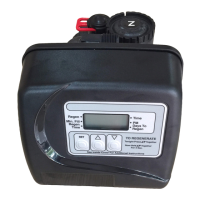
To initiate a manual regeneration at the preset delayed regeneration time, simultaneously press UP
+ DOWN buttons together and release. The arrow will point to the word Regen if a regeneration is
expected “tonight.” To cancel the regeneration simultaneously press UP + DOWN buttons and release.
To initiate a manual regeneration immediately, simultaneously press UP + DOWN buttons together for
three seconds. The system will begin to regenerate immediately. The request cannot be cancelled.
Note: For softeners, if brine tank does not contain salt, fi ll with salt and wait at least two hours before regenerating.
An arrow will point
to the word Regen
if a regeneration is
expected “tonight.”



 To Next Page