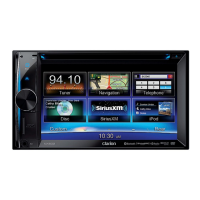
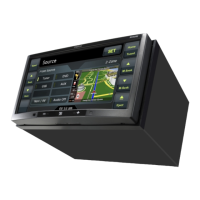
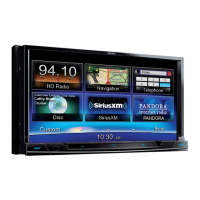
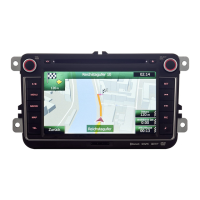
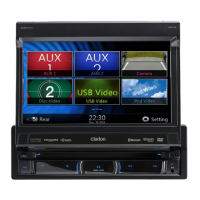
The Clarion NX302A is a multimedia station with built-in navigation and a 6.2-inch touch panel control, designed to enhance your in-car entertainment and navigation experience. This quick start guide and installation manual provides essential information for setting up and operating the device, ensuring safe and efficient use.
Function Description
The NX302A serves as a central hub for various multimedia functions, including audio and video playback from multiple sources, Bluetooth connectivity for hands-free calling and audio streaming, and a comprehensive navigation system.
- Multimedia Playback: The unit supports MP3/WMA audio playback from USB devices, as well as iPod audio and video playback. It features a radio mode with AM/FM tuning, allowing you to store and recall your favorite stations. The touch panel control provides an intuitive interface for navigating through your media library, adjusting playback settings, and managing playlists.
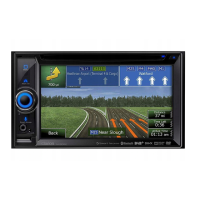
- Navigation System: The built-in navigation system, Clarion Mobile Map, offers detailed maps and turn-by-turn voice guidance to help you reach your destination. You can select destinations by entering addresses, searching for points of interest, or choosing from your favorites or recent history. The map screen provides various viewing options, including 2D and 3D views, zoom controls, and tilt/rotate functions. A quick menu offers convenient access to frequently used navigation functions, such as searching for places along your route, managing favorite destinations, and editing routes.
- Bluetooth Connectivity: The NX302A integrates Bluetooth technology for seamless connection with your mobile phone. This enables hands-free telephone calls, allowing you to dial numbers, answer incoming calls, and access call history directly from the unit's touch screen. Additionally, Bluetooth audio playback lets you stream music wirelessly from your paired device, providing a convenient way to enjoy your digital music collection without physical connections.
Usage Features
The NX302A is designed for ease of use, with a logical operational panel and intuitive touch screen controls.
- Operational Panel: The front panel includes a [POWER/VOL] knob for turning the unit on/off, muting the volume, and adjusting volume levels. The [ALL] ALL MENU button provides access to shortcut and main source menus. The [A] NAVI/AV button switches between navigation mode and the current source. A [MIC] hole houses the internal microphone for voice commands and hands-free calls. A [RESET] button is available to restore original settings, though this will clear stored radio frequencies and other memory data. A micro SD card slot is dedicated for navigation map cards and should not be removed while the unit is powered on.
- Source Selection: To select a media source, long press the [ALL] button to display the main source menu. You can then touch the corresponding icons on the screen to enter modes such as Disc, Tuner, Telephone, or USB. Pages can be changed by dragging left or right or using the page navigation buttons.
- Media Playback Controls: For MP3/WMA, USB video, and iPod playback, the unit offers standard controls such as play/pause, repeat, previous/next track, fast reverse/forward, random play, and scan play. A progress bar indicates the current playback position. For iPod audio, you can switch between audio and video modes, view song/artist/album information, and adjust audiobook play speed.
- Radio Operations: In radio mode, you can switch between bands, view station information, and tune manually or automatically. The unit allows you to store preset stations and offers options for local or distant seeking.
- Bluetooth Operations: Pairing a mobile phone involves accessing the Bluetooth settings menu, enabling Bluetooth on the unit and your phone, searching for new devices, selecting "NX302A," and entering the default password "0000." Once paired, a blue Bluetooth icon will appear on the screen. The Bluetooth telephone menu provides access to call history, a number pad for dialing, and options to answer or reject calls.
Maintenance Features
Proper installation and adherence to safety guidelines are crucial for the longevity and optimal performance of the NX302A.
- Installation Guidelines: The unit is designed for fixed installation in the dashboard of cars with a negative ground, 12V power supply. It is essential to disconnect the car battery's negative terminal before installation to prevent short circuits. The manual provides specific instructions for installing the main unit in NISSAN and TOYOTA vehicles, including details on mounting screw holes and brackets. For other vehicle types, some modification to the center panel may be required.
- Wiring Cautions: When wiring, ensure the power is off and route wires carefully, keeping them away from the engine and exhaust pipe to prevent heat damage. If a fuse blows, check the wiring and replace it with a new fuse of the same specification. The manual provides a detailed wire connection diagram, including connections for power, ground, speakers, amplifier turn-on, illumination, parking brake, reverse, and various audio/video inputs and outputs.
- GPS Antenna Installation: The supplied GPS antenna is for internal vehicle installation and should not be placed outside. Install it horizontally on a flat plane, at least 10 cm away from the windshield, and more than 50 cm away from the main unit or other audio devices to avoid signal impairment. Ensure the mounting surface is clean before attaching the antenna with double-sided tape. Do not wax or paint the antenna cover, as this can reduce performance. Crucially, do not install the GPS antenna where it could interfere with airbag operation or obstruct the driver's view.
- Parking Brake Connection: The parking brake cord must be connected to the parking brake lamp ground in the meter panel. This connection is necessary for the monitor to display video images when the parking brake is engaged. If the cord is not connected, video images will not be displayed.
- General Precautions: For safety, the driver should not operate controls or watch video while driving. Volume should be kept at a level that allows external sounds to be heard. The unit contains precision parts and should not be opened, disassembled, or lubricated. Contact a Clarion dealer or service center for any issues. The use of a reverse camera is permitted only when the vehicle is traveling in reverse, in compliance with Australian Road Laws.

 Need help?
 General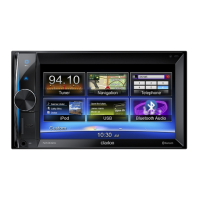

 To Next Page