EasyManua.ls Logo

Clarion NX702E - User Manual

Clarion NX702E
146 pages
Print Icon
To Next Page IconTo Next Page
Loading...
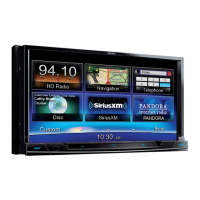
DVD MULTIMEDIA STATION WITH BUILT-IN NAVIGATION & 7” TOUCH
PANEL CONTROL
NX702E
Owner's manual

Table of Contents

Questions and Answers

  • G
    Gregory ThomasSep 9, 2025
    How to improve audio quality after connecting a Bluetooth device to my Clarion NX702E?
    • S
      Stacy SmithSep 9, 2025
      If the audio quality is poor after connecting a Bluetooth-enabled device to your Clarion Car Video System, the internal microphone gain might not be set correctly. Adjust the gain of the internal microphone in the System Setup. Alternatively, the external microphone might not be set correctly or properly positioned. Adjust the gain and position of the external microphone; for example, stick the microphone onto the dashboard so it is close to the driver.
  • C
    Caitlin CarrollAug 23, 2025
    Why won't my Clarion NX702E turn on?
    • C
      Christopher MejiaAug 23, 2025
      If your Clarion Car Video System isn't powering on, it could be due to a blown fuse. Check the unit's fuse and replace it with a new fuse of the correct rating. Also, check the car battery fuse and replace if necessary. Finally, ensure that the ACC power is turned on.
  • R
    Ronald ReeseAug 25, 2025
    What to do if there is no sound coming from my Clarion NX702E Car Video System?
    • J
      Juan JenningsAug 25, 2025
      If you're experiencing no or low audio output from your Clarion Car Video System, start by checking the audio output connections and correct any improper wiring. Make sure the volume isn't set too low; increase it as needed. Damaged speakers can also cause this issue, so consider replacing them. Additionally, check if the volume balance is heavily biased and adjust it to the center position. Lastly, ensure that the speaker wiring is not in contact with any metal parts of the car, and insulate the connections if necessary.
  • R
    Ronald HernandezAug 27, 2025
    How to fix a Clarion NX702E Car Video System remote control that isn't working?
    • Q
      qwilsonAug 27, 2025
      If your Clarion Car Video System's remote control isn't working, the first thing to check is the battery. If the battery is depleted, change it. If that doesn't work, make sure the battery is installed correctly.
  • K
    Kenneth GarciaAug 27, 2025
    Why is the sound quality poor or distorted on my Clarion Car Video System?
    • S
      Shawn KramerAug 28, 2025
      Poor sound quality or distortion in your Clarion Car Video System can stem from several causes. Ensure you're using a standard disc. If not, use a standard disc. Check that your speaker power rating matches the unit. If it doesn't, replace the speakers. Also, verify the wiring connections and correct any errors. Lastly, check if the speaker is shorted and correct the wiring if needed.
  • L
    Lisa AdamsAug 29, 2025
    What to do if my Clarion Car Video System won't power on, buttons don't work, and the display is inaccurate?
    • A
      Anne WrightAug 29, 2025
      If your Clarion Car Video System won't power on, the buttons aren't responding, and the display is inaccurate, it could be due to a microprocessor malfunction. Turn off the power and press the [RESET] button with a thin rod. Note that pressing the [RESET] button will clear stored radio frequencies and titles.
  • J
    Jasmine FergusonSep 18, 2025
    What to do if I hear no sound and the display shows “NO FILE” on my Clarion Car Video System?
    • C
      Catherine CookSep 18, 2025
      If you hear no sound and the display shows “NO FILE” on your Clarion Car Video System, it means no MP3/WMA file is stored in the card or USB device. Ensure that these files are properly stored in the card or USB device.
  • G
    gnovakSep 22, 2025
    What does “PARENTAL VIOLATION” mean on my Clarion NX702E Car Video System and how do I fix it?
    • A
      Austin StevensSep 22, 2025
      If your Clarion Car Video System displays “PARENTAL VIOLATION” and the disc cannot play, the feature exceeds the set parental level. Release the view limitation or change the parental level.
  • A
    Aaron EllisSep 7, 2025
    What to do if a disc cannot be loaded into my Clarion NX702E Car Video System?
    • C
      Charles AdamsSep 8, 2025
      If a disc cannot be loaded into your Clarion Car Video System, it might be because another disc is already loaded. Eject the existing disc before loading the new one. Alternatively, there may be an object inside the unit; remove it.
  • D
    dakotahudsonSep 4, 2025
    Why does my Clarion Car Video System sound skip or produce noisy audio?
    • B
      bensonrobertoSep 4, 2025
      If your Clarion Car Video System's sound skips or is noisy, the disc may be dirty. Clean the compact disc with a soft cloth. Alternatively, the disc may be heavily scratched or warped, in which case you should replace it with a compact disc that has no scratches.

Summary

FEATURES AND HANDLING

Features Overview

Highlights the main features of the multimedia station and expanding system capabilities.

Precautions

Safety warnings for operating the unit, especially regarding driving and potential hazards.

Handling Cautions

Guidelines for handling the unit, discs, USB, and SD card slots to ensure proper operation.

CONTROLS AND SETUP

Unit and Remote Controls

Details the buttons on the operational panel and the remote control unit for system operation.

Main Menu and System Setup

Guides for navigating the main menu and configuring system settings like sound, display, and connectivity.

MEDIA PLAYBACK AND CONNECTIVITY

Disc and Media Playback

Instructions for playing various disc formats and media files from SD/USB.

Bluetooth, Radio, and Digital Audio

Covers Bluetooth operation, radio tuning, DAB, and audio streaming for communication and entertainment.

NAVIGATION SYSTEM

Navigation System Basics

Covers initial setup, screen controls, map interaction, and basic navigation functions.

Route Planning and Management

Guides on selecting destinations, planning routes, and managing route parameters for on-road and off-road navigation.

TROUBLESHOOTING AND SUPPORT

Troubleshooting and Error Displays

Solutions for common unit problems, disc issues, and explanations of error messages.

Specifications and Connections

Technical details of the unit and wiring diagrams for installation and setup.

Clarion NX702E Specifications

General IconGeneral
BrandClarion
ModelNX702E
CategoryCar Video System
LanguageEnglish

Related product manuals