EasyManua.ls Logo

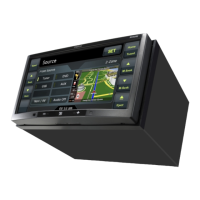
Clarion NX404E - User Manual

Clarion NX404E
164 pages
Print Icon
To Next Page IconTo Next Page
Loading...
DVD MULTIMEDIA STATION WITH BUILT-IN
NAVIGATION & 6.2” TOUCH PANEL CONTROL
NX404E
Owner’s manual

Table of Contents

Other manuals for Clarion NX404E

Questions and Answers

  • H
    harrisjenniferSep 3, 2025
    Why is there no image displayed on my Clarion NX404E?
    • C
      Carrie HallSep 3, 2025
      If there is no image displayed on your Clarion Car Video System, the parking brake might not be engaged. Ensure that the parking brake is engaged.
  • A
    Anne SpencerSep 18, 2025
    What does 'PARENTAL VIOLATION' mean on my Clarion Car Video System?
    • C
      Charles SparksSep 18, 2025
      If your Clarion Car Video System displays “PARENTAL VIOLATION” and the disc cannot play, the feature exceeds the set parental level. Release the view limitation or change the parental level. See the subsection “Setting up the parental level.”
  • T
    Tina GuzmanSep 16, 2025
    Why is there no sound and a “NO FILE” message on my Clarion NX404E Car Video System?
    • N
      nicolerobertsSep 16, 2025
      If you're seeing a “NO FILE” message and hearing no sound on your Clarion Car Video System, it could be that no MP3/WMA files are stored on the USB device. Store these files properly on the USB device.
  • S
    Sabrina SmithSep 14, 2025
    Why is the display dark on my Clarion NX404E Car Video System?
    • T
      Tiffany JohnsSep 14, 2025
      If the display on your Clarion Car Video System is dark, the Dimmer control may be set too low. Adjust the Dimmer properly. Also, the operating condition may not be ideal; set to an appropriate temperature (25°C or so) and check it again. In addition, the headlight of the vehicle is lit. The display is made dark at night to prevent the glare (When the headlight of the vehicle is lit in the daytime, the display gets dark).
  • J
    John WhiteSep 12, 2025
    Why is the video image from my iPod/iPhone disturbed on my Clarion NX404E?
    • M
      Malik EdwardsSep 13, 2025
      If the video image from your iPod/iPhone is disturbed on your Clarion Car Video System, the TV Signal setting of the iPod/iPhone might not be set correctly. Set the TV Signal setting (NTSC/PAL) of the iPod/iPhone correctly.
  • M
    mark54Sep 12, 2025
    Why is the audio quality poor when using Bluetooth on my Clarion NX404E?
    • R
      Renee BrownSep 12, 2025
      If the audio quality is poor after connecting a Bluetooth device to your Clarion Car Video System, the Bluetooth reception might be weak. Move the device closer to the car audio system or remove any obstacles between the device and the system.
  • T
    twilliamsSep 9, 2025
    Why does the sound skip when playing MP3/WMA files on my Clarion NX404E Car Video System?
    • M
      mwarrenSep 9, 2025
      If the sound skips or is noisy when playing MP3/WMA files on your Clarion Car Video System, the MP3/WMA files might not be encoded properly. Use properly encoded MP3/WMA files.
  • J
    Jessica DavisSep 7, 2025
    Why is the sound bad when I turn on my Clarion NX404E?
    • B
      Bobby JamesSep 7, 2025
      If the sound is poor immediately after turning on your Clarion Car Video System, condensation may have formed on the internal lens if the car was parked in a humid place. Let the unit dry for about 1 hour with the power on.
  • W
    William HudsonSep 5, 2025
    Why can't I pair my Bluetooth device with my Clarion Car Video System?
    • J
      Jennifer BrockSep 6, 2025
      If you cannot pair your Bluetooth device with the Clarion Car Video System, it could be that the device doesn't support the profiles required for the system. Try using another device to connect. It's also possible that the Bluetooth function on your device isn't enabled. Refer to your device's user manual for instructions on how to enable Bluetooth.
  • A
    Adrian WilliamsonAug 20, 2025
    What to do if my Clarion Car Video System power does not turn on?
    • T
      Taylor HorneAug 20, 2025
      If your Clarion Car Video System isn't powering on, the fuse might be blown. Replace it with a fuse of the same amperage. However, if the fuse blows again, consult your store of purchase. Also, incorrect wiring could be the cause; in this case, consult your installation center.

Summary

Precautions

General Safety Warnings

Critical safety warnings related to driving and system operation.

Operational Panel

DVD Video Player Operations

CD Player Operations

USB Audio Operations

Bluetooth Telephone Operations

Registering Your Cellular Phone (Pairing)

Steps to pair a cellular phone for Bluetooth telephony.

Setting Operations

Set the Anti-Theft code

How to set and manage the unit's anti-theft code.

Troubleshooting

DVD Player

Troubleshooting specific problems related to DVD playback.

USB Device

Troubleshooting issues with USB devices.

Warnings and Safety information

Getting started

On-road navigation

Clarion NX404E Specifications

General IconGeneral
Display Size6.2 inches
Display Resolution800 x 480 pixels
TouchscreenYes
GPS NavigationYes
BluetoothYes
USB PortYes
SD Card SlotYes
Rear View Camera InputYes
DVD PlayerYes
RadioAM/FM
Steering Wheel ControlYes
AUX InputYes
Audio Formats SupportedMP3, WMA
Video Formats SupportedAVI

Related product manuals