EasyManua.ls Logo

Clarion NX404E - User Manual

Clarion NX404E
164 pages
Print Icon
To Next Page IconTo Next Page
Loading...
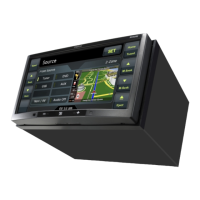
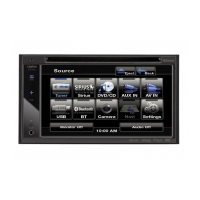
DVD MULTIMEDIA STATION WITH BUILT-IN
NAVIGATION & 6.2” TOUCH PANEL CONTROL
NX404E
Owner’s manual

Table of Contents

Other manuals for Clarion NX404E

Questions and Answers

  • J
    justin35Sep 2, 2025
    What to do if USB device cannot be inserted into Clarion NX404E?
    • M
      Melissa KrauseSep 2, 2025
      If a USB device cannot be inserted into your Clarion Car Video System, it may be inserted in the wrong direction. Try reversing the connection direction and try again. Alternatively, the USB connector itself might be broken; if so, replace it with a new USB device.
  • M
    Mrs. Barbara HensonAug 31, 2025
    What to do if buttons are not working on Clarion NX404E Car Video System?
    • E
      elizabeth01Aug 31, 2025
      If nothing happens when you touch the buttons and the display isn't accurate on your Clarion Car Video System, the microprocessor may have malfunctioned due to noise. Touch the reset button with a thin rod. Note that when the Reset button is touched, turn off the ACC power. When the Reset button is touched, frequencies of radio stations, titles, etc. stored in memory are cleared.
  • J
    james78Aug 29, 2025
    Why are video images not displayed on my Clarion Car Video System?
    • J
      Jennifer JohnsonAug 29, 2025
      If video images are not displaying on your Clarion Car Video System, the parking brake might not be engaged. Check that the parking brake is engaged.
  • K
    Kristin StuartAug 27, 2025
    What to do if my Clarion Car Video System disc cannot be loaded?
    • R
      Ronald CarneyAug 27, 2025
      If your Clarion Car Video System won't load a disc, it might be because a disc is already loaded. Eject the current disc before trying to load a new one. Also, there might be foreign matter in the disc slot. Remove any foreign matter, or consult a service station.
  • J
    Jasmine JohnsonAug 27, 2025
    What to do if Clarion Car Video System does not recognize USB device?
    • B
      Brian PriceAug 27, 2025
      If your Clarion Car Video System isn't recognizing the USB device, it might be damaged. Try disconnecting and reconnecting the USB device. If it’s still not recognized, try replacing it with a different USB device. Also, the connectors might be loose.
  • M
    michellekelleyAug 25, 2025
    How to fix sound skipping in Clarion NX404E Car Video System?
    • R
      Richard WatkinsAug 25, 2025
      If the sound skips or is noisy on your Clarion Car Video System, the disc may be dirty. Clean it with a soft cloth. Alternatively, the disc may be heavily scratched or warped, requiring you to replace it with a disc in good condition.
  • M
    Melissa StokesAug 22, 2025
    Why is my Clarion NX404E remote control not working?
    • R
      Robert KingAug 22, 2025
      Your Clarion Car Video System remote control might not be working because direct sunlight is hitting the light-receptive part of the unit. In this case, when direct rays of the sun fall on the light-receptive part of the remote control unit, it may not work. Alternatively, the remote's battery might be dead or missing. Check the battery.

Summary

Precautions

General Safety Warnings

Critical safety warnings related to driving and system operation.

Operational Panel

DVD Video Player Operations

CD Player Operations

USB Audio Operations

Bluetooth Telephone Operations

Registering Your Cellular Phone (Pairing)

Steps to pair a cellular phone for Bluetooth telephony.

Setting Operations

Set the Anti-Theft code

How to set and manage the unit's anti-theft code.

Troubleshooting

DVD Player

Troubleshooting specific problems related to DVD playback.

USB Device

Troubleshooting issues with USB devices.

Warnings and Safety information

Getting started

On-road navigation

Clarion NX404E Specifications

General IconGeneral
Display Size6.2 inches
Display Resolution800 x 480 pixels
TouchscreenYes
GPS NavigationYes
BluetoothYes
USB PortYes
SD Card SlotYes
Rear View Camera InputYes
DVD PlayerYes
RadioAM/FM
Steering Wheel ControlYes
AUX InputYes
Audio Formats SupportedMP3, WMA
Video Formats SupportedAVI

Related product manuals