To Next PageTo Next Page
 Need help?
Do you have a question about the Clarion NX501 and is the answer not in the manual?
 General
| Brand | Clarion |
|---|---|
| Model | NX501 |
| Category | Car Stereo System |
| Language | English |
Guidelines for operating the panel, including temperature and care.
Precautions and guidelines for using the USB port and memory sticks.
Instructions for handling and storing discs to ensure proper playback.
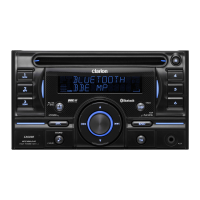
Description of buttons and their functions for the NX501 model.
Description of buttons and their functions for the NZ501 model.
Explanation of the functions of each button on the remote control unit.
Explains how to select sources for the front zone of the unit.
Explains how to select sources for the rear zone of the unit.
Describes the features of the DVD video system, including multi-sound and multi-angle.
Information on playable and non-playable discs, including CD Extra and CD-R/RW.
Instructions for changing system settings like screen size and parental control.
How to load and start playing a DVD disc.
How to use the DVD player menu for playback controls.
How the CD player mode screen is displayed after disc loading.
How to use the CD player menu for playback controls.
Information about MP3/WMA playback, ID3 Tag compatibility, and file formats.
How to connect a USB memory device and select the USB Audio mode.
Instructions for playing MP3/WMA files, including playback controls and skip functions.
How to connect a USB memory device and select the USB Video mode.
How to play video files from USB memory, including playback controls.
How to connect iPod/iPhone and select the iPod Audio mode.
Details on controlling iPod/iPhone playback using the unit's interface.
How to connect a Bluetooth audio player and select the mode.
Step-by-step guide to register (pair) Bluetooth audio players with the unit.
How to select the Bluetooth Telephone mode for calls.
Guide to register (pair) up to 5 cellular phones with the unit.
How to tune into radio stations and select bands.
How to search for stations by frequency up or down.
How to tune into HD Radio broadcasts and select bands.
How to search for HD Radio stations by frequency.
How to select the SIRIUS Satellite Radio mode and view the screen.
How to select channels from the SIRIUS channel list.
How to switch to AUX 1 or AUX 2 input modes to play external devices.
How to switch to the camera mode to display external camera video.
How to play independent sources on front and rear screens simultaneously.
How to control DVD video playback for the rear seat passengers.
Settings for clock, beep, Bluetooth, wallpaper, auxin input, dimmer, tel speaker, anti-theft.
Settings for GPS Time, Navi Interrupt, and Voice Guidance.
Instructions on how to set or unlock the anti-theft code for the unit.
Troubleshooting for general issues like power, buttons, display, and remote control.
Troubleshooting specific to DVD player issues like loading, sound, video, and parental violation.
Troubleshooting for USB device connection, recognition, sound, and video display.
Troubleshooting for Bluetooth pairing, audio quality, and reception issues.
Error messages for DVD player, including Invalid Disc, Parental Violation, and Disc Region incorrect.
Technical specifications for the FM tuner.
Technical specifications for the DVD player system.
Specifications for USB connectivity and playable formats.
Specific warnings and considerations for installing the unit in a vehicle.
Step-by-step instructions for installing the main unit in NISSAN and TOYOTA vehicles.
Diagram and explanation of the unit's wire connections.
How to select the application interface language during initial setup.
Instruction to read and accept the End User License Agreement.
Explanation of button types and how to use them on the touch screen.
How to select options from lists displayed on the screen.
How to use the map screen for navigation, including vehicle marker and route display.
How to move, zoom, tilt, and rotate the map view.
Various methods to select a destination for route planning.
How to check route parameters and access related functions like editing or bypassing.
Ways to modify the active route, such as adding new destinations or changing route.