EasyManua.ls Logo

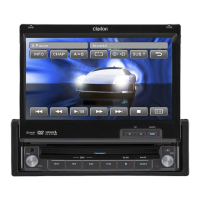
Clarion VX401 - User Manual

Clarion VX401
58 pages
Print Icon
To Next Page IconTo Next Page
Loading...
Owner'sl'fl.anual &lnstaliationtnan4al
Mode
d~emploietmanueJd'instauatioTl·
•..
Manualde instrucciones y de iristalaci6n
VX401
VZ401
2-DIN DVD MULTIMEDIA STATION WITH 6.2-inch
TOUCH PANEL CONTROL
STATION MULTIMEDIADVD 2-DIN AVEC COMMANDE -
ECRAN TACTILE DE
6,2pouces
ESTACION DVDMULTIMEDIA DOBLE DIN CON PANEL
DE CONTROL
TAcTIL
DE 6,2
pulgadas
DVD MULTIMEDIA STATION WITH
7-inch
TOUCH PANEL CONTROL
STATION MULTIMEDIADVD AVEC COMMANDE
ECRANTACTILEDE 7
pouces
ESTACIONDVD MULTIMEDIA CON PANEL
DE
CONTROL
TACTIL DE
7pulgadas
.

Questions and Answers

  • C
    Courtney WrightSep 3, 2025
    Why is the audio quality poor on my Clarion Car Video System after Bluetooth connection?
    • D
      Desiree HartmanSep 3, 2025
      If the audio quality is poor after connecting a Bluetooth device to your Clarion Car Video System, the microphone may not be correctly positioned or the Bluetooth reception may be poor. Try using an optional external microphone and adjust its position. Also, move the device closer to the car audio system or remove any obstacle between the device and the system.
  • Y
    Yolanda RodriguezSep 1, 2025
    What to do if Clarion Car Video System disc cannot be loaded?
    • D
      Danielle SalazarSep 1, 2025
      If your Clarion Car Video System won't load a disc, it might be because a disc is already loaded. Eject the current disc before loading a new one. Alternatively, there could be foreign matter in the disc slot. If so, remove the foreign matter, or consult a service station.
  • B
    Brian JarvisAug 31, 2025
    What to do if Clarion Car Video System does not recognize USB device?
    • T
      tjonesAug 31, 2025
      If your Clarion Car Video System isn't recognizing the USB device, it could be damaged. Try disconnecting and reconnecting the USB device. If it's still not recognized, try replacing it with a different USB device.
  • L
    Linda GoodAug 29, 2025
    Why does the sound skip or is noisy on my Clarion Car Video System?
    • D
      Derek MahoneyAug 29, 2025
      If the sound skips or is noisy on your Clarion Car Video System, it could be due to a dirty, heavily scratched, or warped disc. Try cleaning the disc with a soft cloth. If that doesn't work, replace the disc with one in good condition.
  • L
    Luke ThompsonAug 27, 2025
    How to fix Clarion Car Video System when buttons don't work and display is inaccurate?
    • F
      Francis OwensAug 27, 2025
      If the buttons on your Clarion Car Video System aren't responding and the display is inaccurate, the microprocessor may have malfunctioned. To resolve this, press the reset button with a thin rod. Note that pressing the Reset button will turn off the ACC power and clear stored radio frequencies and titles.
  • S
    Sarah HansenAug 26, 2025
    Why is the image not displayed on my Clarion Car Video System?
    • M
      Matthew MckinneyAug 26, 2025
      If the image is not displayed on your Clarion Car Video System, ensure that the parking brake is engaged.
  • K
    Kimberly WhiteheadAug 25, 2025
    What to do if video images are not displayed on Clarion Car Video System?
    • M
      Melanie JacksonAug 25, 2025
      If video images are not displayed on your Clarion Car Video System, ensure that the parking brake is engaged.
  • A
    Amy BerryAug 22, 2025
    Why is my Clarion Car Video System remote control not working?
    • R
      Russell WhiteAug 22, 2025
      If your Clarion Car Video System remote control isn't working, there are a couple of potential reasons. Direct sunlight on the remote's light-receptive part can interfere with its operation. Also, the remote's battery might be dead or missing, so check the battery.

Summary

PRECAUTIONS AND HANDLING

General Safety Precautions

Critical warnings about driving safety, volume levels, and system operation.

CONTROLS AND OPERATIONS

Operational Panel and Remote Control

Detailed explanation of the unit's buttons, ports, and remote control functions.

Basic Operations

Step-by-step guide for powering on/off, adjusting volume, and basic settings.

Radio Operations

How to tune, scan, and manage radio stations including presets and auto store.

DVD Video Player Operations

Detailed functions for playing DVD video, including setup, playback, and menus.

MEDIA PLAYER OPERATIONS

CONNECTIVITY AND TELEPHONE

Bluetooth Telephone Operations

Pairing, making calls, and managing phone book and call history via Bluetooth.

TROUBLESHOOTING AND ERROR DISPLAY

INSTALLATION AND WIRING

Wiring Connections and Cautions

Important notes on wiring, fuse replacement, and connection diagrams.

Clarion VX401 Specifications

General IconGeneral
Resolution800 x 480 pixels
TouchscreenYes
BluetoothYes
USB Port/InputYes
DVD Player/PlaybackYes
NavigationNo
Rear View Camera InputYes
Audio Output4-channel
AM/FM RadioYes
SD Card SlotYes
Preamp Voltage2V
HDMI InputNo
EqualizerYes
Display Size6.2 inch

Related product manuals