20
2. GAS WELDING
Fig.7
B. Welding Gas
(Models 130E, 135TE and 151TE ONLY)
The Gas Regulator Knob turns on a graduated plate, marked from 0 to 6.
With the knob pointer set to zero (0) the gas flow is OFF.
Set the Regulator to 3 or 4 which will provide a gas flow of 2-3 litres per
minute. This volume will provide adequate gas for a good weld without
porosity under normal conditions.
ALWAYS close the regulator by turning the knob to the 0 (zero) position
whenever you finish welding, or when changing gas cylinders.
C. Set the Controls
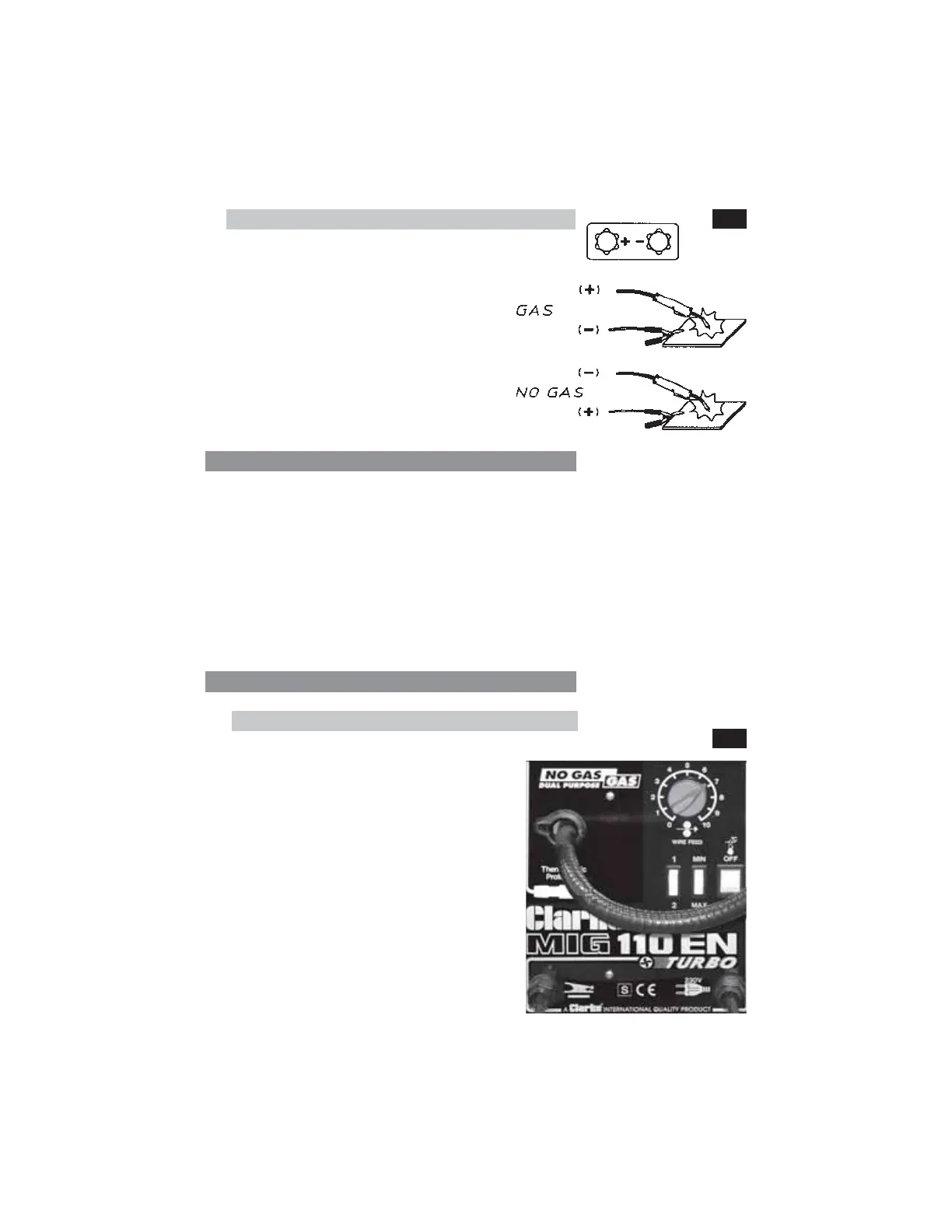
1. Models 110E, 110EN, 130EN & 135EN
These models are provided with two,
2-position switches and a rotary knob, as
shown in Fig. 8.
The rotary knob, with graduations from
0 to 10, is used to control the wire speed.
Two of the 2-position switches are marked
1- 2 and Max - Min respectively, and are
used to control the welding current
according to the type and thickness of
material to be welded, and in
accordance with the charts shown in the
‘Reference Tables’ on pages 24 and 25.
The remaining 2-position switch is the ON/
OFF switch
Fig.8



 To Next Page