28
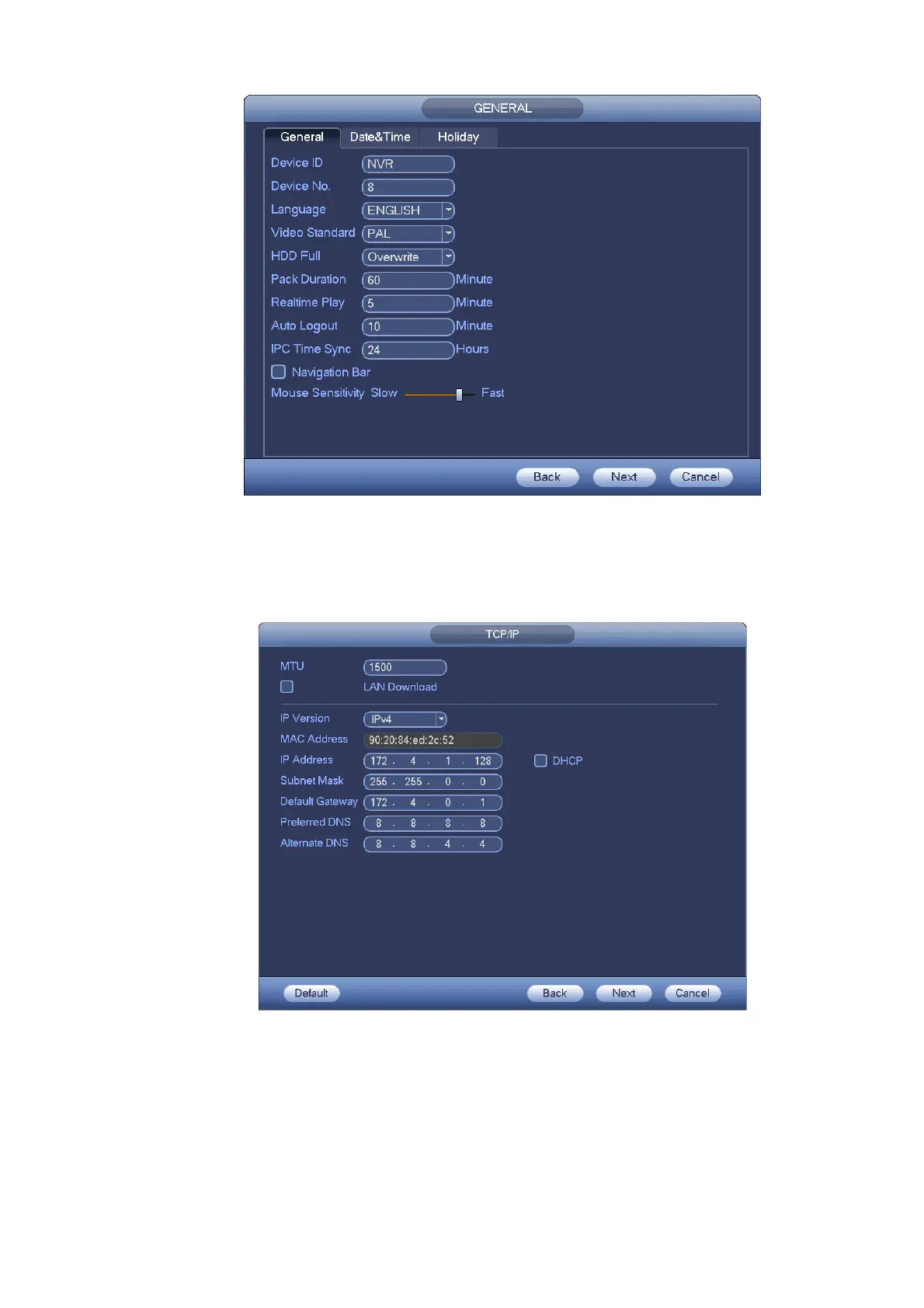
Figure 4-7
Click Next button, you can go to network interface. See Figure 4-8.
For detailed information, please refer to chapter 4.14.
Figure 4-8
Click Next button, you can set P2P function. Scan the QR code, download the App to the cellphone, you
can use the smart phone to add the device. See Figure 4-9.
For detailed information, please refer to chapter 4.14.1.16.


 To Next Page