CFV Startup Guide
Part No. 750-288 9
2.1 Controller Configuration
The CB Falcon controller is factory pre-configured with default parameter
settings for the Model CFV. Prior to starting the boiler, verify that the
factory default settings are correct for your application. See the boiler
operation manual (Chapter 4 - Commissioning) for the parameter list and
parameter change procedure.
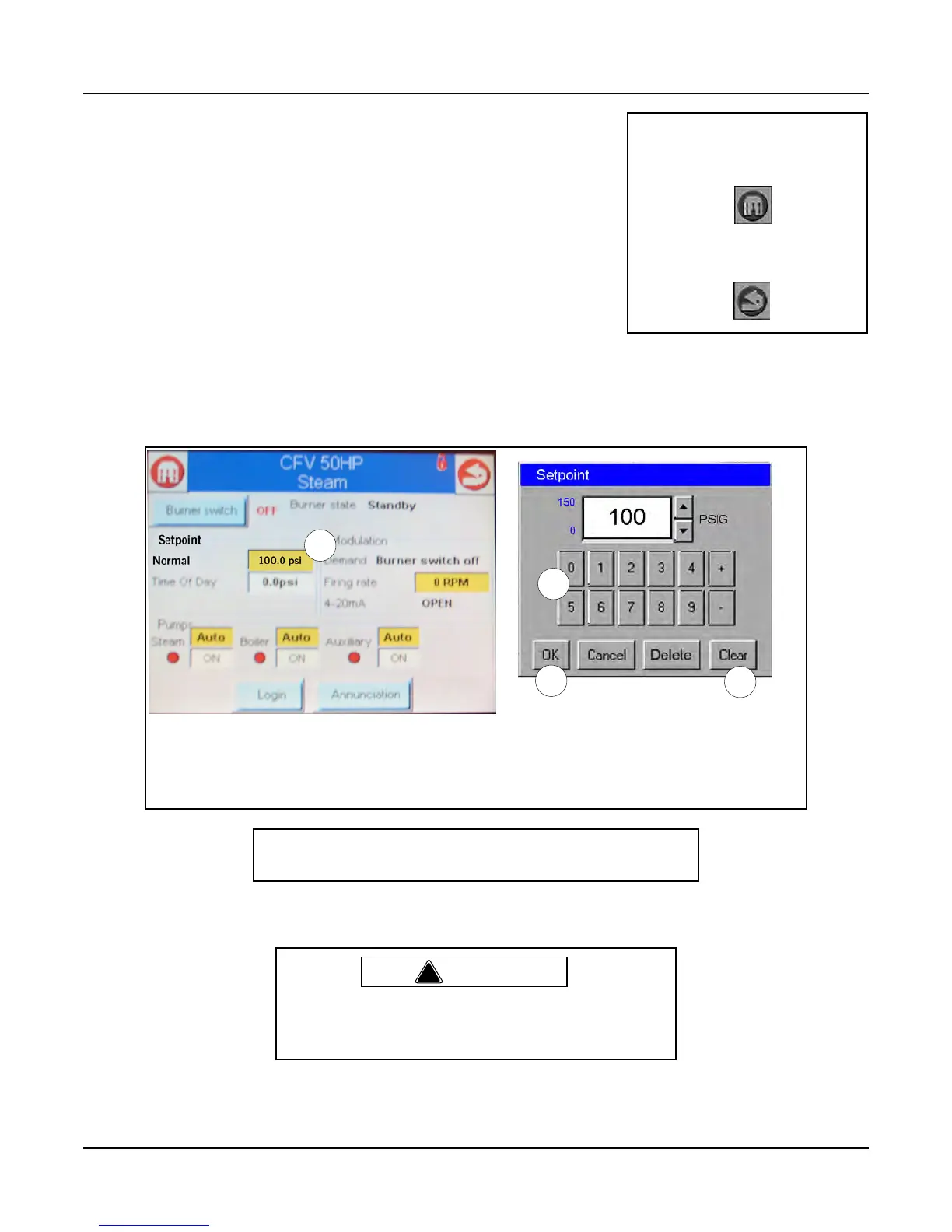
Changing the Setpoint
The default steam pressure setpoint should be changed at this time to
suit your application. Press the CB Falcon icon on the Home page. The
Overview screen will appear. On the bottom row of screen buttons press
<Operation> to access the Operation screen (Figure 10).
Press the yellow highlighted setpoint display. A numeric keypad will appear. Press <Clear> to clear the
current value, enter the appropriate setting using the numeric keypad, and press <OK>.
Figure 10 Changing the setpoint
2.2 Initiating Burner Sequence
When ready to start the boiler, navigate to the Operation screen (see “Changing the Setpoint” above).
Note: The “Home” icon at the
upper left of the display
screen always returns to the
Home Page.
The “Back” icon at the upper
right displays the previous
screen.
1
2
3
4
To change the steam pressure setpoint: 1. Press the yellow highlighted setpoint display window.
2. Clear the current value.
3. Enter the desired value.
4. Press <OK>.
Note: Some features of the CB Falcon controls are password
protected. Service level password = 9220.
!
Warning
Before initial startup, check for blockages in the flue vent-
ing or vent terminations. Inspect the burner and furnace
for any contamination or blockages.



 To Next Page