SLEEPVIEW USER MANUAL
18
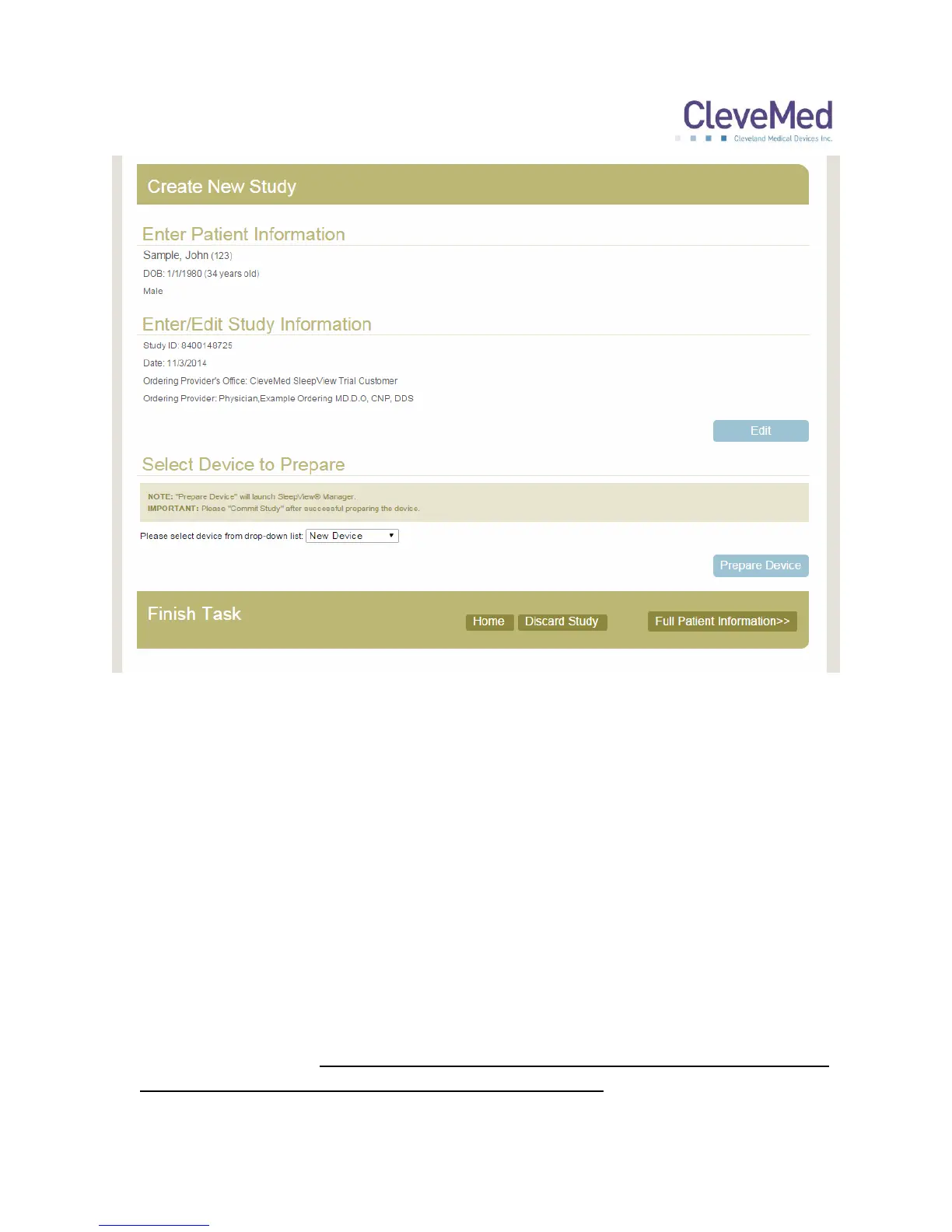
7. The final step of study creation is “Enter/Edit ID into Device”. Each SleepView device
that is registered with the portal is provided in the drop-down menu labeled “Select
Device”. Select the device that is used for the study. If the desired SleepView
Monitor has never been registered with the system, select “New Device” from the
dropdown box.
8. Click “Prepare Device” and the website will start the SleepView Manager software.
PLEASE NOTE: If this is the first time you are using the system with your web
browser, you may receive a security warning since the website is executing a
program on your machine. The warning will vary depending on the browser
you are using, and will offer you the option to allow the website to access the
secured resource. If you experience any problems with this, please contact
technical support.
IMPORTANT NOTE: Preparing a SleepView Monitor for a new study will cause
all previously recorded studies to be deleted from it.


 To Next Page