Timer
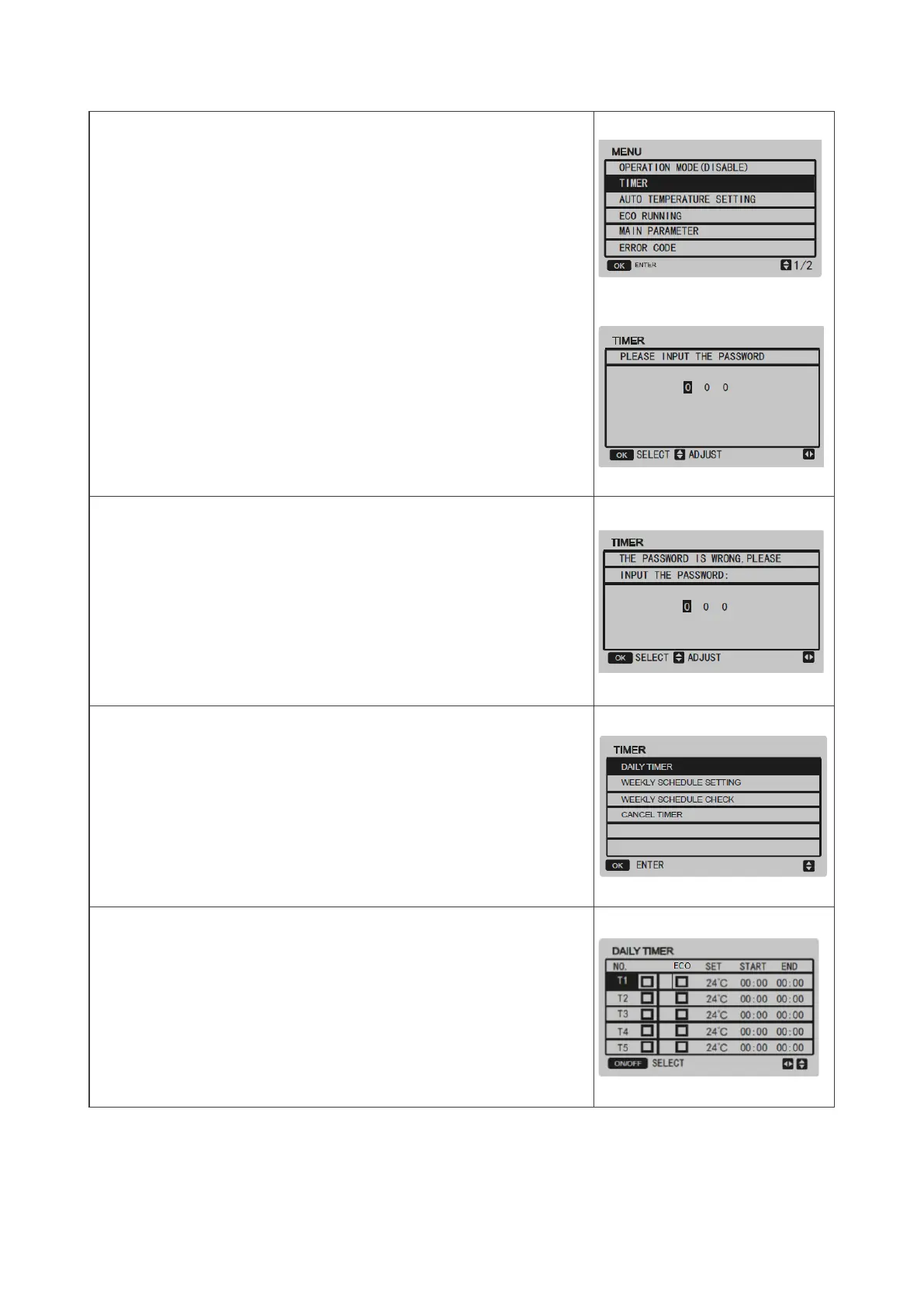
Select TIMER using ◄ ► and press OK.
Press ◄ ► to select the value of the password Press ▲ ▼
to enter the value of the password.
The password is 123 and cannot be modified.
If the password is incorrect, the display will appear as follows:
After entering the correct password, the display will appear as follows:
Daily timer
Select DAILY TIMER using ▲▼ and press OK .


 To Next Page
 Loading...