M0G940E8-00 04/07/08 pag 39
1
A
L
AR
M
S
TATUS
S
ET
OFF
unit in OFF.
by keypad
by supervisor
2
AL
AR
M
ST
A
TUS
SE
T
switching: long ON -
OFF
pressure
3
AL
AR
M
STAT
US
SET
11.6
OUTLET temperature
visualization
AL
AR
M
S
T
AT
U
S
SE
T
STB
Unità in :
• MANTEINTENANCE or
• In TRANSITION mode ( for ex. from heating to cooling or to sanitary H2O)
ACCESSIBLE PARAMETERS FROM REMOTE OR SERVICE KEYBOARD
num. Par. Description Value UM
29 Summer secondary Set Point 10 °C
30
Winter secondary Set Point
35 °C
32
Summer Set Point
5.7 °C
33
Winter Set Point
41.2 °C
42
Summer Set Point Maintenance
20 °C
43
Winter Set Point Maintenance
30 °C
44
Enables Summer Maintenance
0 num
45
Enables Winter Maintenance
0 num
77
Antifreeze heater set point
4 °C
80
Antifreeze alarm
4 °C
84
Limit of deactivation before reaching the antifreeze steps
4.5 °C
117
Sanitary water set point
35 °C
163
Configures remote inputs: 1 = H/C by keypad or supervisor
216 Keypad address on Clivet Bus net: 7 =local; 1=remote 0 num
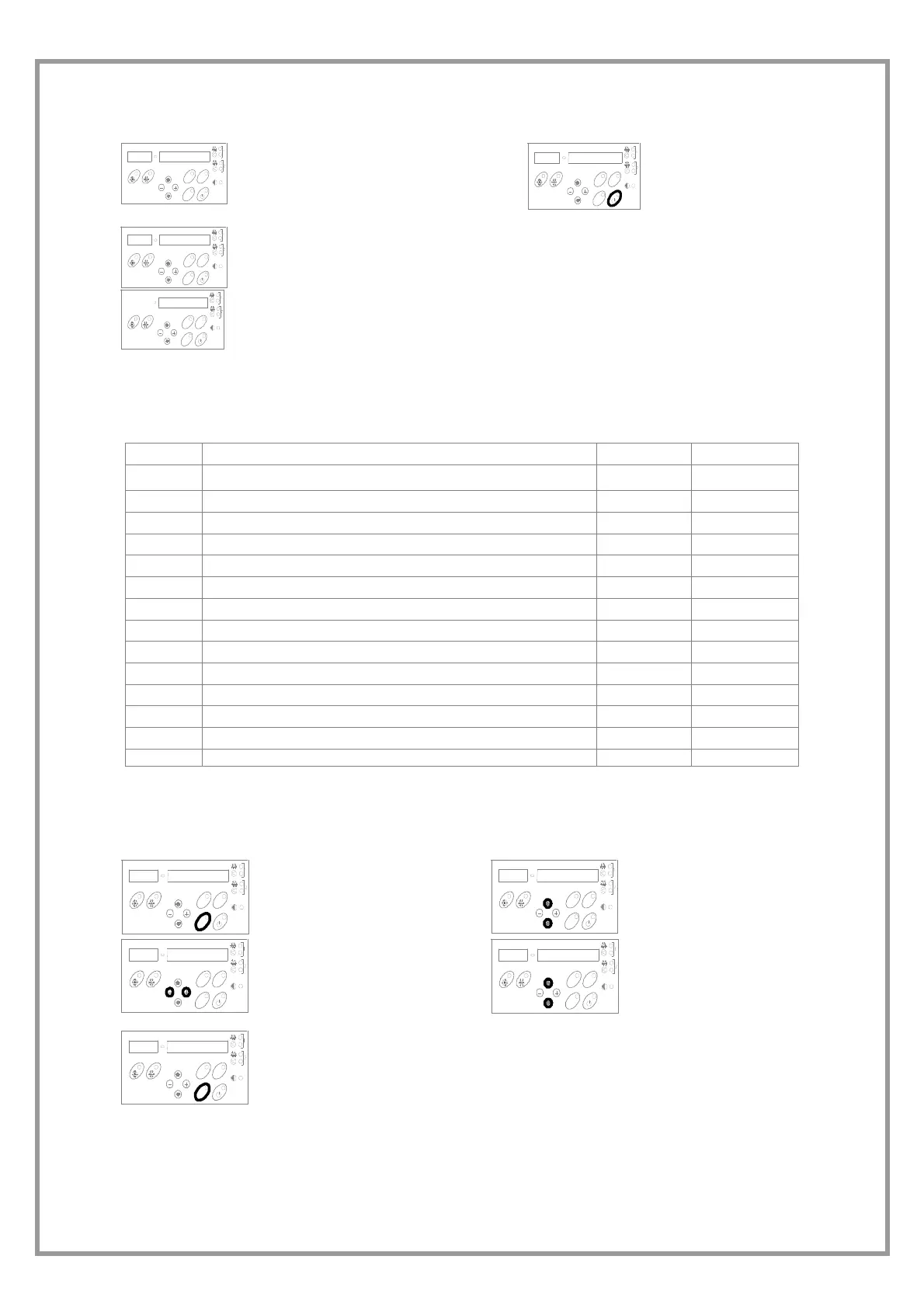
PARAMETER MODIFICATION
1
A
L
A
RM
STATU
S
S
E
T
Push SET button
2
AL
AR
M
S
T
A
T
U
S
S
E
T
Select the
parameter
3
AL
AR
M
S
T
A
T
U
S
S
E
T
Modify the value
4
A
L
A
RM
S
T
A
TUS
S
ET
Select another
parameter
5
A
L
A
R
M
STATUS
S
E
T
SET to esc


 To Next Page
 Loading...