5Clover Station Pro Install Guide — EU 1.0
Activate your Station Pro
If you are activating multiple Clover devices, each one will have its own unique activation code.
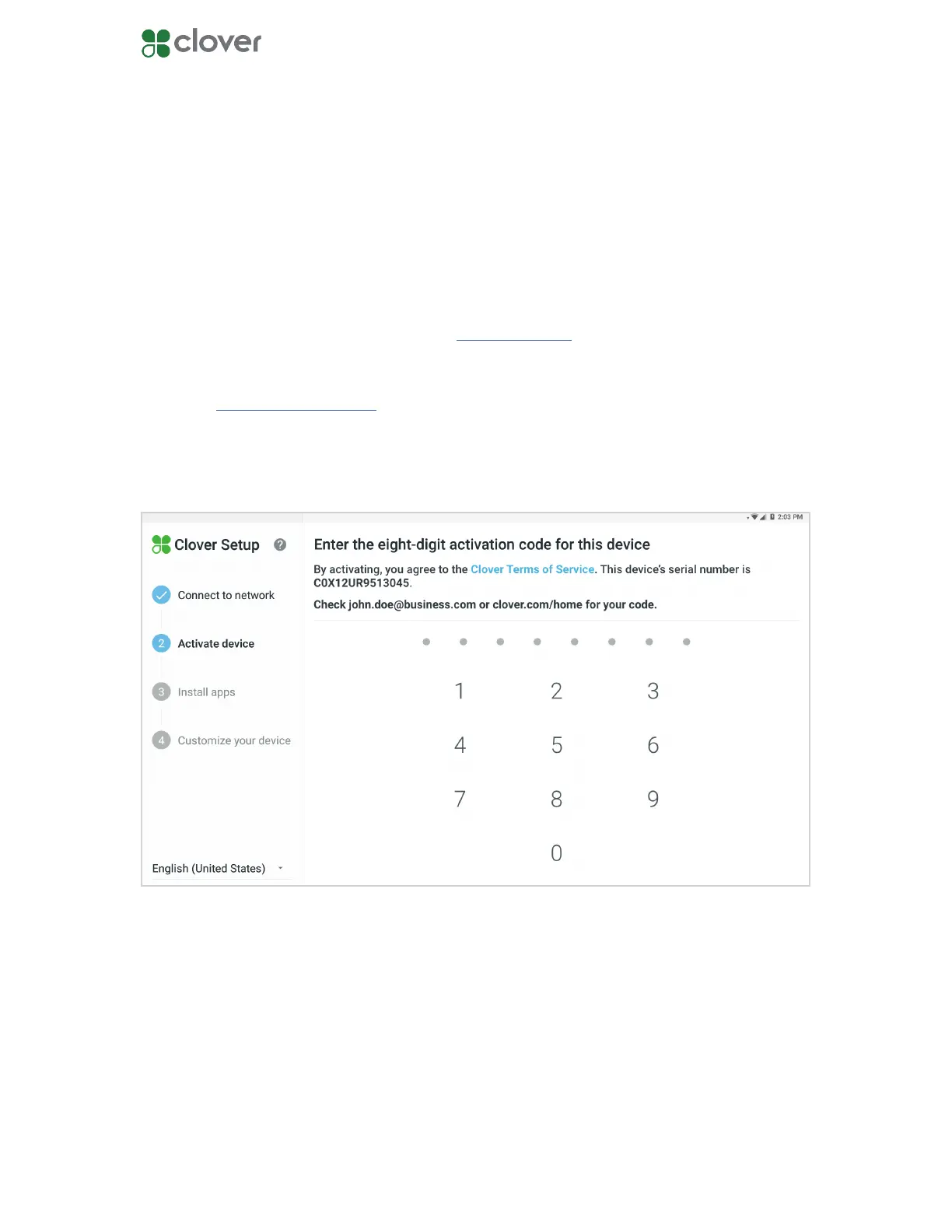
Double-check the serial numbers of your device to see which activation code is needed. You
can nd the serial code on the activation screen.
NOTE: If you cannot nd the email with your activation code, check your spam folder.
When your Station Pro is connected to a network, an email will be sent to you containing the
activation code for your device.
1. Look for an email from Clover Support (app@clover.com). The email will be sent to the
email address associated with your merchant account.
• If you’ve already set up your Web Dashboard account, you can log in to
www.clover.com/home. The activation code will be listed on the top of the screen
once you log in.
2. Enter the 8-digit activation code from the email using the number pad on the touch-
screen.



 To Next Page