7Clover Station Pro Install Guide — EU 1.0
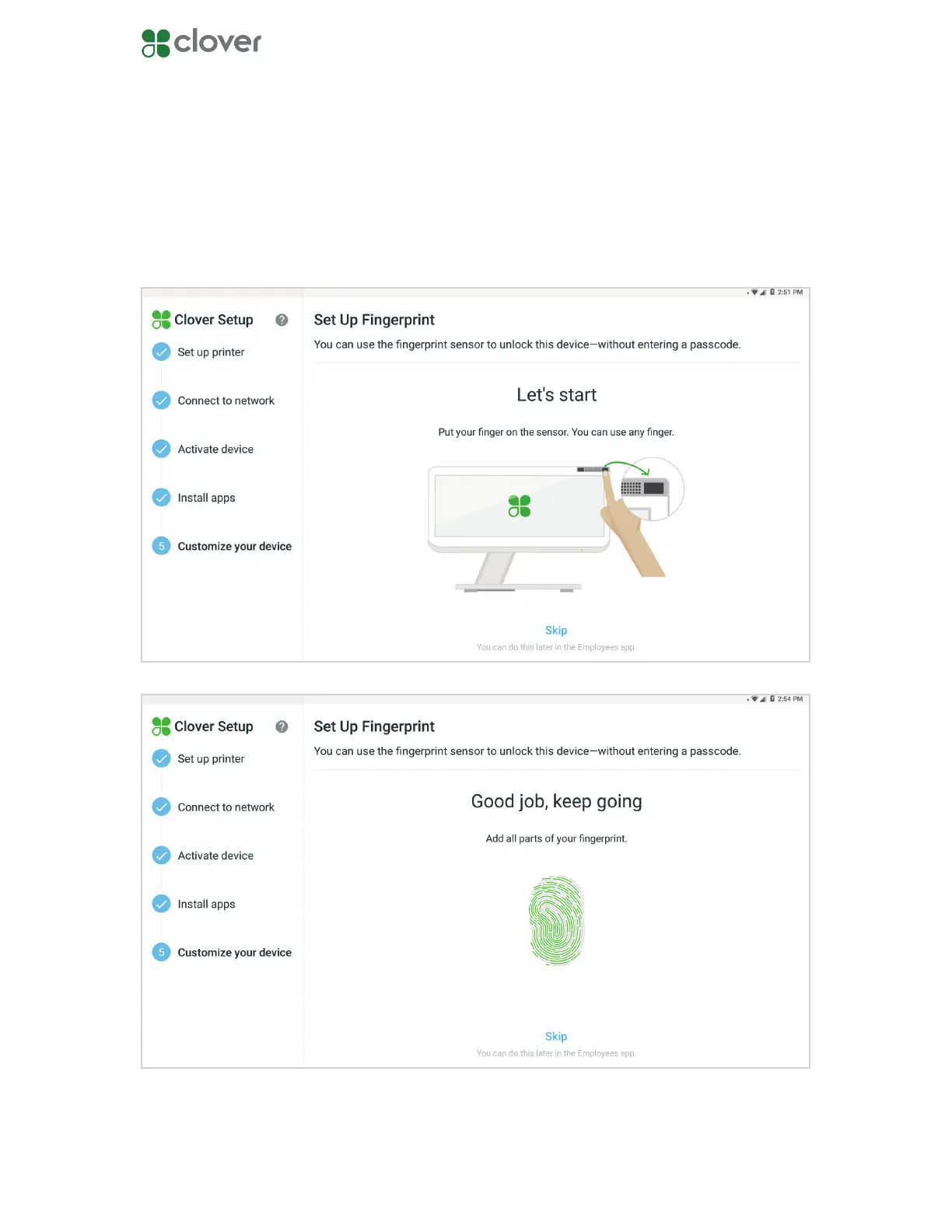
Register a ngerprint
1. Place your nger on the Station Pro sensor on the upper right corner.
2. Keep lifting and placing your nger on the sensor.
3. Once your ngerprint is registered, tap Continue.
You can register a ngerprint to unlock your Clover Station Pro. If you want to register a nger-
print later, tap Skip. You can register ngerprints in the Employees app.



 To Next Page