EasyManua.ls Logo

CME VX5 - User Manual

CME VX5
73 pages
Print Icon
To Next Page IconTo Next Page
Loading...
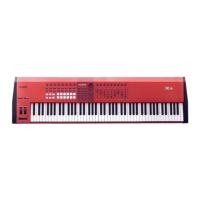
Intelligent MIDI Master Keyboard
Users’ manual
—————————————————
Model: VX5/6/7/8
(Firmware 2.0)
Read “Precautions” on page 4 before use
Please read this manual carefully before use.
Please keep this manual for reference.

Table of Contents

Question and Answer IconNeed help?

Do you have a question about the CME VX5 and is the answer not in the manual?

Summary

Special Message Section

Basic Precautions

Firmware Update and Hints

Introduction to VX Parts

VX Operating Modes: MASTER vs. U-CTRL

Explains the two primary operating modes: MASTER and U-CTRL.

System Power-On and Port Settings

Power-On, Driver Installation, and MIDI Ports

Guides on powering on, installing drivers, and USB MIDI port functions.

System Power-On and Port Settings Continued

The MASTER Mode

Master Mode Overview and User Banks

Introduces MASTER mode, user banks, and favorite folder navigation.

Favorite Folders and Auto-display Function

Explains favorite folders, their display, tips, and the auto-display feature.

MASTER Mode Menu Buttons: Navigation and Assignment

Details MASTER and ASSIGN buttons for bank management and control redefinition.

ASSIGN Function Details: Pedal and Aftertouch Controls

ASSIGN Function Details: Ribbon, Breath, SEQ Buttons

ASSIGN Function Details: Knobs, Pads, Faders, Data List

The ZONE Button

The AUTOMATION Button

The STYLE SEQ Button

The PERFORMANCE Button

The UTILITY Button

UTILITY Button Settings Continued

9 U-CTRL Mode

10 Update

12 Troubleshooting

13 Specifications

CME VX5 Specifications

General IconGeneral
Key TypeSemi-weighted
Polyphony128 voices
AftertouchYes
Faders9
MIDIYes
Number of Keys49
EffectsReverb, Chorus
ConnectivityUSB, MIDI, Sustain Pedal, Expression Pedal
Pads8
PowerUSB
Presets128

Related product manuals