Replacing the Batteries
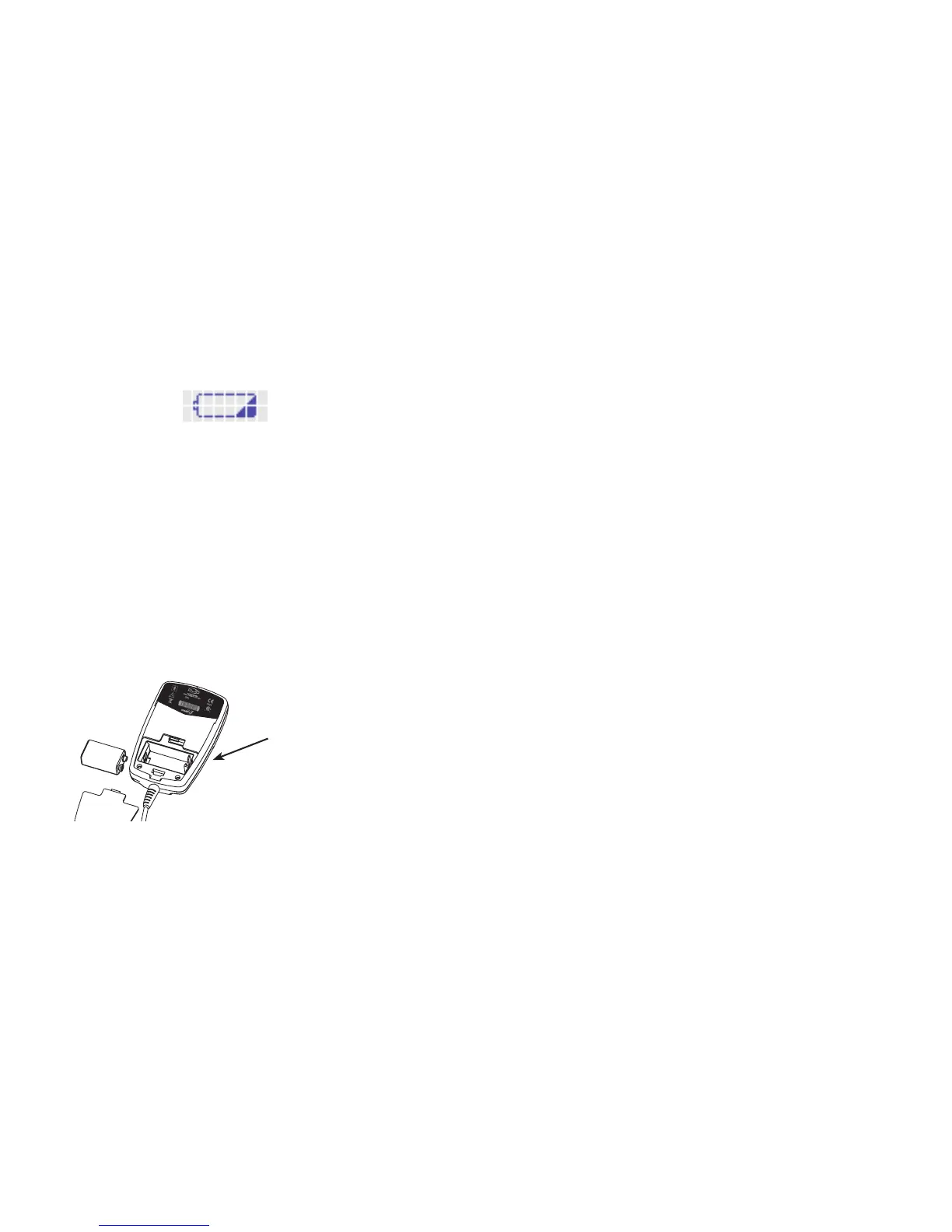
The LCD screen will show the following picture when it is time
for new batteries. This picture will be shown at the start of a
treatment or during a treatment. The device will turn off after
this picture is displayed.
Never change the batteries when the device is running. Wait
until the device stops operating to change the batteries.
Note: Be sure to remove plactic from batteries before
replacing them.
Replacing Batteries in the OL1000 & OL1000 SC
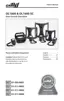
The picture in Figure 5, below, shows the correct way to replace
the battery. When replacing the battery, you will see the correct
way to put them in on the inside of the battery compartment.
Use ONLY the batteries supplied with the device. They are
located in the carrying case.
Figure 5. Battery Compartment
10 11
Additional Information
• ThedevicecanbeusedONLY270daysinarow(aboutnine
months). Use the device as long as your doctor tells you to.
• Pleasetakethedevicewithyoueverytimeyougoto
your doctor.
• Inclinicalstudies,theearliesttimetohealwasthreemonths.
The average time to heal was six months. Some non-healing
broken bones may take longer to heal.
• TherearealternativestousingtheOL1000orOL1000SC.
These include having surgery or using other medical devices.
Please ask your doctor if you have any questions about other
choices for treating your non-healing
broken bone.
(Serialized area)
XXXXXX
ENSURE BATTERIES ARE
CORRECTLY POSITIONED.



 To Next Page