EVAC-500 Voice Alarm & Evacuation System Operation Manual
21 / 42
Description:
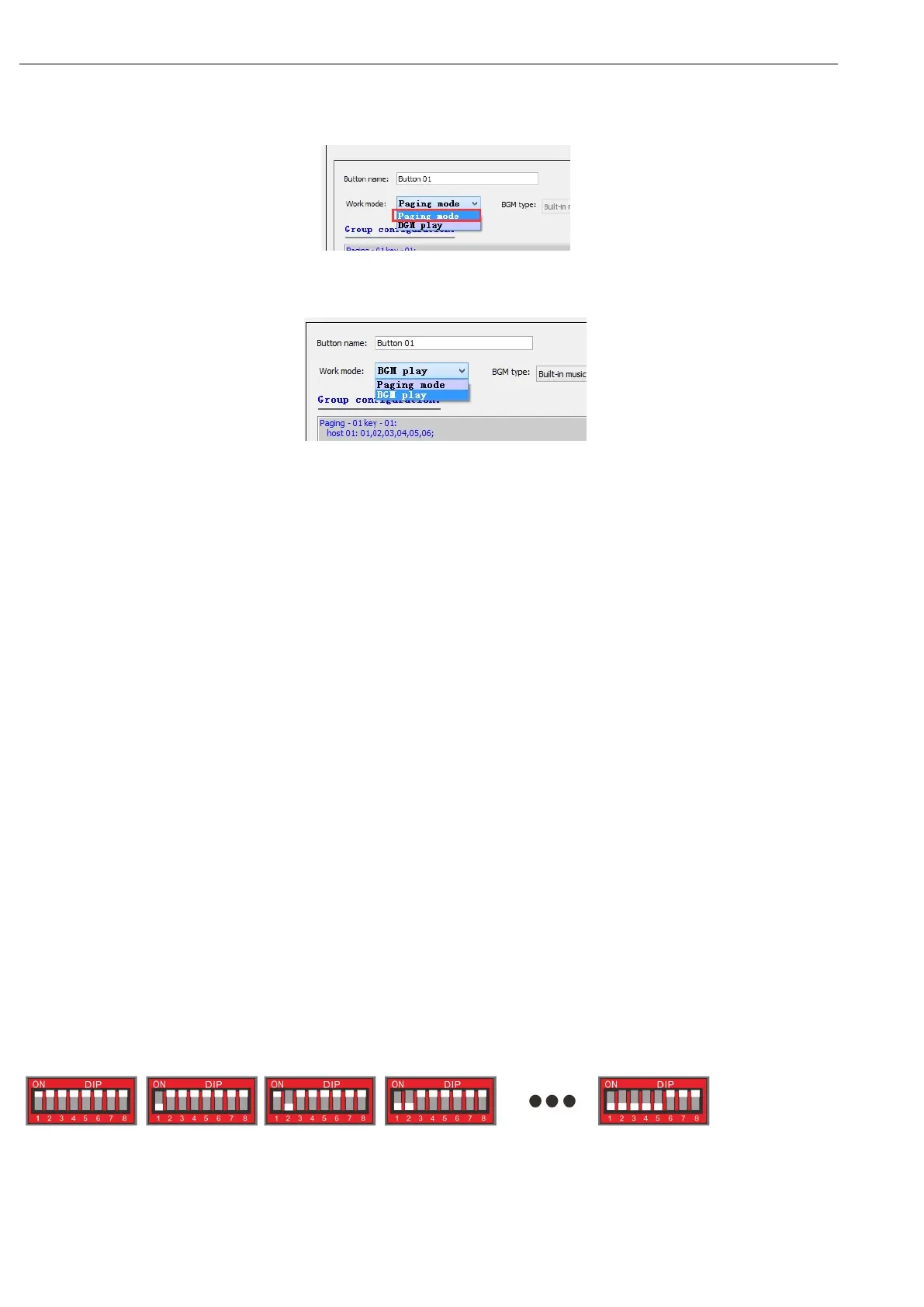
1. Paging mode”
Select all keys that are configured as Paging mode, as shown in the following figure:
2. “BGM play” ——:
If the corresponding key is configured as "BGM play" - this key is disabled: as shown below:
6—Talk On/Off Button
On/off the microphone to start paging or finish paging or announcement.
Notes:
1. When it is paging, the current paging will be ended by pressing this key;
2. When there is no paging but the zone is selected, it will begin the paging by pressing this key (it will wait
for the ON of the microphone light);
Attentions:
When the MIC is operated in the PTT mode, this key shall be always pressed for a paging operation;
otherwise once button is released, the paging will end (PTT mode refers to the description in the later “11”).
7— Main Power switch to on/off the power supply for this microphone
8— Two RJ45Network Interface
There are two RJ45 communication ports, one for host and the other port is for next remote microphone
hand-in-hand connection or loop connection back to the host for redundancy connection. For these two RJ45 ports,
there is no distinction between the primary and the secondary port.
9— MIC Output Volume, to increase or decrease the microphone loudness.
10—Line input
This is used to input external audio source player instead of MIC output audio.
11—ID Configuration Dipswitch
"1 ~ 5" – the first 5 dipswitch is used to configure the ID address of the microphone as following rules (the device
ID1 ~ 5 binary value)
1(000000) 2(100000) 3(010000) 4(110000) 32(111110)
“6” Reserved PIN, non-functional, so no need to change or program.
“7”: Indicator test dipswitch is used to test all “LED” on the microphone panel (please keep it PULL-Up if it is normal).


 To Next Page